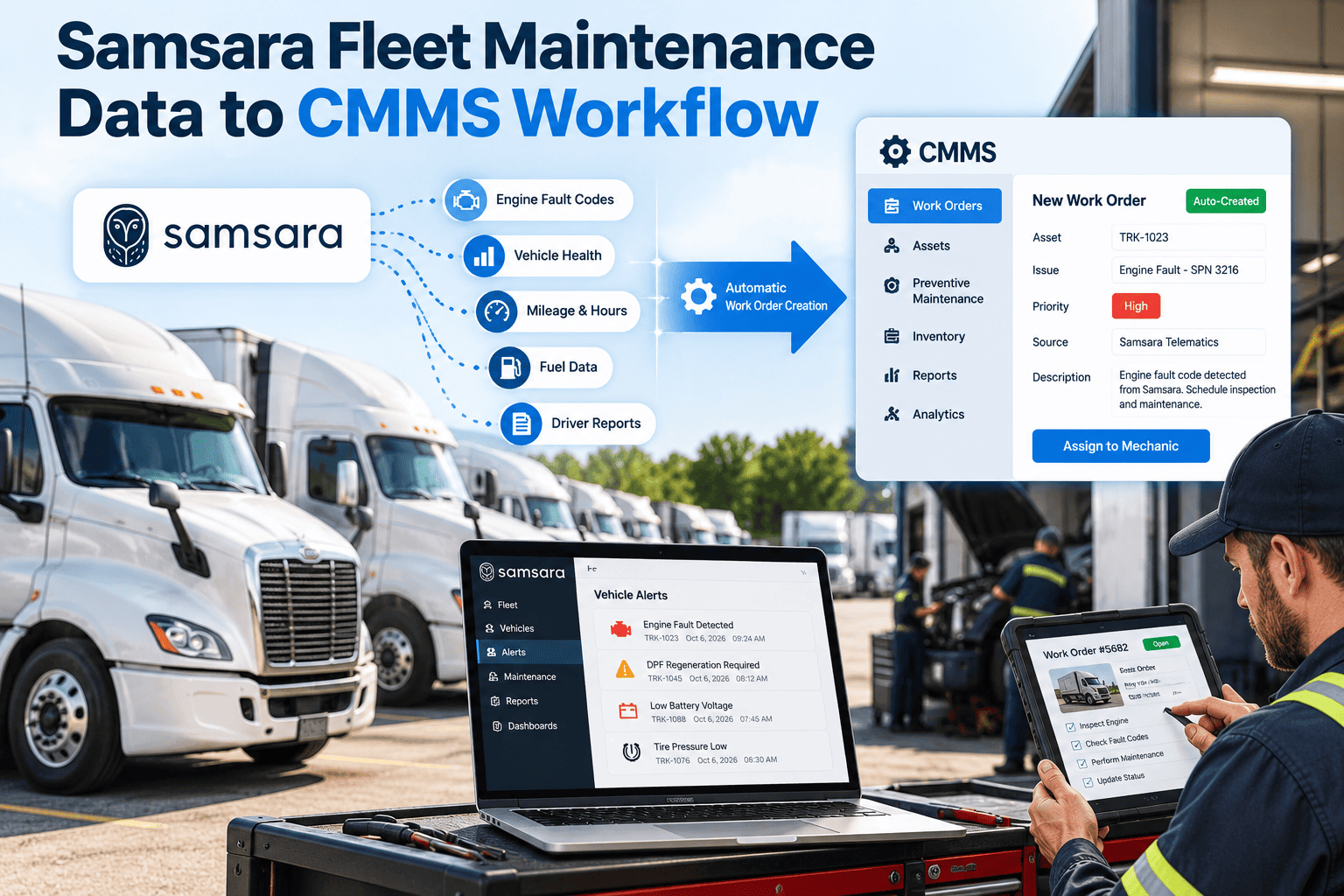
Every fleet maintenance decision starts with a driver noticing something wrong. When that report is vague, late, or duplicated, technicians spend the first hour of a job just finding the fault, and real safety defects sit in a queue beside cosmetic notes. Better inspection data does not require more paperwork. It requires clearer prompts, faster triage, and a closed loop back to the driver. This guide explains how to raise defect report quality, and how a fleet maintenance CMMS turns those reports into traceable work.
Driver-Reported Defect Quality: Improving Fleet Inspection Data
Turn "something is wrong with the brakes" into a located, evidenced, prioritized defect that a technician can act on the same shift.
What defect report quality actually means
A good defect report lets someone who was not there understand the problem, judge the risk, and start the repair. Five attributes decide whether it does.
- Specific. It names the component and the symptom, such as "rear left air brake chamber leaking at the hose fitting," not "brakes bad."
- Located. It identifies the exact unit, axle, side, or compartment, tied to the right asset record.
- Evidenced. A photo, short note, or gauge reading shows what the driver saw.
- Rated. The driver indicates whether the vehicle is safe to continue, or needs to stop.
- Timely. It is logged during or immediately after the inspection, not reconstructed at the end of the shift.
Why this matters beyond the shop
- Triage depends on the report. Dispatchers cannot decide between "run it" and "park it" without detail.
- Asset history is only as useful as the entries behind it. Poor reports produce poor failure analysis.
- Compliance records are reviewed after incidents. Vague entries weaken your position.
The same defect, reported two ways
- "Brakes feel off"
- No axle or side given
- No photo or reading
- Severity left blank
- Logged next morning
- "Rear left brake chamber, air leak audible at fitting"
- Unit, axle, and side selected from a list
- Photo attached
- Marked "stop: do not operate"
- Logged at the walkaround
Root causes of poor driver-reported defects
Weak reports are rarely a driver attitude problem. They usually come from the process around the driver.
| Root cause | What it looks like | Practical fix |
|---|---|---|
| Free-text only forms | Short, ambiguous notes | Component pick-lists with a short symptom list and an optional note |
| Paper or end-of-shift entry | Missing detail, forgotten items | Mobile inspection at the vehicle with required fields |
| No visible response | Drivers stop reporting minor issues | Status updates and a closing note returned to the driver |
| Checklist too long | Tick-all behavior, no real inspection | Trim to what matters per vehicle type, rotate focus areas |
| Unclear severity rules | Everything marked minor, or everything urgent | Plain definitions of stop, repair soon, and monitor |
| Duplicate reports | Three drivers log the same defect | Show open defects on the unit so drivers confirm instead of re-entering |
From inspection to repair: the defect lifecycle
Capture
The driver completes the walkaround on a phone. Each failed item opens a short structured prompt: component, symptom, severity, photo.Validate
Required fields prevent empty submissions. Open defects on the same unit are shown to avoid duplicates.Triage
A dispatcher or shop lead reviews new defects, confirms severity, and decides whether the vehicle stays in service.Convert
Accepted defects become work orders with the asset, history, suggested parts, and priority already attached.Repair and certify
The technician records the fix, parts used, and time. A supervisor signs off where required.Close the loop
The driver sees the outcome. The record stays on the asset for trend analysis.Give your drivers a report form that technicians can use
Set up structured inspections, defect triage, and work order conversion in one maintenance workflow.
Designing inspection forms that produce usable data
Form design shapes data quality more than reminders or training. A few principles apply to nearly every fleet.
Match the checklist to the vehicle
A tractor, a refuse truck, and a light van need different items. Generic lists invite tick-all behavior.Use pass, fail, and not applicable
Forcing a choice on each item shows what was actually checked and what was skipped.Require detail only on failure
Keep the passing path fast. Ask for component, symptom, and photo only when something fails.Standardize symptom wording
Short lists such as leaking, cracked, loose, noisy, warning light, or missing make reports searchable and countable.Capture meter readings
Odometer or engine hours at the time of the report support mileage-based follow-up and warranty review.Plan for poor connectivity
Depots and rural routes lose signal. Inspections should save locally and sync later.Severity definitions drivers can apply in seconds
| Level | Meaning | Typical action |
|---|---|---|
| Stop | Likely to affect safe operation or breach a legal requirement | Remove from service, immediate work order |
| Repair soon | Safe today, but will worsen or fail an inspection if ignored | Schedule within a defined window |
| Monitor | Wear or cosmetic issue with no near-term risk | Log, review at the next preventive service |
Tune these definitions to your vehicle types, duty cycles, and local regulations.
Compliance: why record quality matters
- In the United States, motor carriers generally must have drivers prepare vehicle inspection reports and keep them for a set period, with certification when defects are repaired. Review the current FMCSA rules (49 CFR Part 396) for your operation.
- Other regions, including the UK and Canada, have their own daily check and defect rectification expectations.
- During audits or after incidents, regulators and insurers look for evidence that defects were reported, assessed, and fixed promptly.
What a defensible record contains
- Date, time, driver, and unit identification
- The defect description and photo evidence
- The decision made and who made it
- Repair details, parts, technician, and completion date
- Certification or sign-off where applicable
Confirm requirements with your compliance team, as rules differ by jurisdiction and vehicle class.
Measuring defect quality
If you cannot measure report quality, it will not improve. Start with a handful of indicators drawn from your existing data.
Using the numbers with drivers
- Share trends by depot or route, not public rankings of individuals.
- Show examples of reports that led to a fast repair.
- Ask drivers which checklist items are confusing, then fix the form.
How Oxmaint supports better defect data
Oxmaint connects inspections, defects, work orders, and asset history in one maintenance record.
- Mobile inspections. Drivers complete vehicle-specific checklists and attach photos at the unit.
- Defect to work order. Failed items convert into corrective work orders with asset history and priority.
- Preventive maintenance. Recurring defect patterns inform service intervals and inspection focus.
- Asset history. Every report, repair, and part is stored against the vehicle.
- Inventory. Parts linked to common defects can be stocked and issued against work orders.
- Reporting. Dashboards show open defects, time to close, and repeat failures.
- Compliance records. Inspection and repair evidence stays searchable for audits.
A 90-day plan to improve defect quality
Baseline
Review recent defect reports. Score a sample against the five attributes. List the top ten recurring defects and the vehicles they affect.Redesign
Rebuild checklists by vehicle type. Add symptom lists, severity definitions, and photo prompts. Pilot at one depot.Close the loop
Start driver feedback on every closed defect. Track the indicators above and adjust forms using driver input.What to capture for the most common defect categories
Different systems need different details. Giving drivers a short, category-specific prompt removes guesswork and saves the technician a phone call.
| Category | Details worth capturing | Why technicians need it |
|---|---|---|
| Brakes | Axle, side, symptom (pull, noise, soft pedal, air leak), warning lights | Narrows the fault to a circuit or wheel end before the vehicle reaches the bay |
| Tires and wheels | Position, visible damage, pressure reading, tread concern | Lets the shop prepare the right tire and decide if the vehicle can move |
| Lights and electrical | Which lamp or circuit, intermittent or constant, dashboard messages | Separates a bulb change from a wiring or connector fault |
| Engine and fluids | Leak location, fluid color, smell, warning light, performance change | Points toward the failing system and the urgency |
| Steering and suspension | Noise, vibration, looseness, pull, speed at which it occurs | Helps reproduce the fault on a test drive |
| Body, doors, and cargo | Damage location, security of load area, mirrors and glass | Supports safety review and any damage claim |
Handling intermittent and no-fault-found defects
Some of the most frustrating reports describe problems that disappear when the vehicle reaches the shop.
- Ask drivers when the symptom happens: cold start, braking downhill, loaded, or at highway speed.
- Allow a short video or audio clip where policy permits, since noise is hard to describe.
- Record "no fault found" with the tests performed, so the next report is not treated as new.
- Link repeat reports on the same unit so patterns become visible.
- Flag a vehicle for a focused road test after two matching reports.
Why this matters
- Repeat visits for the same complaint cost labor and damage driver trust.
- Intermittent faults often precede hard failures.
- A documented history protects the shop when a fault is later confirmed.
Coaching drivers without turning it into blame
Drivers report better when reporting feels useful and safe. Treat quality as a shared process improvement.
- Explain the purpose. Show how one clear report saved diagnostic time on a real repair.
- Give quick examples. A one-page guide with a weak and a strong report for each system works better than a long manual.
- Acknowledge reports. A short confirmation that a defect was received and scheduled encourages the next one.
- Welcome minor reports. Small defects found early are cheaper than failures found late.
- Protect honesty. Do not penalize drivers for reporting a defect that delays a trip.
- Collect feedback. Ask which checklist items are unclear, and fix the wording.
Feedback to technicians and dispatchers
- Technicians should note when a report was accurate, so good habits are visible.
- Dispatchers should record why a vehicle was kept in service or parked.
- Shop leads should review a sample of reports each week for clarity.
Pitfalls to avoid when improving inspection data
- Adding fields without removing any
- Making every field mandatory on every item
- Ignoring poor connectivity at depots
- Letting defects sit without a status
- Measuring drivers instead of the process
- Trim the checklist before extending it
- Require detail only when an item fails
- Allow offline capture and later sync
- Show status from reported to closed
- Fix forms, prompts, and feedback first
Using better defect data beyond the shop
- Preventive maintenance tuning. If one component generates many driver reports between services, shorten its interval or add an inspection step.
- Parts planning. Frequent defects in the same category show which parts to keep on the shelf.
- Vehicle specification. Repeat issues on a model can inform future purchases.
- Training. Patterns by depot may reveal a need for refresher sessions.
- Safety reviews. Time-stamped, evidenced defects support internal and external reviews.
Weekly review routine for defect quality
- Sample ten reports. Pick a mix of safety and minor defects from different depots and score each against the five attributes.
- Trace one defect end to end. Follow a single report from the driver to the closed work order and note every delay or handoff.
- Review rejected or reclassified reports. If triage keeps changing the severity, the driver definitions need clearer wording.
- Check open defects by age. Anything open beyond its target window needs an owner and a reason.
- Share one lesson. Send drivers a short note on a good report and what it made possible.
Signs your inspection data is improving
- Technicians stop calling drivers for basic details.
- Parts are ready before the vehicle reaches the bay.
- Fewer repairs are redone for the same complaint.
- Drivers report minor issues earlier, because they see results.
- Audit requests are answered from the system in minutes rather than hours.
Frequently asked questions
How detailed should a driver defect report be?
Component, location, symptom, severity, and a photo are usually enough for a technician to start.Do photos really improve inspection data?
They reduce misdiagnosis and speed triage. Make them required for failed safety items.How do we stop drivers ticking every box?
Shorten checklists, require pass or fail choices, and show drivers their reports lead to repairs.Can defects become work orders automatically?
Yes. You can get started with Oxmaint to convert failed items into prioritized work orders.Where should we begin?
Pilot one depot and one vehicle type, or book a demo to map the workflow.Turn driver reports into repairs your team can trust
See how structured inspections and a single defect-to-work-order flow improve fleet data quality.