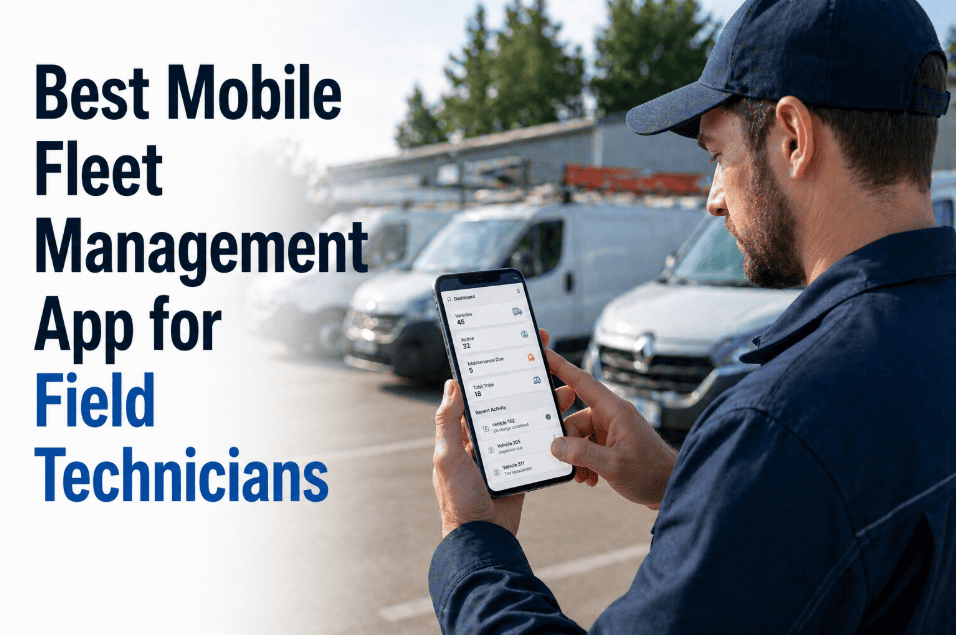
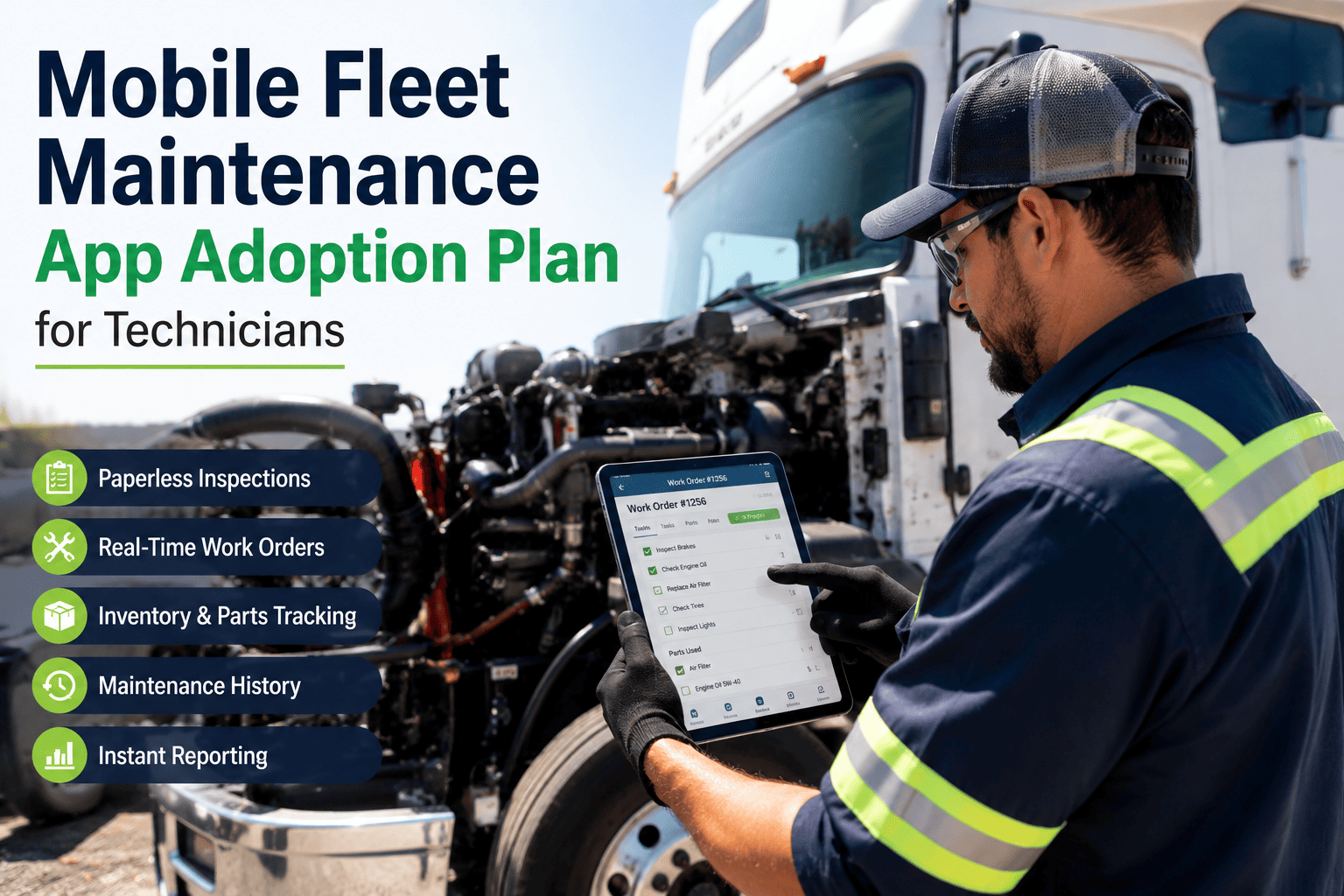
Field technicians have always been the gap between what fleet management software promises and what actually happens at the vehicle. A work order generated at 7 AM in the dispatch office reaches the technician at 8:45 AM as a printed sheet — by which point the vehicle has moved, the parts request is verbal, the inspection notes are handwritten, and the completion data gets entered manually at the end of the shift with 40% of the detail missing. Mobile fleet management apps close this gap by putting the full capability of the fleet management system directly on the device in the technician's pocket — with offline functionality for areas without coverage, camera integration for photo documentation, barcode scanning for asset identification, and real-time sync when connection returns. Fleets deploying purpose-built mobile apps for field technicians report 42% faster work order completion, 89% reduction in data entry errors, and first-time fix rates that climb from 61% to 84% when technicians have complete asset history and parts information at the vehicle. If your field technicians are still working from printed work orders, start a free trial with Oxmaint or book a demo to see the mobile app that changes that.
Mobile Fleet Management · Field Technicians · iOS and Android
Best Mobile Fleet Management App for Field Technicians — 2026 Complete Guide
Work orders, inspection checklists, asset history, parts lookup, DVIR compliance, and photo documentation — in the field technician's pocket, working offline, syncing in real time. Here is what the right mobile fleet app delivers and why it transforms field productivity.
42%
Faster work order completion when technicians use mobile vs. paper and desktop systems
84%
First-time fix rate with mobile asset history access vs. 61% without it
6.2hr
Weekly time recovered per technician from administrative friction elimination
The Paper Trail Problem
What Field Technicians Deal With When Fleet Management Is Desktop-Only
Desktop fleet management software was designed for the dispatch office. Field technicians inherited a workflow built for someone else's workday. Here is what that friction looks like across a typical technician shift.
7:00 AM
Printed Work Order Received
Technician collects printed work orders at dispatch. Vehicle asset history requires a walk back to the office terminal or a call to the dispatcher. Parts availability unknown until arriving at vehicle.
Time lost: 18 min average before leaving for first vehicle
9:15 AM
Wrong Part at the Vehicle
Technician discovers the work order listed the wrong part number — a legacy issue not visible on the printed sheet. Calls dispatcher. Waits 22 minutes for correct part to be sourced and delivered. Work order deferred.
Time lost: 22 min waiting plus rescheduling delay
2:30 PM
Handwritten Completion Notes
Technician completes inspection and writes notes on paper form. Notes will be manually entered into the fleet management system at end of shift — 40% of field-captured detail typically lost in transcription.
Data quality: 40% of field detail lost at manual entry
4:45 PM
End-of-Shift Data Entry
Technician spends 35–45 minutes entering the day's completed work into the desktop system. By this point, memory of specific details, readings, and observations from morning work orders is unreliable.
Time lost: 40 min daily — 200 min weekly — entirely administrative
6.2 hours weekly
lost per technician to administrative friction in desktop-only fleet management — time that mobile CMMS returns to productive field work
Mobile Capabilities
What the Oxmaint Mobile Fleet App Delivers in the Field
A mobile fleet management app is not a desktop system forced onto a small screen. It is purpose-built for field realities — offline capability, one-hand operation, camera integration, voice input, and workflows designed for someone whose other hand is on a wrench.
Offline First
Full Functionality Without Wi-Fi
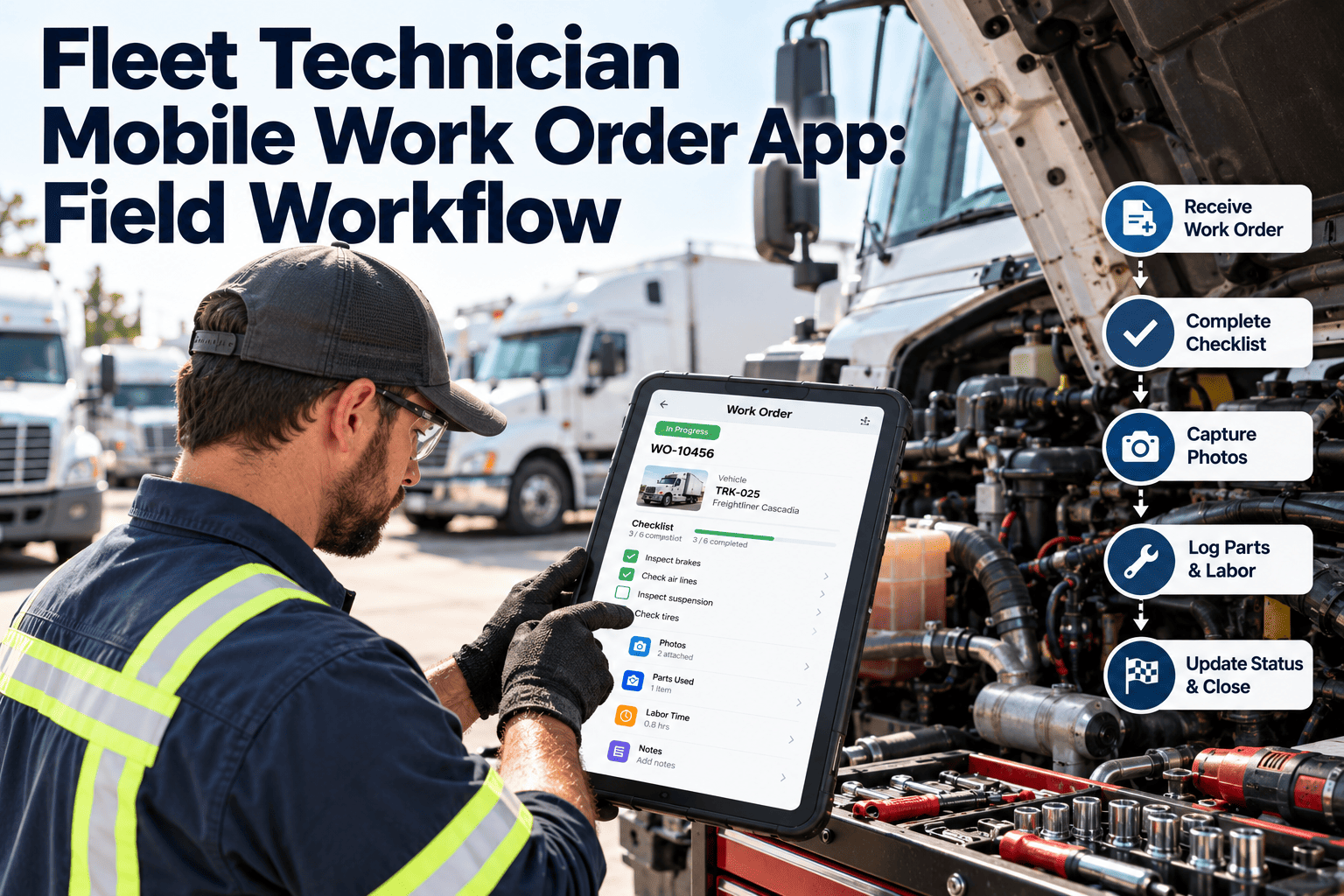
Work orders, inspection checklists, asset history, and parts information stored locally on the device. Technicians complete full shift work in areas with zero network coverage — maintenance yards, remote locations, underground facilities. All data syncs automatically when connection returns.
Zero productivity loss in coverage-dead zones
Instant ID
QR and Barcode Asset Scanning
Scan vehicle asset tag to instantly pull complete maintenance history, open work orders, parts list, OEM specifications, and recent fault code history — in under 2 seconds. No manual lookup, no dispatcher call, no wrong vehicle record.
Complete vehicle history at the vehicle — before opening the hood
Photo Doc
In-App Photo and Video Capture
Capture before and after photos directly within the work order — automatically attached to the vehicle record with timestamp and GPS coordinates. Video walkthroughs for complex issues. Annotate images to highlight damage or wear locations.
Visual documentation rate increases from 12% to 78% with in-app capture
DVIR
Digital DVIR and Inspection Forms
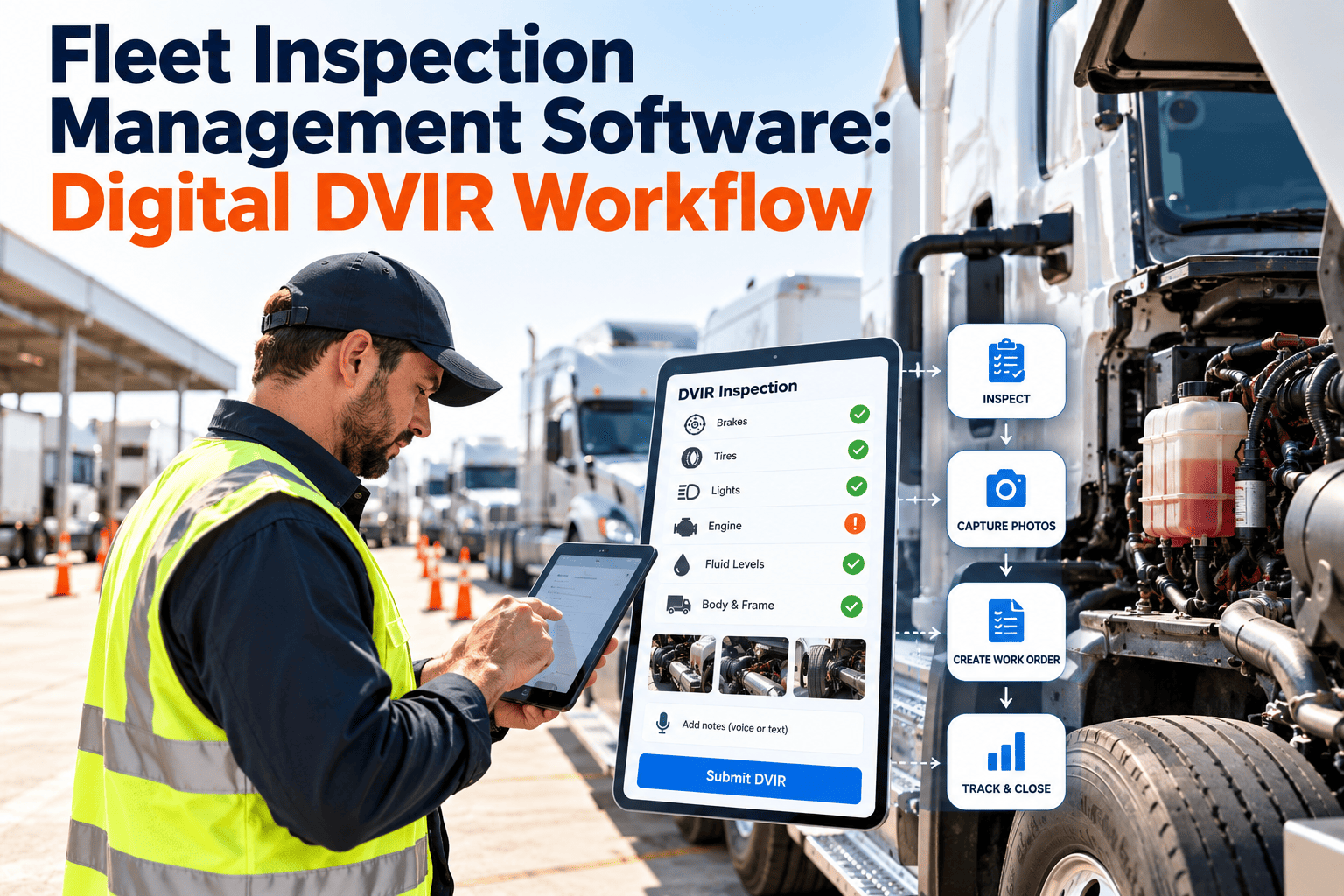
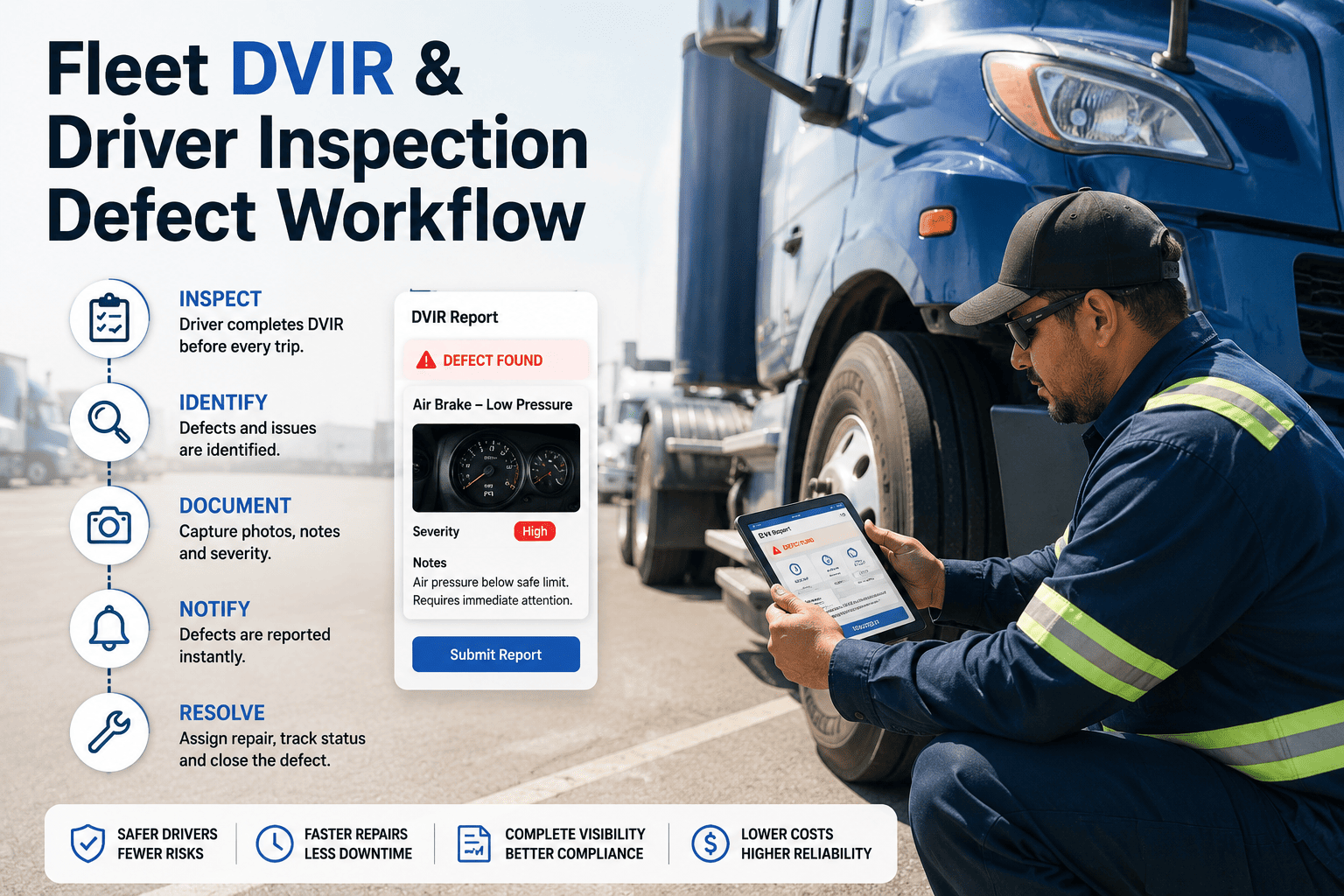
DOT-compliant Driver Vehicle Inspection Reports completed digitally with driver signature capture. AI-powered checklist prompts ensure no inspection point is skipped. Defects flagged in real time with immediate work order generation and dispatcher notification.
DVIR compliance documented — audit-ready records generated automatically
Parts
Live Parts Lookup and Request
Check parts availability, reserve inventory, and request delivery from the vehicle location — without calling dispatch. Part numbers cross-referenced against the specific vehicle make and model to prevent wrong-part errors before they happen.
Wrong-part events eliminated — right part confirmed before ordering
Voice
Voice-to-Text Field Notes
Dictate completion notes, observations, and repair details while hands are on tools. Voice transcription converts speech to searchable text attached to the work order — capturing the field context that handwriting and end-of-shift memory never recover.
Field detail capture increases 340% vs. manual note-taking
Mobile Fleet Management Platform
Give Field Technicians the Tools That Match How They Actually Work
Oxmaint mobile app works offline, scans vehicle asset tags, captures photos and voice notes, completes DVIR inspections, and syncs with the fleet management platform in real time. Available on iOS and Android with full feature parity.
Field Workflow
A Field Technician's Day with Mobile Fleet Management
7:00 AM
Morning Dispatch on Mobile
Push notification delivers 8 assigned work orders ranked by priority and route order. Technician reviews list during morning briefing — already planning the day's sequence. No printed sheets, no office terminal required.
7:35 AM
First Vehicle — QR Scan
Scans vehicle asset tag. Full maintenance history, previous fault codes, outstanding work orders, and parts history appear in under 2 seconds. Accepts work order with one tap. Begins DVIR inspection using digital checklist with AI-guided prompts.
9:10 AM
Parts Confirmed Before Ordering
Identifies replacement filter needed. Opens parts lookup — part number cross-referenced to vehicle make and model automatically. Confirms availability at nearest storeroom. Reserves part with one tap. No dispatcher call. Filter delivered in 14 minutes.
11:20 AM
Photo Documentation Captured
Before and after photos of replaced brake assembly captured in-app — automatically attached to work order with timestamp, GPS, and technician ID. Voice note added describing unusual wear pattern for fleet manager review. Takes 45 seconds total.
2:15 PM
Emergency Defect Alert
Push notification: DVIR defect flag on vehicle 047 at Route 12 depot. Technician accepts mobile work order, navigates to vehicle, reviews complete fault history and similar previous defects en route — arrives already briefed. Defect resolved in 38 minutes vs. 82-minute average without mobile history access.
3:50 PM
End of Shift — Zero Desktop Time
All 9 work orders completed and closed from mobile app throughout the day. Completion notes captured by voice at each vehicle — no end-of-shift transcription. Total time at desktop computer: zero minutes. All data in the system, in real time, complete.
Technology Comparison
Paper vs. Desktop CMMS vs. Oxmaint Mobile Fleet App
| Capability | Paper Work Orders | Desktop CMMS Only | Oxmaint Mobile App |
| Field accessibility |
Carried manually, limited info |
Office terminal required |
Full system on iOS and Android |
| Vehicle history lookup |
File search at office |
Walk to terminal or call dispatch |
QR scan — 2 seconds at the vehicle |
| Offline work |
Always (no system at all) |
Network required |
Full offline capability |
| DVIR completion |
Paper form, manual filing |
Entered at end of shift |
Digital, real-time, driver signed |
| Parts lookup |
Phone call to stores |
Checked at desktop before leaving |
Live lookup and reserve at vehicle |
| Photo documentation |
Separate camera, separate filing |
Upload later from device |
Capture and attach in work order |
| Data entry errors |
High — manual transcription |
Moderate — end of shift entry |
Low — direct digital capture |
| First-time fix rate |
58% industry average |
61% industry average |
84% with full history and parts access |
Measurable Impact
What Fleet Operations Report After Mobile App Deployment
42%
Faster Work Order Completion
Elimination of office trips, dispatcher calls, and end-of-shift data entry cuts average work order time from 3.2 hours to 1.9 hours per event
89%
Reduction in Data Entry Errors
Direct digital capture at the vehicle eliminates transcription errors from handwritten notes and end-of-shift memory reconstruction
84%
First-Time Fix Rate
Technicians with full vehicle history and live parts availability at the vehicle fix the issue correctly the first time — up from 61% without mobile access
78%
Photo Documentation Rate
In-app photo capture increases documentation rate from 12% to 78% of completed work orders — building the visual maintenance record that supports warranty claims and dispute resolution
Common Questions
Mobile Fleet App — Questions Answered
Does the mobile app require expensive rugged devices, or does it work on standard smartphones?+
Oxmaint mobile app runs on standard iOS (iPhone 12 and later) and Android (Android 10 and later) devices. Consumer-grade smartphones with protective cases are the standard deployment in most fleets — rugged tablets are optional for environments with extreme temperature, vibration, or moisture exposure but not required for typical maintenance yard and roadside environments. Many fleets supply company smartphones specifically for mobile fleet app deployment at $150–$300 per device — a cost recovered within 2 weeks of productivity gains.
Book a demo to discuss device requirements for your specific environment.
How does the offline mode work — and what happens when data syncs back?+
When the device goes offline, Oxmaint continues operating on locally cached data — work orders, asset records, inspection checklists, and parts reference data stored on the device. Technicians complete work orders, capture photos, record voice notes, and close tasks normally. When network connectivity returns (cellular, Wi-Fi, or portable hotspot), the app syncs all completed work automatically — with conflict resolution that preserves the field data in all cases. Sync typically completes within 30–90 seconds for a full shift's work order data.
Can the mobile app handle DOT DVIR compliance requirements?+
Yes. Oxmaint's mobile DVIR module meets 49 CFR Part 396.11 requirements — pre-trip and post-trip inspection checklists for all required vehicle systems, driver signature capture, defect reporting with immediate fleet manager notification, and digital record retention for 90 days as required. Defects that require repair before vehicle operation are flagged with work order auto-generation and clearance workflow — the vehicle cannot be returned to service without documented defect resolution. DVIR records are audit-ready and exportable for DOT compliance review.
How long does it take for field technicians to learn the mobile app?+
Most technicians complete core workflow training — work order acceptance, QR scanning, photo capture, parts request, and work order closure — within a 30-minute hands-on session. DVIR-specific training adds another 20 minutes for technicians unfamiliar with digital inspection formats. Oxmaint includes in-app tutorial overlays for first-time users that guide through each workflow step without requiring classroom time. Experience across fleet deployments shows 80% technician adoption within the first 2 weeks — with full adoption typically achieved within 30 days as time savings become visible to remaining holdouts.
Start a free trial to run a pilot with your first 3–5 technicians this week.
Built for the Field
Your Field Technicians Deserve Tools That Work Where They Work — Not Where the Software Was Designed.
Oxmaint mobile fleet app delivers full fleet management capability on iOS and Android — offline work, QR asset scanning, photo documentation, voice notes, live parts lookup, DVIR compliance, and real-time sync. Technicians spend time fixing vehicles, not chasing paperwork.