ERP-CMMS Integration for FMCG: Connecting SAP, Oracle & Microsoft Dynamics to Maintenance
By Jean on March 9, 2026
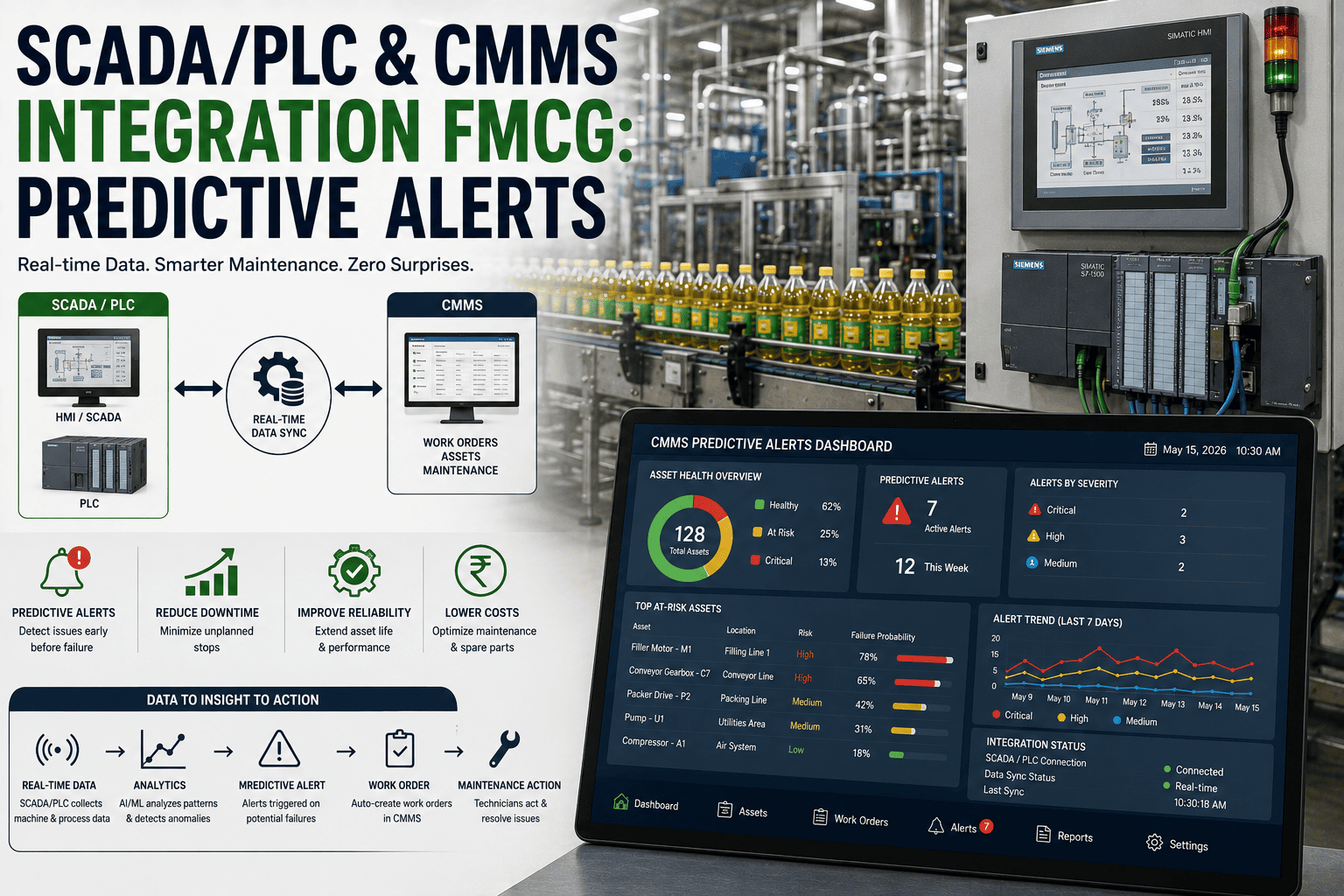
Every FMCG maintenance manager has experienced the same frustration: a $180,000 conveyor overhaul is approved in the ERP, executed through the CMMS, and then reconciled manually by a finance analyst who spends two days matching purchase orders to work orders across two disconnected systems. SAP holds the budget. Oxmaint holds the asset history. Neither talks to the other. The result is maintenance decisions made without financial context, and financial reporting built on maintenance data that is always three weeks stale. This guide covers how to integrate SAP, Oracle, and Microsoft Dynamics with a CMMS — what data flows across the integration, how to structure the architecture, and what FMCG plants consistently gain in cost visibility, procurement speed, and asset lifecycle accuracy when the systems finally connect.
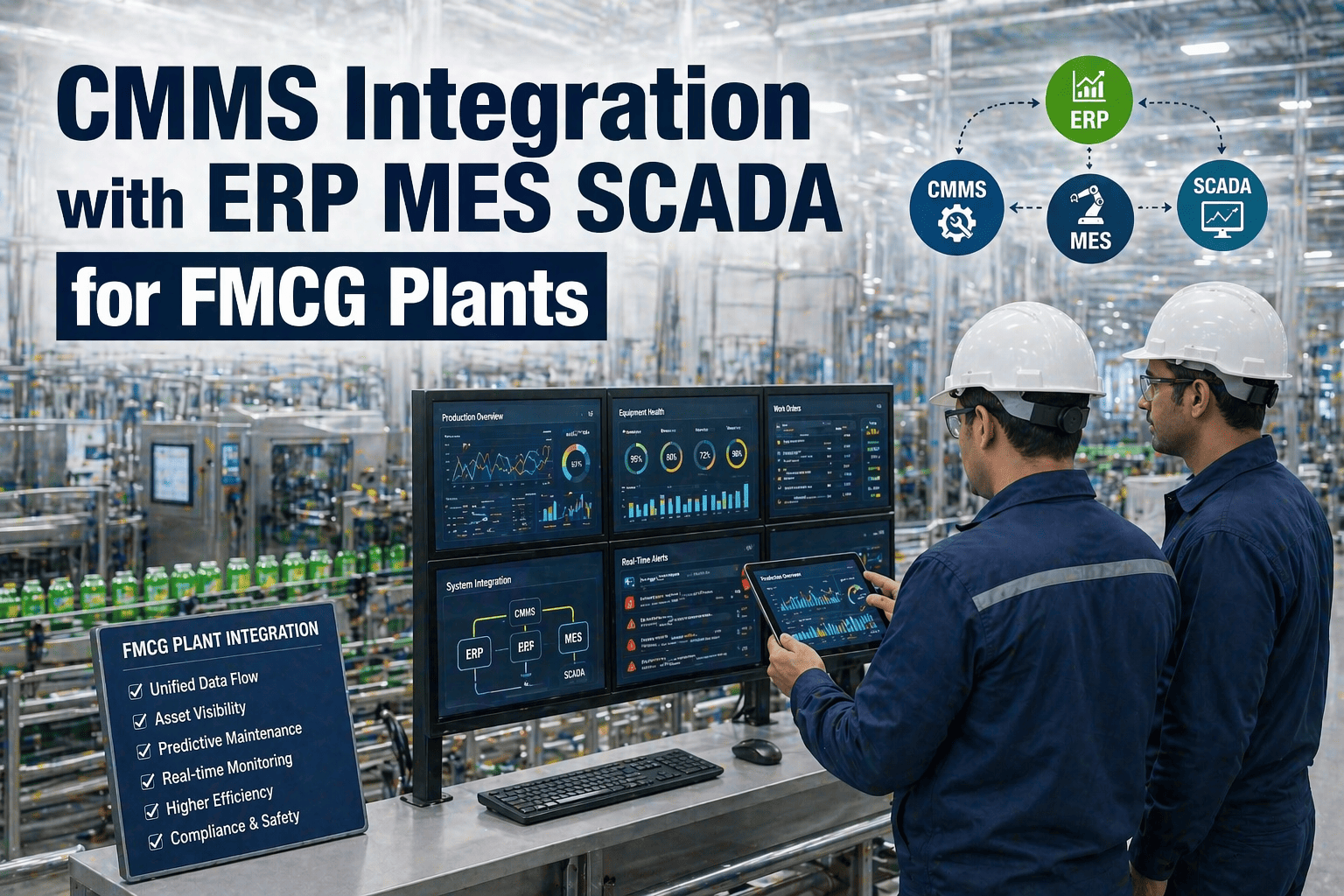
Oxmaint connects to SAP, Oracle, and Microsoft Dynamics via API — syncing work orders, assets, procurement, and cost data in real time across your FMCG operation.
Of FMCG Plants Operate ERP and CMMS as Disconnected Systems with No Automated Data Exchange
$420K
Average Annual Cost of ERP–CMMS Data Silos in Mid-Size FMCG Facilities — Rework, Delays, Errors
34%
Reduction in Maintenance Procurement Lead Time After ERP–CMMS Integration — Industry Average
2.4x
Improvement in Asset Lifecycle Cost Accuracy When ERP and CMMS Share a Single Asset Master
Why ERP and CMMS Systems Diverge in FMCG Operations
ERP systems — SAP S/4HANA, Oracle Fusion, Microsoft Dynamics 365 — are built around financial workflows: procurement, accounts payable, general ledger, and cost centre management. CMMS platforms are built around physical workflows: asset records, preventive maintenance schedules, work orders, and technician task management. Both systems touch maintenance, but from fundamentally different angles — and the data architecture of each reflects its origin, not its overlap.
In most FMCG facilities, the ERP arrived first — often as a corporate mandate — and the CMMS was deployed later by the maintenance function to fill the operational gaps that the ERP's plant maintenance module couldn't address practically. The result is two systems with partially overlapping data domains: assets exist in both (described differently), purchase orders exist in both (at different stages), and cost data exists in both (categorised by different logic). Without integration, every data point that exists in both systems requires manual reconciliation — which happens inconsistently, infrequently, and with accumulating error. Book a demo to see how Oxmaint's ERP integration architecture handles the data overlap between systems without duplication or conflict.
Disconnected ERP–CMMS vs Integrated ERP–CMMS
Operational and financial impact comparison for FMCG maintenance functions
Disconnected Systems
Asset Data
Duplicate records — ERP asset number ≠ CMMS asset ID — reconciled manually quarterly
Procurement
CMMS raises parts request → email to procurement → manual PO in ERP → 6–14 day cycle
Cost Visibility
Maintenance costs visible in ERP 3–4 weeks after work completion — no real-time budget tracking
Reporting
Finance reports and maintenance KPI reports built from different data — never reconcile exactly
Audit Trail
Work order in CMMS, cost approval in ERP — no single system has the complete transaction record
Integrated ERP–CMMS
Asset Data
Single asset master — ERP asset number synced to CMMS record — maintained in one system, reflected in both
Procurement
CMMS work order triggers PO creation in ERP automatically — 1–2 day cycle with approval workflow intact
Cost Visibility
Labour, parts, and contractor costs visible against budget in real time — maintenance manager sees live spend
Reporting
Finance and maintenance report from the same underlying data — one version of asset cost truth
Audit Trail
Complete transaction chain: work order → parts request → PO → goods receipt → cost posting — fully traceable
Annual Value Recovered Through ERP–CMMS Integration in FMCG: $280K–$520K Per Facility
The Five Data Flows That ERP–CMMS Integration Must Address
A well-designed ERP–CMMS integration is not a single connection — it is a set of distinct, bidirectional data flows, each with its own trigger logic, conflict resolution rules, and frequency requirements. Attempting to handle all five flows through a single generic API connector is the most common cause of integration failures in FMCG maintenance deployments. Each flow has different latency requirements (real-time vs batch vs event-triggered) and different master system designations (which system owns the record and which system receives updates). Start your free trial to explore Oxmaint's pre-built ERP connectors, or book a demo to walk through the integration architecture for your specific ERP platform.
Five Core ERP–CMMS Data Flows for FMCG Maintenance
Asset Master Synchronisation
Bidirectional
ERP holds the financial asset record (depreciation, cost centre, capitalisation). CMMS holds the operational record (maintenance history, PM schedule, failure data). Integration keeps both aligned — ERP asset number is the master key.
Procurement and Purchase Orders
CMMS → ERP
Work order parts requirements in CMMS trigger purchase requisitions in ERP. Approved POs return to CMMS for work order fulfilment tracking. Goods receipt in ERP confirms parts availability in CMMS stock record.
Cost Centre and Budget Posting
CMMS → ERP
Completed work orders post labour, materials, and contractor costs to the correct ERP cost centre and maintenance order in real time. Maintenance manager sees live budget consumption. Finance sees actual vs planned variance without manual upload.
Inventory and Spare Parts Stock
Bidirectional
ERP warehouse management holds physical stock levels and reorder triggers. CMMS holds parts-to-asset relationships and consumption history. Integration prevents CMMS work orders requesting parts that ERP shows as out of stock, and triggers ERP reorders based on CMMS consumption forecasts.
Vendor and Contractor Records
ERP → CMMS
ERP holds the approved vendor master — payment terms, contract rates, compliance status. CMMS references ERP vendor IDs when raising contractor work orders and purchase requisitions. Vendor additions and rate changes in ERP propagate to CMMS automatically.
Work Order Financial Closure
CMMS → ERP
Work order completion in CMMS triggers financial settlement in ERP — actual costs vs planned, variance coding, and maintenance order technical completion flag. Provides the audit trail chain that connects physical maintenance activity to financial transaction in a single traceable record.
SAP Integration: PM Module vs CMMS — What to Connect and What to Replace
SAP S/4HANA Plant Maintenance (PM) module provides basic maintenance order management, but most FMCG plants that run SAP also run a standalone CMMS — because SAP PM's user experience for frontline technicians, mobile work order management, and predictive maintenance capability falls significantly short of what dedicated CMMS platforms provide. The integration question is not whether to replace SAP PM with a CMMS, but where the functional boundary sits and how the two systems exchange data across it.
The recommended boundary for SAP-integrated FMCG maintenance operations places the CMMS as the system of record for operational maintenance data — work orders, asset condition, PM schedules, technician task management, and maintenance KPIs — and SAP as the system of record for financial data — cost postings, purchase orders, asset depreciation, and management accounting. The integration layer synchronises the financial outcomes of CMMS activity into SAP in real time, without requiring technicians to interact with SAP directly. Book a demo to see how Oxmaint's SAP connector manages the PM–CMMS boundary for FMCG operations running S/4HANA or ECC.
SAP PM vs Dedicated CMMS — Functional Boundary for FMCG Plants
Where each system leads and where integration creates a unified operational-financial record
Asset Master Record
SAP holds financial asset — cost centre, depreciation, capitalisation. CMMS holds operational asset — maintenance history, condition, PM schedule
SAP = master key
Work Order Creation
CMMS creates and manages all work orders — technician-facing. SAP maintenance order created automatically via integration for financial posting purposes only
CMMS leads
Parts Procurement
CMMS raises parts request tied to work order. Integration creates purchase requisition in SAP MM module. Approval workflow, PO creation, and goods receipt remain in SAP
SAP leads
Cost Posting
Work order completion in CMMS posts actual labour, materials, and contractor costs to SAP CO cost centre in real time — no manual journal entry required
SAP leads
PM Scheduling
CMMS manages all preventive maintenance scheduling, task lists, frequency triggers, and completion tracking — SAP PM scheduling not used for operational management
CMMS leads
Vendor Management
SAP MM vendor master holds approved contractors, payment terms, and contracted rates. CMMS references SAP vendor IDs — contractor changes made in SAP propagate to CMMS
SAP leads
KPIs and Reporting
Maintenance KPIs (MTBF, MTTR, OEE impact, PM compliance) from CMMS. Financial KPIs (maintenance cost per unit, budget variance, lifecycle cost) from SAP — combined in management dashboard
Both contribute
Mobile Technician Interface
CMMS mobile app used by all technicians — SAP GUI not required at technician level. All technician data flows through CMMS and integrates to SAP automatically
CMMS leads
The 94% reduction in manual data entry reflects the elimination of duplicate asset records, manual PO creation from CMMS requests, manual cost journals from work order completion, and manual stock reconciliation between SAP MM and CMMS inventory — all replaced by automated integration flows.
Running SAP S/4HANA or ECC? Oxmaint's pre-built SAP connector handles asset sync, PO creation, cost posting, and vendor master alignment — without custom development.
Oracle and Microsoft Dynamics Integration: Key Differences for FMCG Plants
While the data flow principles for Oracle Fusion Cloud and Microsoft Dynamics 365 are similar to SAP, the integration architecture differs across platforms — particularly in API design, authentication models, and the depth of the native maintenance module each ERP provides. Understanding these differences prevents FMCG IT and maintenance teams from applying a SAP-designed integration architecture to an Oracle or Dynamics environment and encountering unexpected complexity.
Oracle Fusion Cloud uses REST APIs with OAuth 2.0 authentication throughout its integration layer, and its Asset Management module provides a richer native asset lifecycle capability than SAP PM — meaning the functional boundary between Oracle and a CMMS sits at a different point. Microsoft Dynamics 365 Field Service provides an out-of-box maintenance workflow capability that many FMCG plants already use, but it lacks the deep asset condition management, predictive maintenance, and multi-site PM scheduling that manufacturing-grade CMMS platforms provide. Start your free trial to connect Oxmaint to your Oracle or Dynamics environment, or book a demo to see the integration architecture for your specific ERP version.
ERP Platform Integration Characteristics — SAP vs Oracle vs Microsoft Dynamics
SAP S/4HANA / ECC
Most Common in Tier-1 FMCG
Integration via SAP Integration Suite (Cloud) or PI/PO (on-premise). BAPIs and IDocs for ECC; OData APIs for S/4HANA. PM module functional overlap is moderate — CMMS replaces technician-facing PM workflows. Cost posting via maintenance orders to CO module. Asset sync uses Equipment master as key. Pre-built Oxmaint connector available for ECC 6.0 and S/4HANA 2020+.
Oracle Fusion Cloud
Growing Adoption in FMCG
REST APIs with OAuth 2.0 — cleaner integration architecture than SAP for cloud-to-cloud connections. Oracle Asset Management provides richer native lifecycle capability — functional boundary sits further from CMMS. Procurement integration via Oracle Procurement Cloud REST APIs. Cost posting to Project Portfolio Management or Cost Accounting modules. Real-time event-based integration possible via Oracle Integration Cloud.
Microsoft Dynamics 365
Mid-Market FMCG Standard
Integration via Power Automate or Azure Logic Apps — low-code integration accessible to non-developer IT teams. Dynamics 365 Field Service provides native work order capability but lacks manufacturing-grade asset management. Finance & Operations module handles cost postings and procurement via standard REST APIs. Azure API Management provides rate limiting and monitoring for high-frequency CMMS–ERP data flows.
Legacy ERP Systems
SAP ECC, Oracle EBS, Infor
Older ERP platforms typically require middleware (MuleSoft, Dell Boomi, Talend) to bridge API gaps between modern CMMS REST APIs and legacy ERP interfaces. Batch integration (scheduled data sync) is more common than real-time event-based integration. Data quality remediation — resolving asset ID mismatches accumulated over years of parallel operation — is the largest implementation effort for legacy ERP integrations.
Integration Architecture: API Design Principles for FMCG Maintenance Teams
The technical architecture of an ERP–CMMS integration determines whether the connection remains stable, maintainable, and scalable as both systems evolve — or becomes a fragile point-to-point dependency that breaks every time either platform is upgraded. FMCG plants that have invested in poorly designed integrations consistently describe the same experience: the integration worked for 18 months, then a SAP upgrade or a CMMS version change broke it, and the cost of repair exceeded the original implementation. Book a demo to see how Oxmaint's integration architecture is designed for version resilience across SAP, Oracle, and Dynamics upgrade cycles.
Four Integration Architecture Principles for FMCG ERP–CMMS Connections
01
API-First Design
Use published REST APIs — not direct database connections
OAuth 2.0 or API key authentication — no credential sharing
Versioned API endpoints — integration survives ERP upgrades
Webhook-based triggers for real-time flows (work order close, PO approval)
Benefit: Version Resilience
02
Master System Designation
Every data entity has one designated master system
CMMS = master for: work orders, PM schedules, asset condition
No bidirectional writes on same field — prevents conflict loops
Benefit: Data Integrity
03
Error Handling and Alerting
Failed integration events queued and retried — not silently dropped
Alert to maintenance manager and IT on integration failures
Integration health dashboard visible to both maintenance and IT
Dead letter queue for events that cannot be processed — manual review
Benefit: Operational Reliability
04
Data Quality Governance
Asset ID reconciliation before go-live — single source of truth
Duplicate detection on asset and vendor sync flows
Field mapping documented and version-controlled in integration layer
Quarterly data quality review — integration team and maintenance manager
Benefit: Reporting Accuracy
ROI of ERP–CMMS Integration for FMCG Maintenance Operations
The financial case for ERP–CMMS integration in FMCG is built on three pillars: direct cost savings from eliminating manual data rework, procurement cost reduction from faster and better-governed parts purchasing, and management decision quality improvement from having accurate, real-time maintenance cost data visible in the same reporting layer as financial performance data. For a mid-size FMCG plant spending $2M–$5M annually on maintenance, the integrated programme consistently delivers net ROI of 4–8x against implementation and licence costs. Start your free trial to calculate the integration ROI for your facility, or book a demo to walk through the business case with an Oxmaint integration specialist.
Annual ROI of ERP–CMMS Integration — FMCG Facility
94% reduction in dual-entry across asset records, PO creation, cost journals, and stock reconciliation — 1.4 FTE equivalent recovered
$98,000
Procurement Cycle Reduction
34% reduction in parts procurement lead time — fewer emergency purchases at spot price, lower expediting cost, reduced maintenance downtime from parts delays
$125,000
Inventory Optimisation
Real-time CMMS consumption data driving ERP reorder logic — 18% reduction in excess stock and 12% reduction in stockout-driven downtime events
$82,000
Contractor Invoice Accuracy
Automated invoice matching against work order completion and contracted rates — average 4.8% overcharge rate recovered across contractor spend
$48,000
Budget Overrun Prevention
Real-time cost visibility against budget — maintenance managers make spend decisions with live data, reducing end-of-period budget overruns by average 28%
$64,000
Integration Implementation
Oxmaint ERP connector — implementation, configuration, data migration, testing, and first-year licence
$85K–$120K yr1
Net Annual Value of ERP–CMMS Integration
$417K+ 4–8x ROI
Year-one ROI is typically 4–5x after implementation costs. From year two, with implementation amortised, the annual net value rises to 6–8x. The ROI calculation does not include the strategic value of unified asset lifecycle cost data for capital expenditure decisions — which consistently influences plant investment decisions worth 10–50x the integration cost.
Implementation Roadmap: Connecting Your ERP to Oxmaint in Four Phases
A phased integration approach reduces implementation risk and delivers value incrementally — allowing FMCG maintenance teams to validate each integration flow before expanding scope. The most common failure pattern in ERP–CMMS integration projects is attempting to integrate all five data flows simultaneously across all sites in a single go-live event. Phased delivery, starting with asset master synchronisation and work order cost posting, delivers measurable value within 60 days and builds the data quality foundation that more complex flows require. Book a demo to see Oxmaint's standard ERP integration deployment timeline for your platform and site configuration.
Four-Phase ERP–CMMS Integration Roadmap for FMCG Plants
Ph1
Foundation — Weeks 1–4
Asset master reconciliation — resolve ERP vs CMMS ID conflicts
API authentication and connection testing — ERP and CMMS
Cost centre and budget structure mapped to CMMS work types
Vendor master sync — ERP approved vendors visible in CMMS
Deliverable: Single Asset Master
Ph2
Cost Flow — Weeks 5–8
Work order completion → ERP cost posting — automated
Labour time entries post to ERP cost centre in real time
Contractor invoice matching against CMMS work order records
Live budget dashboard — maintenance spend vs ERP budget
Deliverable: Real-Time Cost Visibility
Ph3
Procurement — Weeks 9–14
CMMS parts request → ERP purchase requisition — automated
PO approval in ERP updates CMMS work order parts status
Goods receipt in ERP confirms CMMS stock availability
CMMS consumption data feeds ERP reorder point calculations
Deliverable: Automated Procurement Cycle
Ph4
Optimisation — Weeks 15–20
Lifecycle cost reporting — asset total cost from both systems
Capital replacement modelling using CMMS condition + ERP depreciation
Multi-site rollout — replicate Phase 1–3 across additional plants
Management dashboard — maintenance and finance KPIs unified
Deliverable: Unified Asset Intelligence
Oxmaint's four-phase ERP integration programme delivers real-time cost visibility within 8 weeks and full procurement automation by week 14 — for SAP, Oracle, and Dynamics environments.
Can Oxmaint integrate with SAP S/4HANA and SAP ECC simultaneously during a migration period?
Yes — Oxmaint's SAP connector supports parallel integration with both S/4HANA and ECC environments, which is a common requirement during SAP migration programmes where different plants are on different ERP versions. The integration layer maintains separate API connections per system with a shared asset master that reconciles across both. This avoids the scenario where CMMS data is unavailable during the ERP migration window, which typically causes significant maintenance reporting gaps. Book a demo to see how the parallel integration architecture handles SAP migration programmes.
How long does ERP–CMMS integration take to implement for a mid-size FMCG plant?
The four-phase implementation programme delivers full integration — asset sync, cost posting, and procurement automation — in 14–20 weeks for a single-site FMCG plant. The largest variable is the data quality remediation phase in weeks 1–4: plants with clean, consistent asset master data in their ERP complete Phase 1 in 2 weeks; plants with years of unreconciled asset records between ERP and CMMS may take 4–6 weeks. Multi-site rollouts add 4–6 weeks per additional site after the first site is live. Start your free trial to begin the asset data assessment that determines your implementation timeline.
Does ERP–CMMS integration require custom development, or are pre-built connectors available?
Oxmaint provides pre-built connectors for SAP S/4HANA, SAP ECC 6.0, Oracle Fusion Cloud, and Microsoft Dynamics 365 Finance & Operations — covering the five core data flows without custom development for standard integration scenarios. Custom development is typically required only for non-standard ERP configurations, custom SAP development objects (Z-tables, custom BAPIs), or integration with legacy ERP systems outside the standard connector list. The pre-built connectors include field mapping templates, error handling logic, and monitoring dashboards that reduce implementation time by 60–70% versus custom-built integrations.
What happens to CMMS data if the ERP integration goes down temporarily?
Oxmaint's integration architecture operates on an event queue model — integration events generated during an ERP downtime are queued and processed in order when the connection is restored, with no data loss. Technicians continue creating and closing work orders normally during an integration outage; cost postings and procurement triggers are batched and resolved automatically on reconnection. The integration health dashboard shows queue depth and estimated catch-up time, and alerts the maintenance manager and IT team when the outage threshold exceeds a configured limit. Book a demo to see the resilience architecture in action.
How does ERP–CMMS integration affect spare parts inventory management in FMCG plants?
Integration creates a closed loop between CMMS consumption data and ERP reorder logic — which is the most impactful change to spare parts management. Before integration, ERP reorder points are set manually and reviewed infrequently; after integration, CMMS work order parts consumption data feeds directly into ERP inventory planning, enabling dynamic reorder points based on actual maintenance demand patterns rather than static estimates. Plants consistently see 15–22% reduction in excess inventory and 10–15% reduction in stockout-driven downtime events within 6 months of procurement integration going live.
Is ERP–CMMS integration suitable for FMCG plants with multiple ERP instances across different regions?
Multi-ERP environments — common in FMCG groups where regional subsidiaries run different ERP platforms or different versions of the same ERP — are handled through Oxmaint's integration hub architecture, which maintains separate API connections per ERP instance while presenting a unified asset and cost view in the CMMS. A plant in Europe on SAP S/4HANA and a plant in Asia on Oracle Fusion can both integrate to the same Oxmaint instance, with regional cost centre and currency handling configured per connection. Start your free trial or book a demo to assess the architecture for your group's ERP landscape.
ERP Integration for FMCG Maintenance
Connect SAP, Oracle, or Dynamics to Your Maintenance Operation. One Integration. Full Visibility.
Oxmaint's pre-built ERP connectors eliminate the data silos between maintenance and finance — syncing assets, work orders, procurement, and costs in real time across SAP S/4HANA, SAP ECC, Oracle Fusion Cloud, and Microsoft Dynamics 365.
Pre-Built Connectors for SAP, Oracle Fusion, and Dynamics 365
Real-Time Cost Posting from Work Order Completion to ERP
Automated PO Creation from CMMS Parts Requests
Single Asset Master Across ERP and CMMS — No Duplicate Records
Multi-ERP Integration Hub for FMCG Groups with Regional Platforms
Integration Health Dashboard with Alerting and Queue Monitoring
Used by FMCG maintenance and IT teams across SAP, Oracle, and Dynamics environments on 3 continents. Deployment support included. No minimum contract term.