How to Select the Right CMMS for Your FMCG Plant: 2026 Buyer's Decision Framework
By Jonas on March 9, 2026
Choosing the wrong CMMS costs an FMCG facility 12–18 months of implementation effort, $50,000–$150,000 in direct software and configuration costs, and an immeasurable amount of maintenance team goodwill that is nearly impossible to recover on a second attempt. The CMMS market in 2026 has over 200 vendors — most of which were built for general facility management, commercial property, or fleet maintenance and have been repositioned for manufacturing through marketing copy rather than product development. An FMCG plant running high-speed packaging lines, CIP systems, collaborative robots, and GMP-regulated production has requirements that generic CMMS platforms simply cannot satisfy: real-time work order routing to mobile devices on a washdown-proof production floor, equipment-specific LOTO procedure linkage, food safety audit trail generation, and integration with PLC/SCADA systems that generic platforms were never designed to support. This framework provides a structured evaluation methodology — covering the six decision dimensions that determine whether a CMMS will deliver value or become shelfware — built from the requirements of FMCG maintenance teams that have been through the selection process and learned what actually matters. Oxmaint was built specifically for asset-intensive operations like FMCG manufacturing. Book a demo to evaluate it against your own requirements.
Oxmaint is purpose-built for FMCG maintenance — mobile-first work orders, barcode scanning, safety checklists, and compliance audit trails included from day one.
Average Time Lost When an FMCG Facility Selects the Wrong CMMS Platform
200+
CMMS Vendors in the 2026 Market — Most Not Built for Manufacturing
68%
Of CMMS Implementations That Fail to Deliver Expected ROI Within 2 Years
$50K–$150K
Direct Cost of a Failed CMMS Selection — Before Lost Productivity
Why Most CMMS Selections Fail in FMCG Environments
The majority of failed CMMS implementations in FMCG manufacturing trace back to the selection process — not the software itself. Maintenance managers evaluate platforms based on feature checklists and demo presentations, select the vendor with the longest feature list and the best sales team, and discover 6 months into implementation that the platform cannot handle the workflows that actually matter on the production floor. The demo showed a beautiful dashboard — but the mobile app does not work reliably on the plant floor, the work order system cannot enforce scan-to-close verification, the PM scheduling engine cannot handle condition-based triggers from PLC data, and the compliance module generates reports that do not match the format food safety auditors expect.
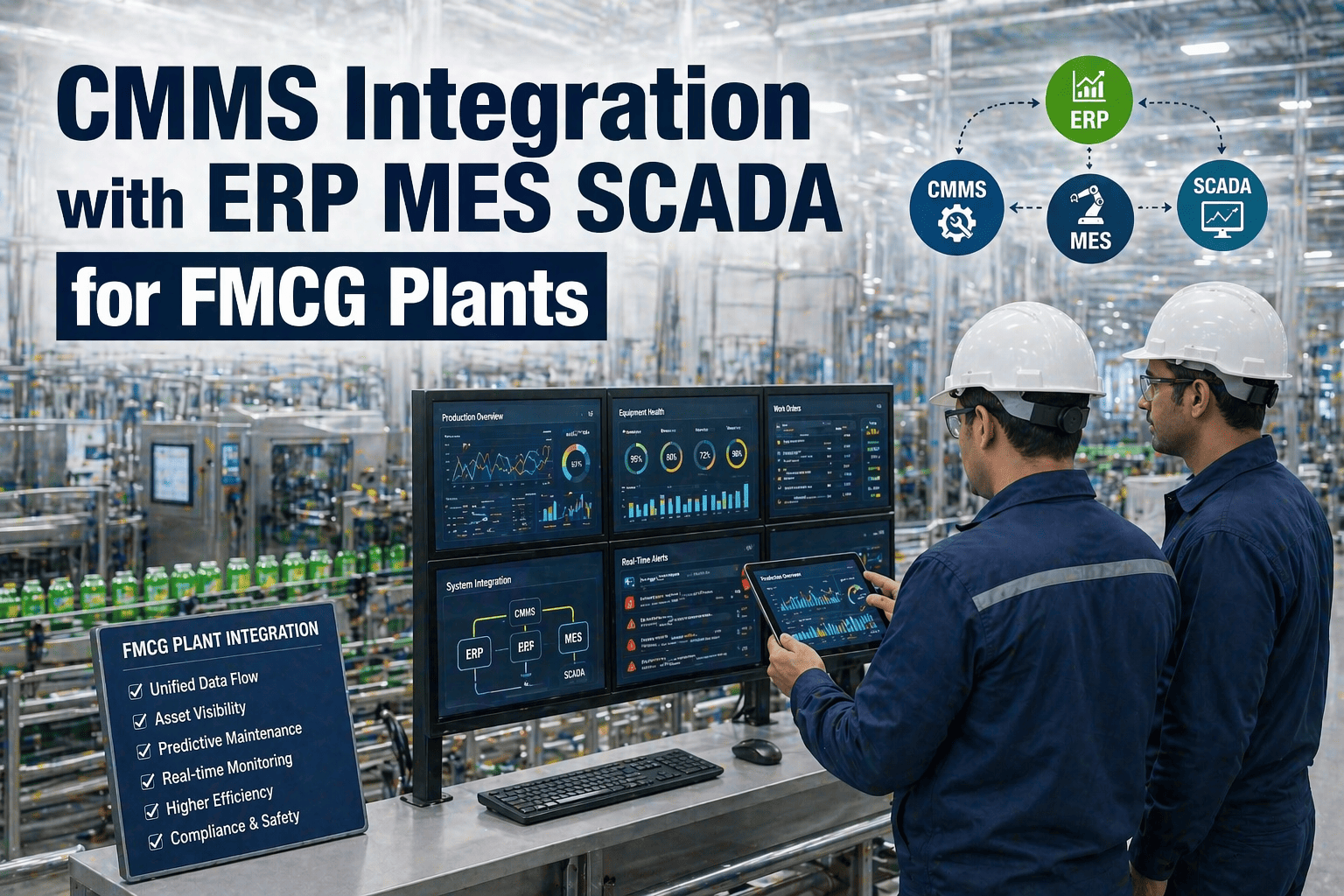
The root cause is a mismatch between evaluation criteria and operational reality. Generic CMMS evaluation frameworks ask questions like "Does the system support preventive maintenance scheduling?" — a question that every CMMS vendor answers yes to, because PM scheduling at a basic level is table stakes. The right question for FMCG is: "Can the system schedule PMs based on run-hours from PLC counters, enforce technician presence verification via barcode scan, link the PM to the equipment-specific LOTO procedure, and generate a GMP-compliant completion record with electronic signature?" That question eliminates 80% of the market immediately — and it is just one of dozens of FMCG-specific requirements that generic evaluation frameworks miss entirely.
The Six Decision Dimensions for FMCG CMMS Selection
Every CMMS selection for an FMCG facility should be evaluated across six dimensions. These are not feature categories — they are decision dimensions that determine whether the platform will function as a daily operational tool or become an expensive database that nobody uses. Evaluate each dimension independently and weight them according to your facility's specific operational priorities.
Six Decision Dimensions for FMCG CMMS Evaluation
Production Floor Usability
Dimension 1
Mobile-first interface that works in gloved hands, on washdown-rated devices, with unreliable WiFi. If technicians cannot complete work orders faster on the CMMS than on paper, adoption will fail regardless of feature count.
AI & Predictive Capabilities
Dimension 2
AI-driven failure prediction, automatic work order generation from sensor anomalies, and intelligent spare parts forecasting. In 2026, AI is no longer optional — it is the dividing line between reactive and predictive maintenance programmes.
Robotics & Automation Integration
Dimension 3
Ability to manage cobots, AMRs, and automated systems as first-class assets — with robot-specific LOTO procedures, servo maintenance tracking, EOAT management, and integration with robotic diagnostic platforms.
Compliance & Audit Readiness
Dimension 4
GMP, FSSC 22000, BRC, and OSHA compliance evidence generation on demand. Electronic signatures, timestamped audit trails, LOTO procedure linkage, and food safety documentation that satisfies auditor requirements without manual report assembly.
Scalability & Multi-Site Architecture
Dimension 5
Ability to scale from a single facility to multi-site operations without re-implementation. Centralised asset hierarchy, cross-site spare parts visibility, consolidated reporting, and role-based access that supports corporate and site-level management.
Total Cost of Ownership
Dimension 6
Subscription fees are 30–40% of TCO. Implementation, configuration, training, integrations, and ongoing admin labour make up the rest. Evaluate the 3-year total cost — not the monthly licence price — and compare it against quantified maintenance performance improvement.
Dimension 1: Production Floor Usability
This is the dimension that kills more CMMS implementations than any other — and it is almost never evaluated properly during the selection process. The vendor demo runs on a laptop in a conference room with perfect connectivity. The production floor has intermittent WiFi, the technician is wearing nitrile gloves, the device screen is covered in flour dust, and the maintenance call came in 90 seconds ago. If the CMMS mobile experience is not designed for this reality, technicians will revert to paper or verbal communication within the first week — and no amount of management enforcement will change that behaviour because the tool is slower than the alternative.
Production Floor Usability — CMMS Evaluation Criteria
Score each criterion 0–3 during hands-on evaluation with maintenance technicians on the production floor
Offline Capability
Work orders, asset records, and PM checklists fully functional without network — syncs automatically when connectivity returns
Critical
Gloved Touch Interface
Large touch targets, minimal typing, voice-to-text for notes — usable with standard nitrile or work gloves without removing them
Critical
Barcode/QR Scan-to-Action
Scan asset tag → work order opens with full history, procedures, and parts list — under 3 seconds from scan to actionable screen
Critical
Photo & Video Attachment
Capture photos and short videos directly from within the work order — no separate camera app, file manager, or upload step required
Important
Work Order Completion Speed
A routine PM completion (scan, check items, add notes, close) should take under 2 minutes on mobile — time it during evaluation
Critical
Push Notification Routing
Breakdown alerts route to the correct technician based on skill, shift, and area — not broadcast to entire team requiring manual triage
Important
Ask every shortlisted vendor for a production floor trial. If a vendor will not allow technicians to use the mobile app in actual working conditions before purchase, that tells you everything you need to know about their confidence in production floor usability.
Dimension 2: AI & Predictive Capabilities
In 2026, every CMMS vendor claims AI capabilities. The difference between marketing claims and production-ready AI features is enormous — and the wrong AI investment creates more noise than value. Genuine AI in FMCG maintenance means the system learns from your facility's historical failure data, identifies patterns that predict equipment degradation before failure, and generates actionable work orders with specific recommendations — not generic dashboards showing "AI insights" that require a data scientist to interpret.
The evaluation question is not "Does this CMMS have AI?" — it is "Can I see a specific example of this system predicting a failure at a food manufacturing facility, and can you show me the work order it generated automatically?" If the vendor cannot demonstrate a concrete prediction-to-work-order pipeline using real FMCG data, the AI capability is aspirational rather than operational. For facilities with existing PLC and sensor infrastructure, the critical integration question is whether the CMMS can ingest time-series data from SCADA/historian systems and apply anomaly detection models without requiring a separate analytics platform.
Four AI Capabilities That Matter for FMCG Maintenance in 2026
Predictive Failure Detection
Sensor → Anomaly → Work Order
Ingests vibration, temperature, current, and pressure data from sensors and PLCs. Identifies degradation patterns that precede failure. Generates a work order with the predicted failure mode and recommended action — before the breakdown occurs. Reduces unplanned downtime by 25–40% in mature implementations.
Intelligent Work Order Prioritisation
Risk × Impact → Priority Queue
Ranks the maintenance backlog by equipment criticality, failure probability, production impact, and available resources. Maintenance planners see a prioritised queue that reflects actual operational risk — not a flat list sorted by date. Particularly valuable for FMCG facilities running 20+ hour production schedules with limited maintenance windows.
Spare Parts Demand Forecasting
History + Prediction → Stock Level
Analyses historical consumption patterns, predicted failure rates, and lead times to recommend optimal stock levels for each spare part. Prevents both stockouts (which cause extended downtime) and overstocking (which ties up working capital). Targets 95%+ service level with minimum inventory investment.
Natural Language Work Logging
Voice / Text → Structured Data
Technicians describe work performed in natural language — typed or spoken — and the AI extracts structured data: failure mode, root cause, parts used, and time spent. Eliminates the data quality problem caused by technicians skipping dropdown menus and free-text fields. Produces clean, analysable maintenance records without additional technician effort.
Dimension 3: Robotics & Automation Integration
FMCG facilities are deploying collaborative robots, autonomous mobile robots, and automated guided vehicles at an accelerating rate — and the maintenance requirements for these systems are fundamentally different from traditional mechanical equipment. A CMMS that treats a cobot the same as a conveyor motor will fail to capture the maintenance data that matters: servo drive hours, joint torque trends, EOAT wear cycles, safety system validation intervals, and the robot-specific LOTO procedures required under ISO 10218-1.
The evaluation should verify that the CMMS can manage robotic assets as a distinct equipment class with dedicated maintenance parameters: axis-specific maintenance tracking, manufacturer-specified service intervals tied to operational hours rather than calendar time, EOAT lifecycle management with tool change tracking, and integration with robot controller diagnostics via OPC-UA or manufacturer APIs. If the CMMS cannot distinguish between a collaborative robot arm and a centrifugal pump in its asset model, it is not ready for a modern FMCG production environment.
Oxmaint supports robotic asset management with equipment-specific LOTO procedures, servo tracking, EOAT lifecycle management, and barcode scan-to-work-order for every asset class.
For GMP-regulated FMCG facilities — which includes virtually all food, beverage, and pharmaceutical-adjacent consumer goods manufacturing — the CMMS is not just a maintenance tool. It is a compliance evidence system. Food safety auditors (BRC, FSSC 22000, SQF) and OSHA inspectors expect to see documented maintenance procedures, completed work order records with timestamps and electronic signatures, LOTO procedure completion evidence, calibration records, and equipment qualification documentation — all retrievable on demand during unannounced audits.
A CMMS that generates compliance evidence as a byproduct of normal work order execution is transformative. A CMMS that requires separate compliance documentation effort alongside the maintenance workflow creates double work that maintenance teams will not sustain. The evaluation test is straightforward: ask the vendor to generate an OSHA LOTO compliance evidence package, a GMP equipment maintenance history report, and a food safety audit trail for a specific asset — during the demo, in real time. If it takes more than 5 minutes or requires manual report assembly, the compliance capability is insufficient for FMCG requirements.
Generic CMMS vs FMCG-Ready CMMS: Compliance Capability Comparison
How compliance features differ between platforms not built for regulated manufacturing and those that are
Generic CMMS Platform
Audit Trail
Basic work order history — no electronic signature or timestamp verification
LOTO Integration
LOTO procedures stored as PDF attachments — not linked to work order execution
Compliance Reports
Manual data export to Excel — maintenance team assembles reports before audits
Regulatory Standards
No built-in awareness of GMP, BRC, FSSC 22000, or OSHA requirements
An FMCG organisation that selects a CMMS for a single pilot site and then discovers it cannot scale to a multi-site deployment without re-implementation has wasted the entire pilot investment. Scalability is not about user count — it is about architectural decisions that determine whether data, procedures, and configurations can be shared, replicated, and governed across sites without creating isolated silos.
The critical scalability questions for FMCG are: Can a proven PM programme at Site A be replicated to Site B in hours rather than weeks? Can spare parts inventory be shared across sites with cross-site visibility? Can corporate maintenance leadership see consolidated KPIs across all facilities while site teams retain operational autonomy? And can the system handle the role-based access model that FMCG organisations require — where a corporate reliability engineer needs read access to all sites but a site technician should only see their own facility's assets? These are architectural capabilities, not configuration options — if the platform was not built for multi-site from the beginning, retrofitting it will be painful and expensive.
Dimension 6: Total Cost of Ownership
The most common financial mistake in CMMS selection is evaluating monthly subscription price rather than 3-year total cost of ownership. Subscription fees typically represent 30–40% of the true TCO. Implementation services, data migration, configuration, training, integrations, and the ongoing internal labour required to administer the system account for the remaining 60–70%. A platform that costs $5/user/month less than the alternative but requires 3x the implementation effort and 2x the ongoing admin labour is the more expensive choice by a significant margin.
3-Year Total Cost of Ownership — CMMS for FMCG Facility
Existing asset data, maintenance history, spare parts inventory, procedure documents — cleaning and importing
5–10% of TCO
Training & Change Management
Initial training for all user roles, refresher training, train-the-trainer programme, adoption support
10–15% of TCO
Ongoing Administration
Internal CMMS admin labour: user management, PM schedule updates, report customisation, system maintenance
10–15% of TCO
Integration & API Connections
ERP, SCADA/PLC, spare parts procurement, IoT sensor platforms, robotic diagnostic systems
5–10% of TCO
Evaluation Principle
3-Year TCO Not monthly subscription price
Ask every vendor for a detailed 3-year TCO breakdown — including all implementation, training, and integration costs. If a vendor cannot provide this, their pricing model is designed to obscure total cost. Platforms with lower subscription fees but higher implementation complexity frequently cost 2–3x more over 3 years than platforms with higher subscription fees and faster deployment.
Six CMMS Selection Mistakes That FMCG Facilities Make
These six mistakes appear repeatedly in FMCG facilities that selected a CMMS, implemented it, and then either abandoned it or started over with a different platform. Each one is avoidable with the right evaluation process — but each one is invisible during a standard vendor demo. Book a demo to see how Oxmaint addresses each of these failure modes with its FMCG-focused platform design.
Six CMMS Selection Mistakes That Lead to Failed Implementations
Evaluating in the Conference Room
Selection Mistake
The CMMS demo runs perfectly on a laptop with WiFi. On the production floor with gloved hands, flour dust, and intermittent connectivity, the mobile app is unusable. Every shortlisted CMMS must be tested by actual technicians on the actual production floor before a decision is made. No exceptions.
Buying the Feature List
Selection Mistake
The vendor with the longest feature checklist wins the evaluation — but 80% of those features are never used. Evaluate only the 15–20 workflows your facility actually performs daily: work order creation, PM execution, breakdown response, spare parts lookup, compliance documentation. Depth in these workflows beats breadth across unused features.
Ignoring Implementation Effort
Selection Mistake
The platform looks powerful — but requires 6 months of configuration, custom development, and consultant-led implementation before it is usable. FMCG facilities need a CMMS that delivers core functionality within 4–6 weeks. If the vendor's implementation timeline exceeds 3 months, the platform is over-engineered for your needs.
Maintenance Team Not Involved in Selection
Selection Mistake
IT or procurement selects the CMMS without input from the maintenance technicians who will use it daily. The platform satisfies IT requirements for security and integration — but the mobile experience, work order workflow, and daily usability are unacceptable to the people who matter most. Include at least 2 frontline technicians in every vendor evaluation.
No Compliance Validation
Selection Mistake
The vendor claims "full compliance support" but the system cannot generate an audit-ready LOTO evidence package, GMP maintenance report, or food safety documentation in the format your auditors expect. Test compliance output generation during the demo — not after purchase. Ask the vendor to produce a specific compliance report in real time.
Choosing Based on Price Alone
Selection Mistake
The cheapest CMMS wins the procurement process — then costs 3x more over 3 years due to implementation complexity, integration gaps, ongoing customisation, and poor adoption that requires re-training. Evaluate 3-year TCO, not monthly licence price. A $15/user platform that deploys in 4 weeks beats a $8/user platform that takes 6 months to configure.
Oxmaint deploys in weeks, not months — with built-in FMCG workflows, mobile barcode scanning, compliance reporting, and a production floor interface designed for gloved hands.
Use this scorecard to evaluate every shortlisted CMMS vendor. Score each criterion 0–3 during hands-on evaluation (not based on vendor claims or sales presentations). Weight the scores by your facility's operational priorities. A platform that scores 80%+ across all six dimensions is a strong candidate; below 60% on any single dimension is a disqualifier regardless of total score.
FMCG CMMS Evaluation Scorecard — 2026
Score 0–3 per criterion during hands-on evaluation — below 60% on any dimension is a disqualifier
Production Floor Usability
Offline mode, gloved interface, scan-to-action speed, mobile PM completion time, push notifications
Weight: High
AI & Predictive Capabilities
Failure prediction, work order prioritisation, spare parts forecasting, natural language logging
Share this scorecard with every shortlisted vendor before the demo. Vendors who cannot address every criterion during the evaluation are likely to have the same gaps during implementation. Transparency in evaluation drives transparency in delivery.
Frequently Asked Questions
How long should a CMMS implementation take for an FMCG facility?
A modern cloud-based CMMS built for manufacturing should deliver core functionality — work orders, PM scheduling, asset registry, and mobile access — within 4–6 weeks for a single facility. Full implementation including data migration, integration with ERP and SCADA systems, and comprehensive training typically takes 8–12 weeks. If a vendor's implementation timeline exceeds 6 months, the platform is likely over-engineered for FMCG requirements or requires extensive customisation to fit manufacturing workflows — both of which are red flags. Oxmaint is designed for rapid deployment with FMCG-specific workflows pre-configured.
Should we choose a cloud-based or on-premise CMMS?
Cloud-based CMMS is the correct choice for the vast majority of FMCG facilities in 2026. Cloud platforms deliver automatic updates, zero server maintenance, built-in mobile access, and lower upfront cost. The historical concern about cloud reliability in production environments has been resolved by offline-capable mobile apps that function without continuous connectivity. On-premise deployment is only justified for facilities with regulatory restrictions that prohibit cloud data storage — and even in those cases, hybrid architectures that keep operational data on-premise while using cloud for mobile access are increasingly preferred.
What integrations are essential for an FMCG CMMS?
The four essential integrations for FMCG are: ERP system (for purchase order automation and financial reporting), SCADA/PLC (for condition-based maintenance triggers and run-hour tracking), spare parts procurement (for automated reorder from within the CMMS), and HR/scheduling system (for technician availability and skill-based work order routing). Secondary integrations that add significant value include IoT sensor platforms, robotic controller diagnostics, energy management systems, and document management systems for procedure version control. Evaluate the CMMS API architecture — open REST APIs with documented endpoints are essential for long-term integration flexibility.
How do we calculate ROI for a CMMS investment?
CMMS ROI for FMCG is driven by four quantifiable categories: reduction in unplanned downtime (valued at production line throughput per hour), maintenance labour efficiency improvement (10–15% productivity gain from eliminated administrative friction), spare parts inventory optimisation (15–25% reduction in carrying cost through demand-based ordering), and compliance cost avoidance (audit preparation time reduction and OSHA citation risk elimination). For a mid-size FMCG facility, a well-implemented CMMS typically delivers $200K–$500K in annual value against a $40K–$80K annual TCO — yielding 5–12x ROI. The payback period is typically 3–6 months.
What is the best way to drive technician adoption of a new CMMS?
Technician adoption is determined in the first 2 weeks of deployment. Three factors predict success: first, the mobile experience must be genuinely faster than paper for the 5 most common daily tasks (work order completion, PM checklist, asset lookup, breakdown reporting, spare parts request). Second, frontline technicians must be involved in configuration — they should see their actual equipment, their actual PM routes, and their actual work order categories in the system from day one. Third, scanning must be mandatory from launch — if the system allows work order completion without asset scan verification, adoption drops below 30% within a month because scanning feels like extra work rather than the workflow standard.
How does Oxmaint compare to other CMMS platforms for FMCG?
Oxmaint was purpose-built for asset-intensive operations like FMCG manufacturing — not retrofitted from a facility management or commercial property platform. It delivers production floor mobile usability with built-in barcode scanning, equipment-specific safety checklists, LOTO procedure linkage, hierarchical asset registry, and compliance evidence generation as standard features — not add-ons. Deployment takes weeks, not months, with FMCG workflows pre-configured. Book a demo to evaluate Oxmaint against your own CMMS requirements using the scorecard framework in this guide.
Oxmaint delivers the six dimensions that matter for FMCG maintenance — production floor usability, AI-driven insights, robotic asset support, compliance evidence, multi-site scalability, and transparent TCO — in a platform that deploys in weeks and drives technician adoption from day one.
Mobile-First Interface Designed for Gloved Hands on Production Floors
Built-In Barcode Scanning and Hierarchical Asset Registry
.png)