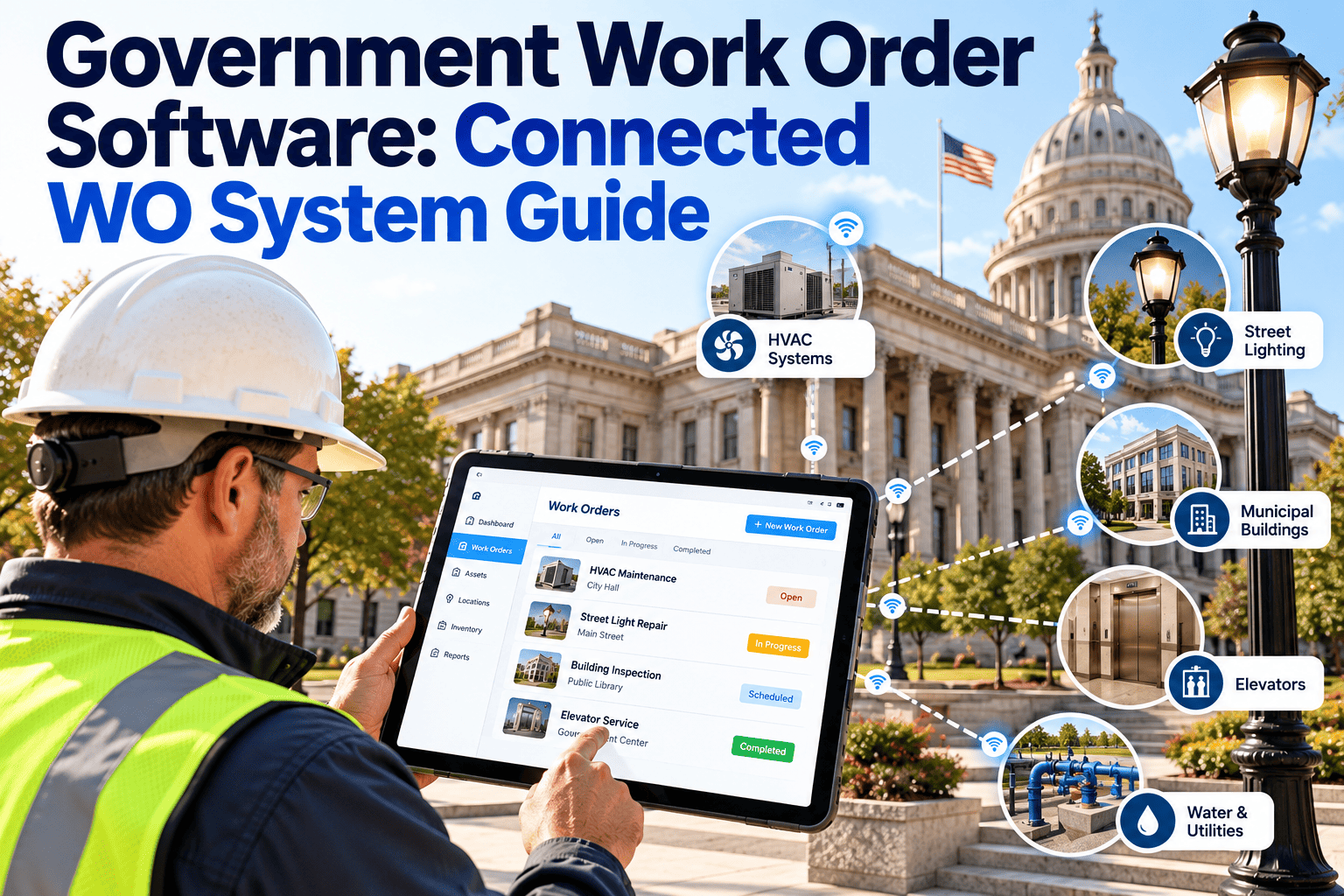
A pothole complaint comes in through the city's online form, a broken HVAC unit gets reported by a facilities technician on a paper slip, and a fleet repair request lands in someone's personal email inbox — three work orders, three formats, and no shared record of any of them. That's still how a large share of public agencies run day-to-day maintenance, and it's less a technology gap than a coordination problem: public works, facilities, fleet and parks departments each built their own workaround years ago, and none of those workarounds talk to each other. Connecting them into one work order system doesn't mean forcing every department into an identical workflow — it means giving each department's requests a shared record, a status, and an owner, so nothing sits unseen until a resident calls back asking why nothing happened, which is the piece Oxmaint's CMMS is built to provide.
Government Work Order Software: One Connected System for Every Department's Requests
Replace paper slips, email chains and offline spreadsheets with a single work order system that routes, tracks and closes out requests across public works, facilities, fleet and parks.
Where Government Work Orders Break Down Today
Most agencies don't lack a work order process, they have several running in parallel, and each one loses information at the handoff to the next department. A single agency can easily be running all four of the formats below at once, often within the same building.
| Format | Where It's Still Used | What Goes Wrong |
|---|---|---|
| Paper work order slips | Facilities, parks, some public works crews | No searchable history, easy to lose, no status visible to supervisors |
| Email chains | Fleet, interdepartmental requests | Status lives in someone's inbox; nobody else can see it |
| Offline spreadsheets | Small departments tracking their own backlog | No shared visibility, manual updates, easy to fall out of date |
| Phone calls and radio requests | Urgent field issues | Nothing gets logged until someone remembers to write it up later |
The Operational Cost of a Disconnected System
Every one of the formats above works fine for a single crew handling a handful of requests a week. The cost shows up once a request has to cross a department line, or once someone above the crew level asks a question the paper trail can't answer.
Every Request, One Record, From Intake to Close-Out
Oxmaint gives every department the same work order backbone, so a request never has to leave a shared system just because it crossed from facilities to fleet.
Detect, Route, Resolve, Document: The Connected Workflow
A connected work order system doesn't need to be complicated. It needs four steps that every department follows the same way, regardless of what kind of request comes in, whether it started as a resident complaint, a field observation or a scheduled inspection.
Paper and Email Work Orders vs. a Connected System
The gap isn't about which department works harder. It's about whether a supervisor two departments away can see the same status the crew sees.
- Status lives with whoever has the paper or the email
- Cross-department handoffs depend on someone remembering to forward it
- No searchable history by asset or location
- Reporting means someone manually tallying slips at month end
- Compliance documentation gets reconstructed after the fact
- Status is visible to every department with a stake in the request
- Cross-department routing happens inside the same record
- Every request is searchable by asset, location or requester
- Reporting pulls straight from closed work order data
- Compliance history is documented as the work happens
SLA Tracking Across Departments
Most public agencies have an informal expectation for how fast different request types should be handled, even when it was never written down as a formal service level. Making it explicit changes how the backlog gets managed, because a supervisor can spot a category slipping before it turns into a formal complaint.
| Request Type | Typical Priority | What a Connected System Tracks |
|---|---|---|
| Safety hazard (electrical, structural, traffic signal) | Emergency | Time from report to crew dispatch, time to temporary mitigation |
| Facility system failure (HVAC, plumbing, roof leak) | Urgent | Time to first response, parts lead time, total time to close |
| Routine repair request | Standard | Queue position, scheduled date, technician assigned |
| Preventive maintenance task | Scheduled | Completion against the recurring schedule, missed intervals |
Compliance and Inspection Work Orders Carry Extra Weight
A missed pothole repair is an inconvenience. A missed fire suppression inspection or a playground safety check is a liability question, and both categories need to run through the same system without getting treated the same way operationally.
| Compliance Area | Typical Requirement | What the Work Order Must Prove |
|---|---|---|
| Fire and life safety systems | Scheduled inspection and testing intervals | Inspection date, findings, and corrective work order tied to the finding |
| Elevator and lift equipment | Periodic certified inspection | Certificate history and any deficiency closed before the next cycle |
| Playground and park equipment | Routine safety inspection | Documented check-off and repair history per piece of equipment |
| Vehicle and fleet safety systems | Preventive maintenance intervals | Completed service history tied to mileage or usage triggers |
When these records sit in a shared system alongside routine repair requests, a compliance review doesn't require pulling a separate binder. It's the same close-out process, just flagged with a different category, and the history is already there the next time an inspector or auditor asks for it.
What a Connected Work Order System Needs to Handle
Before rolling a new system out across departments, it helps to check that it actually covers how public sector work orders differ from a single-site commercial operation.
- checkSeparate queues per department without separate systems
- checkCross-department routing when a request needs more than one crew
- checkMobile access for field crews with limited or no signal
- checkAsset history attached automatically to every new request
- checkPriority and SLA tracking by request type
- checkPreventive maintenance schedules alongside reactive requests
- checkExportable reporting for council, budget and compliance reviews
Give Every Department the Same Work Order Backbone
See how Oxmaint routes a request from intake to close-out across public works, facilities, fleet and parks inside one connected system.
Metrics a Connected System Makes Possible
None of these numbers are new. They already exist somewhere in a paper file or an inbox. A connected system just makes them visible without a manual tally.
Budget Season: Turning Closed Work Orders Into Justification
A budget committee is more likely to fund a request backed by a pattern than a single anecdote. Closed work order history is what turns a complaint into a pattern.
- A count of repeat repairs on the same vehicle, roof or HVAC unit over the past year
- Total labor and parts cost by asset category, not just total maintenance spend
- Average time to close by request type, to justify a staffing or contractor request
- A backlog trend line showing whether open requests are growing or shrinking over time
None of these require a special report. They come straight out of the same closed work order data the crews already generated while doing the work.
Rolling Out Across Multiple Departments Without a Single Big-Bang Cutover
The agencies that get the most resistance are usually the ones that try to migrate every department in the same week. A staged rollout tends to hold up better in practice, since each department gets to see the system working before being asked to trust it with their own backlog.
- Start with the department already tracking requests in a spreadsheet. That team already understands the value of structured data, which makes the transition faster and gives other departments a working example to look at.
- Bring in the crews handling the highest volume of reactive requests next. Public works and facilities usually see the fastest visible improvement, since duplicate and lost requests are the most common complaint there.
- Add compliance-driven departments last, with reporting configured first. Inspection and regulatory work benefits most from having the audit trail and export format ready before the first record is logged.
Who Touches a Work Order Between Intake and Close-Out
A single request usually passes through more hands than the person who logged it realizes, and each one needs a slightly different view of the same record.
What Oxmaint Gives a Public Agency's Operations Team
Oxmaint doesn't ask departments to change how they prioritize work, it gives every department the same record structure underneath their own priorities, so a fleet supervisor and a facilities lead can both trust the same system without adapting to each other's workflow.
We had four departments, four different ways of tracking requests, and no way to tell a council member how long a typical repair actually took. Once everything routed through the same system, the backlog didn't get smaller overnight, but for the first time we could actually see where it was stuck.
Frequently Asked Questions
Stop Managing Requests in Four Different Formats
Bring public works, facilities, fleet and parks onto one connected work order system, without forcing any department to give up its own priorities.