No public works department decides one morning to run a reactive operation. It happens quietly — one deferred inspection here, one skipped PM there, one more emergency repair that becomes just how things get done. Each shortcut looks reasonable in the moment and saves a little money today, and the bill arrives later as overtime, service gaps, failed audits, and a backlog that compounds for years. The mistakes that raise municipal maintenance costs are rarely dramatic; they are small, repeated habits that no one traces back to the budget line they drain. Naming them — and the straightforward fixes that reverse them — is how a department moves from firefighting to planning, and much of that shift runs on a work order and asset system that makes the invisible costs visible.
Public Works Maintenance Mistakes That Quietly Raise Costs
From skipped PMs and deferred repairs to data locked in paper logs, the most expensive mistakes in municipal maintenance are the ones nobody notices until the budget hearing. Here are the common errors — and the simple fixes that cut cost and risk.
How the Reactive Spiral Starts
Every mistake below feeds the same loop. An urgent call pulls a crew off a scheduled task; the skipped task becomes the next emergency; that emergency pulls the crew off another PM. Once a department is spending the majority of its budget reacting, prevention is the first casualty — and prevention is what would have stopped the reacting.
Mistake 1: Letting Reactive Work Become the Default
When most work orders are unplanned, the department is paying a permanent premium — emergency repairs run several times the cost of the equivalent planned task, and the overtime never stops. The telltale sign is a crew that only touches an asset after it fails.
Mistake 2: Deferring Maintenance to "Save" This Year's Budget
Deferral always looks smaller than it is. Postponing a repair to protect this year's number trades a known, plannable cost for a larger, unplannable one later — and strips away the ability to schedule and competitively procure the work before it becomes an emergency.
Mistake 3: Running PM Schedules Nobody Trusts
Generic schedules with no link to condition or failure history get skipped because they feel like paperwork. A PM that never finds a real defect trains the crew to treat all PMs as optional — and the one that mattered gets skipped alongside the ones that didn't.
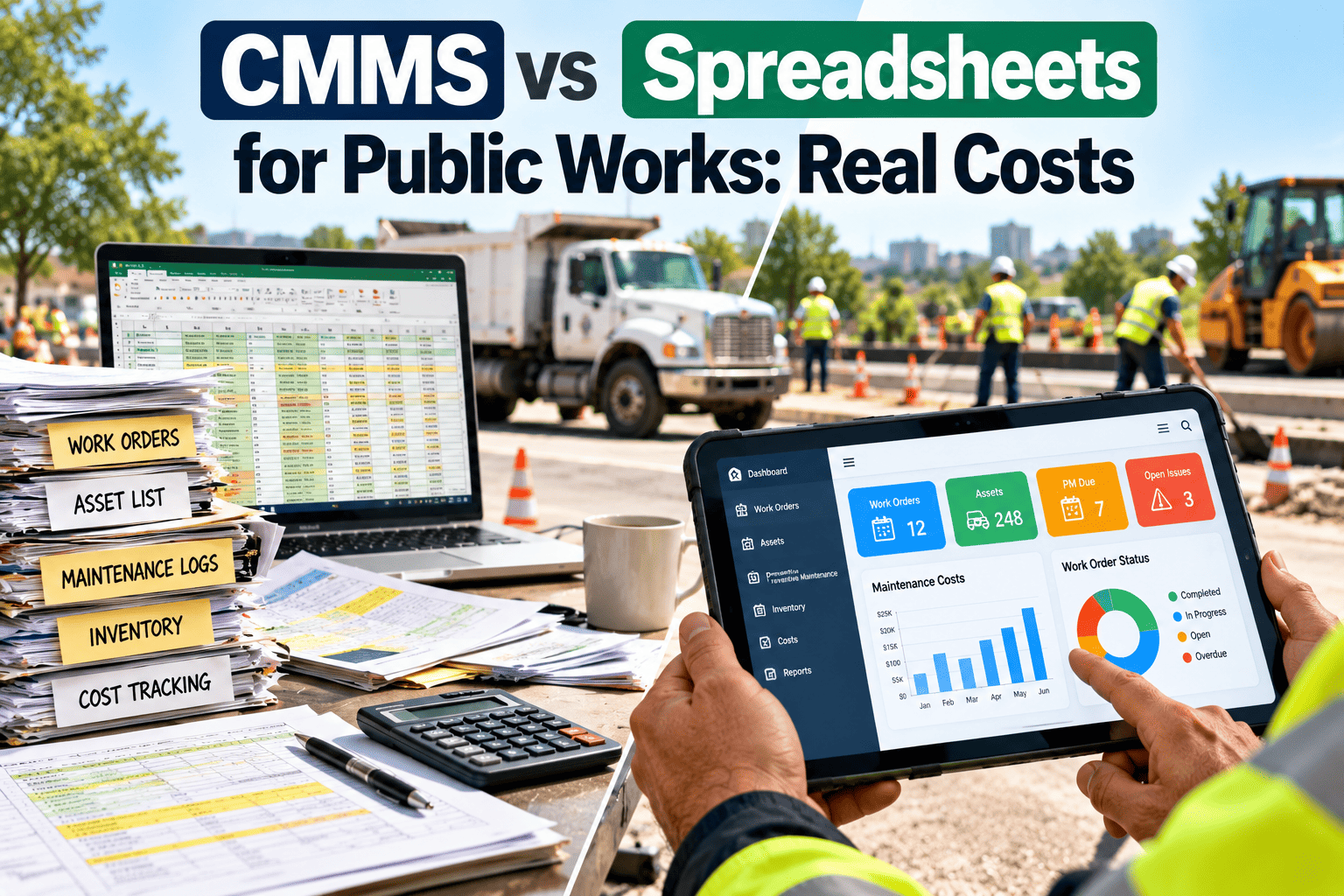
Mistake 4: Letting Maintenance Data Live in Paper and Spreadsheets
A large share of public works departments still run work orders on spreadsheets or paper logs. Those tools can report a cost after the damage is done, but they cannot prevent it — and the asset history that would guide every decision is scattered, inconsistent, or locked in one person's memory.
Mistake 5: Not Measuring the Numbers That Matter
Many departments report numbers, but few report the same numbers the same way twice. Inconsistent metrics come from unclear definitions, not unwilling staff — when "complete" can mean finished, inspected, or paperwork closed, no KPI can be trusted or compared.
OxMaint automates PM scheduling, captures every work order and inspection against the asset, and produces consistent KPIs from the data your crews already generate — so the reactive spiral becomes a planned program you can prove to the council.
The Five KPIs That Catch These Mistakes Early
Each mistake above shows up as a number long before it shows up as a budget overrun. Watch these five and you see the reactive spiral forming while there is still time to reverse it.
| KPI | What It Tells You | Warning Sign |
|---|---|---|
| PM compliance rate | PM completed on time ÷ PM scheduled | Falling — prevention is being skipped |
| Planned-to-reactive ratio | Planned hours ÷ reactive hours | Dropping — firefighting is taking over |
| Backlog age | Average days non-emergency work stays open | Rising — older work is being skipped |
| Repeat failure rate | How often the same asset fails again | Rising — temporary patches aren't holding |
| PM yield | Defects found ÷ PM tasks completed | Near zero — the schedule isn't finding problems |
Before and After: Reactive vs Planned Public Works
The same department, run two ways, lands in two very different places. The difference is not a bigger budget — it is replacing the quiet mistakes with a system that makes planned work the default.
- Most work orders unplanned
- PM skipped under pressure
- Backlog growing unnoticed
- History in paper and spreadsheets
- KPIs defined differently each time
- Capital requests read as opinion
- Planned work the default
- PM auto-generated and tracked
- Backlog visible and funded early
- One system of record per asset
- Consistent KPIs from work orders
- Capital requests backed by data
A 90-Day Path Out of the Spiral
Frequently Asked Questions
What's the single most expensive public works maintenance mistake?
Letting reactive work become the default. Emergency repairs cost several times the equivalent planned task, and the overtime compounds. Shifting to scheduled PM is the highest-leverage fix. Start free to automate your PM scheduling.
Why does deferring maintenance cost more than it saves?
Deferral trades a known, plannable repair for a larger emergency later, and removes your ability to schedule and competitively procure the work. A dollar deferred typically costs several down the line. Book a demo to see backlog tracking.
Our crews skip PMs under pressure. How do we stop it?
Skipping usually happens because the schedule feels like paperwork. Tie PM frequency to condition and track PM yield so tasks earn trust by catching real defects, and the skipping stops. Start a trial to build condition-based schedules.
Can we fix this without replacing our whole system at once?
Yes. Start with one asset class, get its data and schedules in place over about 90 days, then expand once it's holding steady. A phased rollout is why most municipal deployments succeed. Book a demo for a phased plan.
Which metrics prove to the council that things are improving?
PM compliance rate, planned-to-reactive ratio, backlog age, repeat failure rate, and PM yield — reported consistently. Generated from work orders, they turn opinion into evidence. Start free to produce them automatically.
OxMaint replaces the quiet habits that drain municipal budgets with automated PM scheduling, one system of record, and consistent KPIs your crews, supervisors, and council can all trust. Talk to our public works team about moving from reactive to planned.