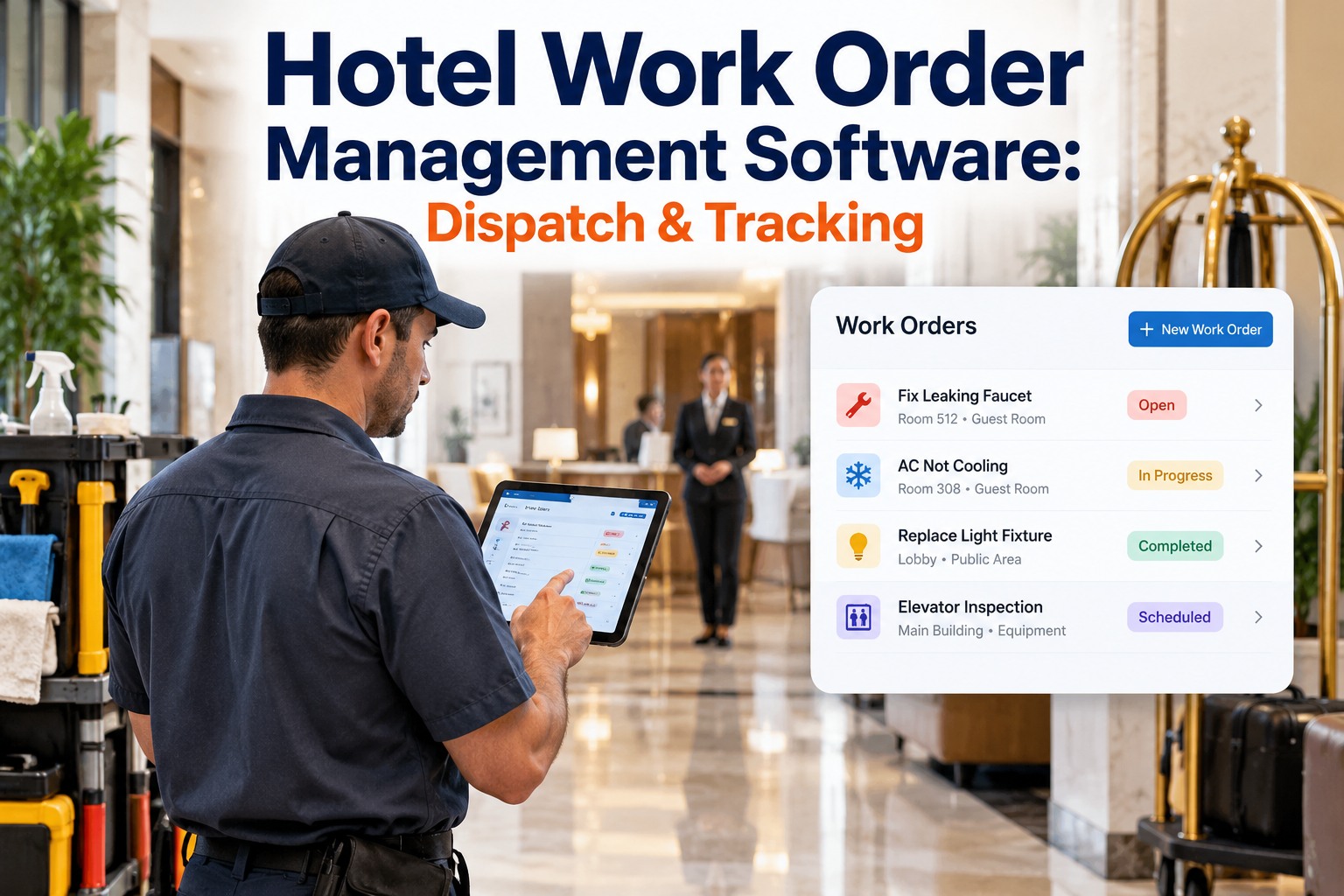
New CMMS software adoption fails in 60% of hotels when training is generic or insufficient — maintenance teams revert to paper-based work orders because they don't trust digital systems they don't understand. A structured 5-day onboarding program that combines system navigation training with real guest-room repair scenarios produces 87% adoption rates and reduces emergency maintenance response time by 42%. OxMaint provides hands-on CMMS training, role-based templates, and hotel-specific workflows — designed to get maintenance teams operating the system effectively within 5 business days, with minimal disruption to daily operations.
Hotel Maintenance Staff CMMS Training: Complete 5-Day Onboarding Program for Full System Adoption
Day 1-2 system navigation, Day 3 real-world repairs, Day 4 preventive maintenance scheduling, Day 5 reporting and compliance documentation — the comprehensive training framework that delivers 87% adoption rates and reduces emergency response time by 42%.
Section 1: Day 1-2 CMMS System Navigation & User Interface Mastery
Maintenance teams won't trust a CMMS until they understand it. Day 1 should begin with a 30-minute system overview: what is a work order, why tracking maintenance improves decision-making, and how the system differs from paper-based processes. Then move to hands-on guided navigation. Every team member should log in and complete 5 basic tasks: (1) view assigned work orders, (2) log time spent on a repair, (3) update work order status, (4) upload a photo of completed repair, (5) add notes to the work order. OxMaint training includes role-based access for technicians, supervisors, and managers — each role sees different screens and capabilities, reflecting actual job responsibilities. Day 2 should advance to more complex tasks: creating work orders (supervisors), assigning tasks to specific technicians, searching historical repairs by room number or equipment type, and running basic reports showing completed vs. pending work. By end of Day 2, every technician should be able to log in independently, understand their daily work orders, and complete a repair within the system without assistance. Resistance to adoption typically comes from perceived complexity — walking team members through each screen one step at a time (vs. dumping them with 200-slide presentations) builds confidence and reduces anxiety about the new system.
Section 2: Day 3 Real-World Repair Scenarios & Hands-On Troubleshooting
Theory becomes real on Day 3. Set up 5-8 actual guest room repair scenarios that maintenance teams regularly encounter: broken TV remote, clogged bathtub drain, broken door latch, flickering light fixture, and guest reports "AC not cold." For each scenario, teams work through the complete workflow: (1) receive work order notification on mobile/tablet, (2) navigate to the room, (3) diagnose the problem, (4) log time spent, (5) document solution with photos, (6) mark as complete in the system. OxMaint training scenarios include actual guest room layouts and equipment, so technicians practice with the exact problems they'll face daily. This hands-on approach builds confidence — technicians see that the system supports (rather than complicates) their job. If a technician makes a data entry error during practice, it becomes a teaching moment rather than a system failure. By end of Day 3, every technician should have completed 5-10 real repairs in the system and should be thinking about how the digital record prevents repeated issues (e.g., "Room 305's drain kept clogging — now the supervisor can see the pattern and schedule preventive maintenance").
Section 3: Day 4 Preventive Maintenance Scheduling & Compliance Tracking
Day 4 shifts focus from reactive to preventive maintenance — the strategic shift that separates high-performing hotels from constant crisis mode. Teams learn how to interpret preventive maintenance schedules (monthly HVAC filter changes, quarterly fire system inspections, semi-annual plumbing audits) and how to systematically execute them. Supervisors learn to generate preventive maintenance schedules that automatically create work orders for each technician — eliminating the manual process of remembering what service is due when. The system tracks completion status: if a quarterly inspection is due but unscheduled, an alert notifies the supervisor. Documentation of preventive work in CMMS builds compliance records required by insurance companies and fire marshals. Teams practice running reports that show "all preventive maintenance completed on schedule" vs. "3 inspections overdue" — data that quantifies maintenance performance. Resistance to preventive scheduling often comes from "we're too busy with emergency repairs" — Day 4 training should emphasize that preventive programs actually reduce emergency calls by 65% within 6 months, creating more time for planned work.
Section 4: Day 5 Reporting, Analytics & Post-Training Support Structure
By Day 5, teams have completed work orders, executed preventive schedules, and generated documentation. Now focus on understanding how data becomes insight. CMMS systems generate reports that answer critical questions: Which rooms have the most repairs? What's the average time to complete emergency calls? Are preventive programs actually reducing incidents? Which technicians are most efficient? Supervisors should learn to run reports that track performance metrics that drive decision-making. OxMaint training includes templates for commonly-needed reports: asset performance, compliance status, technician productivity, and cost analysis. Day 5 should also establish post-training support: (1) identify one "CMMS champion" per department who can answer peer questions, (2) schedule monthly refresher sessions for 3 months post-training, (3) provide phone/email support line for troubleshooting. CMMS adoption failure often occurs 3-4 weeks post-training when questions arise and support isn't available — structured ongoing support is essential. Technical assistance should be quick (most questions resolved in under 5 minutes) and should reinforce that the system exists to support technicians, not complicate their work.
We'd purchased a CMMS three years prior but adoption stalled at maybe 30% — staff didn't understand it, we weren't seeing any benefits, and paper work orders remained the norm. OxMaint's 5-day training changed everything. Having real guest room scenarios (not just theory) made it click. By week 2, 92% of work orders were being logged digitally. By month 2, we were running reports showing that preventive HVAC maintenance had eliminated emergency calls. Our technicians now see the value — they can pull up repair history on a room and say "this TV had this issue last month, here's how we fixed it." That's the power of a system done right.
Frequently Asked Questions
Train Your Team. Launch Your Digital Maintenance Program.
OxMaint provides structured 5-day training that achieves 87% adoption and delivers $28K annual labor savings per technician.