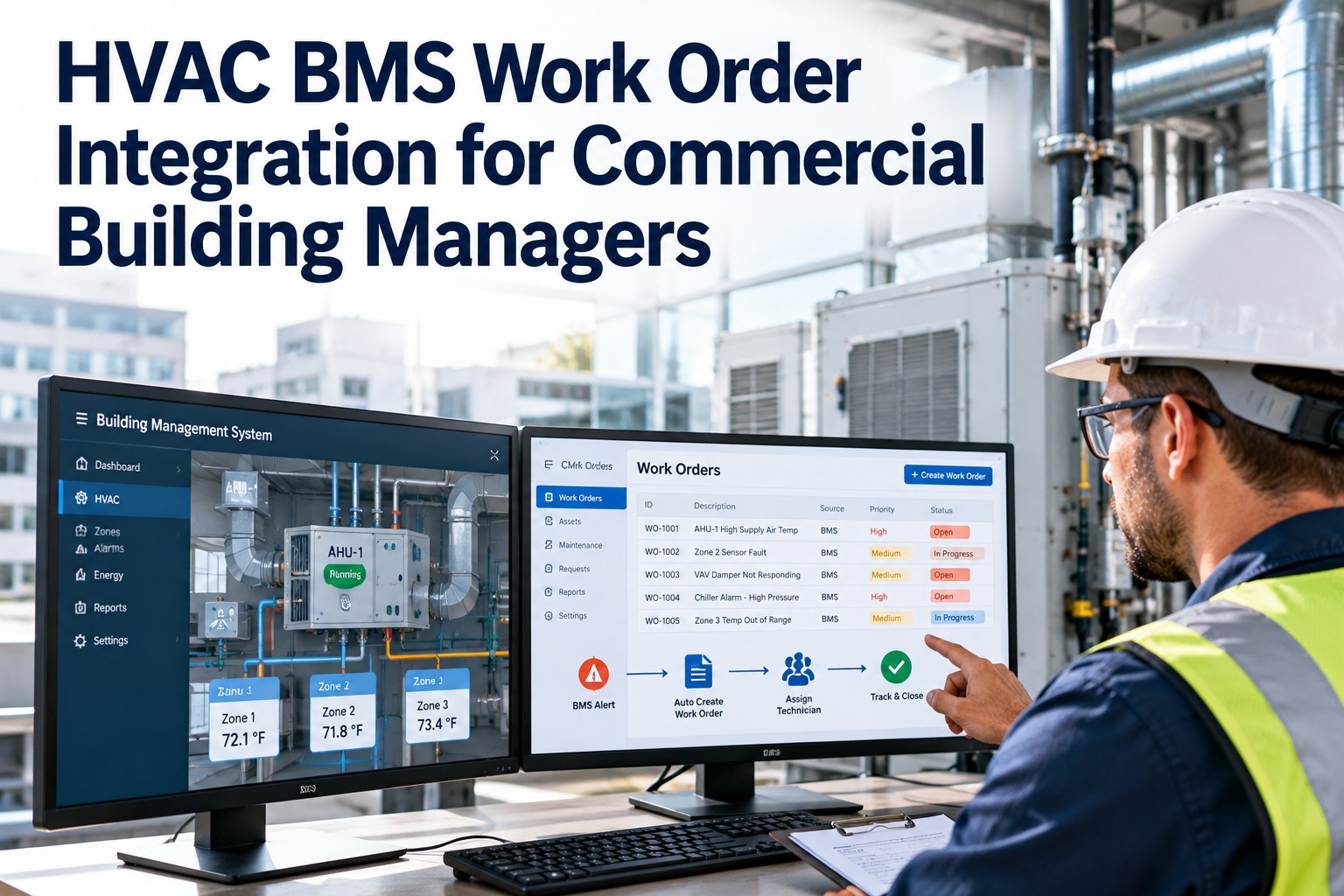
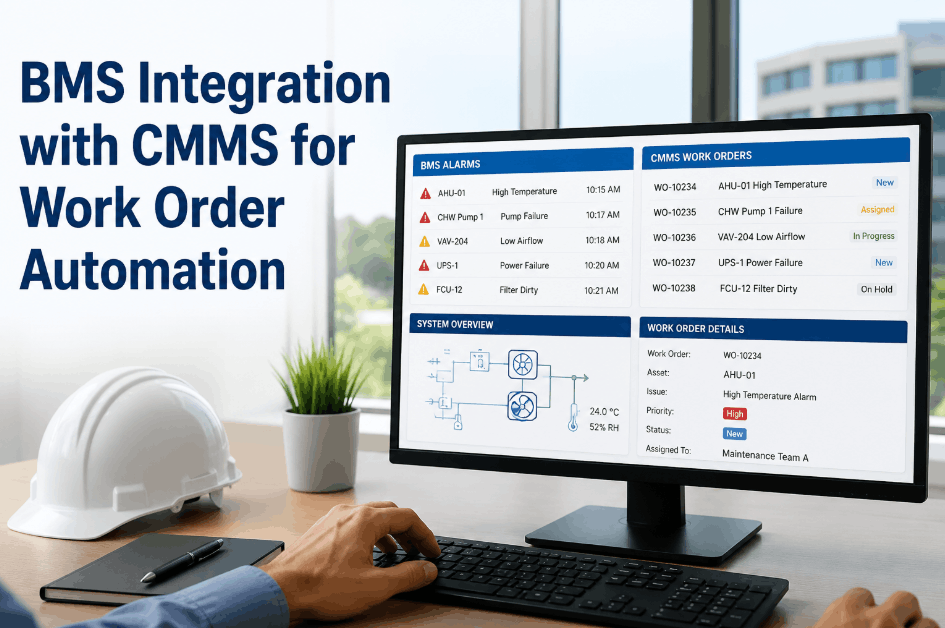
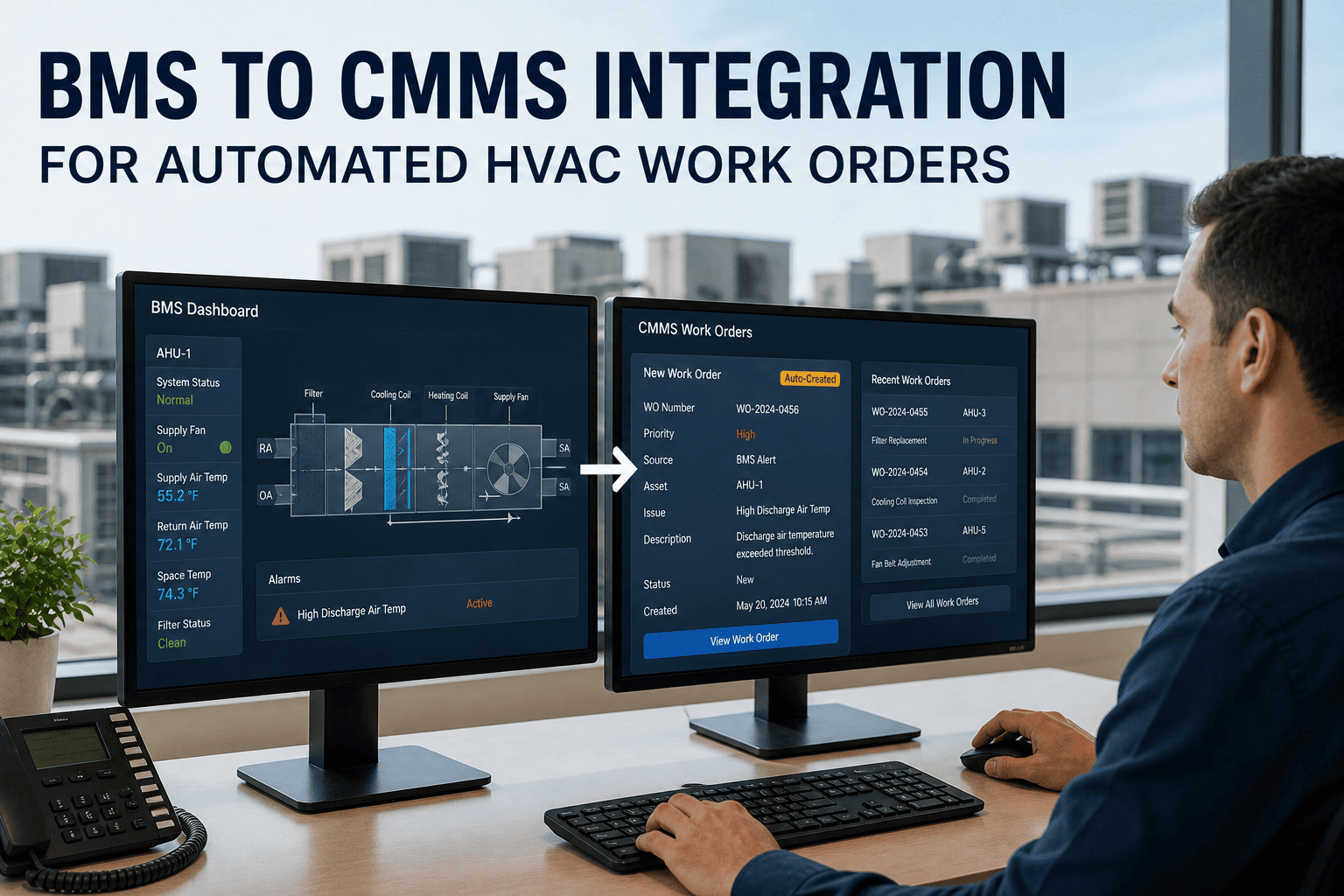
A BMS engineer managing a 400,000 sq ft commercial building can receive upwards of 800 HVAC alarms per week — supply air temperature deviations, chilled water valve faults, AHU fan failure alerts, CO₂ high alarms, and BMS communication errors. Of those 800 alarms, perhaps 60 require a maintenance action. The remaining 740 are nuisance alarms, acknowledged and cleared, that train the operator to stop paying attention — until the one genuine fault that needed a work order gets acknowledged and cleared along with everything else, and the equipment it was warning about fails four hours later. This is alarm fatigue, and it is endemic in BMS-managed buildings. OxMaint's work order automation platform integrates with BMS systems to turn the alarms that matter into prioritised, assigned work orders — with ownership, escalation, and closeout evidence — while filtering the noise that makes critical signals invisible.
Article · BMS Integration · Work Order Automation
HVAC Alarm Management Software for BMS Teams
BMS Alarm Routing · Priority Classification · Auto Work Orders · Ownership Tracking · Closeout Evidence
BMS Alarm Queue · Routed to OxMaint
P1
AHU-03 Supply Fan Failure
WO #1041 · Assigned
P2
Chiller-2 kW/ton +22%
WO #1042 · Pending
P3
FCU-B7 Comm Timeout
Scheduled · 72h
–
PTAC Setpoint Deviation ×12
Filtered · Nuisance
61%
Alarm Volume Reduction
800+
Weekly BMS alarms in a typical 400,000 sq ft building — the majority are nuisance alarms requiring no action
61%
Reduction in actionable alarm volume when OxMaint nuisance alarm rules filter non-maintenance events
Zero
Critical alarms missed when P1 fault codes auto-create work orders with escalation timers in OxMaint
Audit
Every alarm-to-work-order chain is timestamped and stored — full closeout evidence for compliance reporting
The Alarm Fatigue Problem — Why BMS Alarms Fail Without a CMMS
Without OxMaint Integration
800 alarms/week acknowledged and cleared — no work orders raised
No distinction between nuisance alarms and genuine faults
BMS operator acknowledges critical fault alongside 50 nuisance alarms — loses track
No ownership assigned — no one knows who is responsible for the fault
Alarm cleared = problem solved? No verification. No evidence.
Equipment fails 4 hours after the alarm was cleared without action
With OxMaint BMS Integration
P1 alarms auto-create work orders instantly — no manual step
Nuisance alarm rules filter recurring non-maintenance alarms automatically
Each actionable alarm is classified, prioritised, and assigned before the BMS screen updates
Work order owner notified via mobile app — response timer starts immediately
Work order cannot close without technician sign-off and resolution evidence
Full audit trail: alarm time → WO created → assigned → attended → resolved with photos
HVAC Alarm Classification — OxMaint Priority Routing
| Alarm Type |
Example BMS Points |
OxMaint Priority |
Auto WO? |
Response Target |
| Critical equipment failure |
AHU fan failure, chiller trip, pump stop |
P1 — Critical |
Immediate · Auto-assign |
2 hours |
| Safety alarm |
Frost stat trip, fire damper open, CO high |
P1 — Safety |
Immediate · Escalation |
1 hour |
| Performance deviation |
kW/ton +20%, ΔT -3°C, setpoint drift |
P2 — Maintenance |
Within 4 hrs · Supervisor review |
Next business day |
| Communication fault |
BACnet timeout, sensor offline, BMS comm loss |
P3 — Monitor |
Scheduled WO · 72h |
3 days |
| Nuisance / known fault |
Recurring setpoint bounce, known sensor drift |
Filtered |
No WO · Logged for review |
Monthly review |
Alarm-to-Work-Order Flow — From BMS Signal to Resolved Fault
01
BMS Alarm Fires
AHU-03 supply fan failure alarm triggers in the BMS. OxMaint receives the alarm via API or BACnet integration within seconds of the BMS event.
→
02
Priority Classification
OxMaint applies the configured alarm rule — AHU fan failure = P1. Rule matches: auto work order created, linked to AHU-03 asset record, with full fault description and asset history attached.
→
03
Ownership & Notification
Work order assigned to on-call maintenance engineer. Push notification sent to mobile device. 2-hour response timer starts. Supervisor notified if not acknowledged within 30 minutes.
→
04
Attendance & Closeout
Technician attends, scans QR code, diagnoses and resolves. Work order closed with fault cause, resolution method, parts used, and photo evidence — creating a full audit record against the asset.
Turn BMS Alarm Noise Into Maintenance Signal. Every Critical Alarm Becomes a Work Order.
OxMaint integrates with your BMS to classify, route, assign, and close every actionable HVAC alarm as a work order — eliminating alarm fatigue and creating a complete maintenance evidence trail from first alert to final closeout.
"
Alarm fatigue is one of the most serious and least discussed operational risks in modern smart buildings. When BMS teams are processing hundreds of alarms daily with no systematic triage, the cognitive load of distinguishing the genuine equipment failure from the recurring nuisance alarm becomes unsustainable. What I consistently observe is that teams adapt by becoming desensitised — they acknowledge alarms faster and investigate less, which is the exact opposite of the intended safety and maintenance function of the BMS. OxMaint's approach is structurally correct: route alarms through a classification engine that makes the priority decision automatically, create the work order for the alarms that need one, and filter the alarms that do not — so the engineer's attention is directed to actions, not noise. The before/after impact in buildings where this integration has been deployed is dramatic: alarm-to-work-order rates go from near zero to over 90%, mean time to respond to critical faults drops by two-thirds, and the compliance evidence that building regulations and ISO 41001 require is generated automatically without any additional admin burden on the team.
Tom Ashworth, MCIOB, CEng
Head of Smart Building Operations · Global Property and Facilities Management Group · 19 Years BMS, Building Automation, and CMMS Integration · Chartered Engineer · Member of the Chartered Institute of Building · Specialist in BMS alarm management, CMMS-BMS integration architecture, and alarm rationalisation programmes for commercial, healthcare, and data centre facilities portfolios
Frequently Asked Questions
Which BMS platforms does OxMaint integrate with for HVAC alarm routing?
OxMaint integrates with BMS platforms via BACnet/IP, Modbus TCP, MQTT, and REST API — covering the primary communication protocols used by Siemens Desigo CC, Honeywell Enterprise Buildings Integrator, Johnson Controls Metasys, Schneider Electric EcoStruxure, Trend Controls, Distech Controls, and most other major BMS platforms available in commercial buildings. Integration is configured at the alarm point level — specific BMS alarm codes or point names are mapped to OxMaint alarm rules that define the priority, the work order template to create, and the assignment logic. For buildings with older BMS systems without API capability, OxMaint supports flat-file alarm export integration with a defined polling interval.
Start a free trial and assess BMS integration options for your building.
How does OxMaint prevent the same recurring nuisance alarm from generating duplicate work orders?
OxMaint's alarm management module includes a nuisance alarm rule engine that allows BMS engineers to define recurring alarms as filtered events — meaning repeated instances of the same alarm point within a defined time window are logged but do not generate new work orders. For example, a PTAC setpoint bounce alarm that fires 20 times per day can be configured as a nuisance rule: logged in OxMaint's alarm history for monthly review, but suppressed from the work order queue. If the alarm escalates beyond the nuisance threshold — for example, firing continuously for more than 4 hours rather than intermittently — the escalation rule overrides the nuisance filter and creates a work order automatically.
Book a demo to see OxMaint's nuisance alarm rule configuration in action.
What closeout evidence does OxMaint capture for alarm-triggered work orders?
OxMaint's alarm-triggered work orders require structured closeout before they can be marked as resolved — the technician must select a fault cause code from a pre-configured list (for example: electrical failure, mechanical failure, sensor drift, false alarm, software fault), enter a resolution description, and optionally attach photos of the attended fault condition and the post-repair state. The completed work order record includes the original alarm timestamp, work order creation time, technician assignment time, first attendance time, and resolution time — giving four data points that calculate response time, attendance time, and resolution time against the configured SLA targets. This full audit chain is available for ISO 41001 compliance review, insurance claims, regulatory inspection, and tenant SLA reporting directly from OxMaint's reporting module.
Explore OxMaint's alarm closeout evidence and compliance reporting with a free trial.
OxMaint · BMS Alarm Management
800 Alarms a Week. Only the Ones That Matter Become Work Orders.
OxMaint connects to your BMS, classifies every alarm, routes the critical ones to assigned work orders with escalation timers, and filters the noise — so your team responds to faults, not alerts.