Every time a maintenance technician plugs a laptop into a PLC on the rolling mill floor, connects a USB drive to update firmware on a blast furnace controller, or accesses a SCADA terminal to verify a sensor reading, an OT security boundary is crossed. Steel plants are now among the most targeted critical infrastructure assets in the world — and the attack surface is not the IT office network. It is the maintenance workflow itself: the access credentials, the remote sessions, the unpatched PLCs, and the work orders with no audit trail. OxMaint's Compliance Tracking embeds OT-aware security controls directly into maintenance workflows — so every access event, every patch window, and every asset intervention is authorised, documented, and auditable without slowing down the maintenance team.
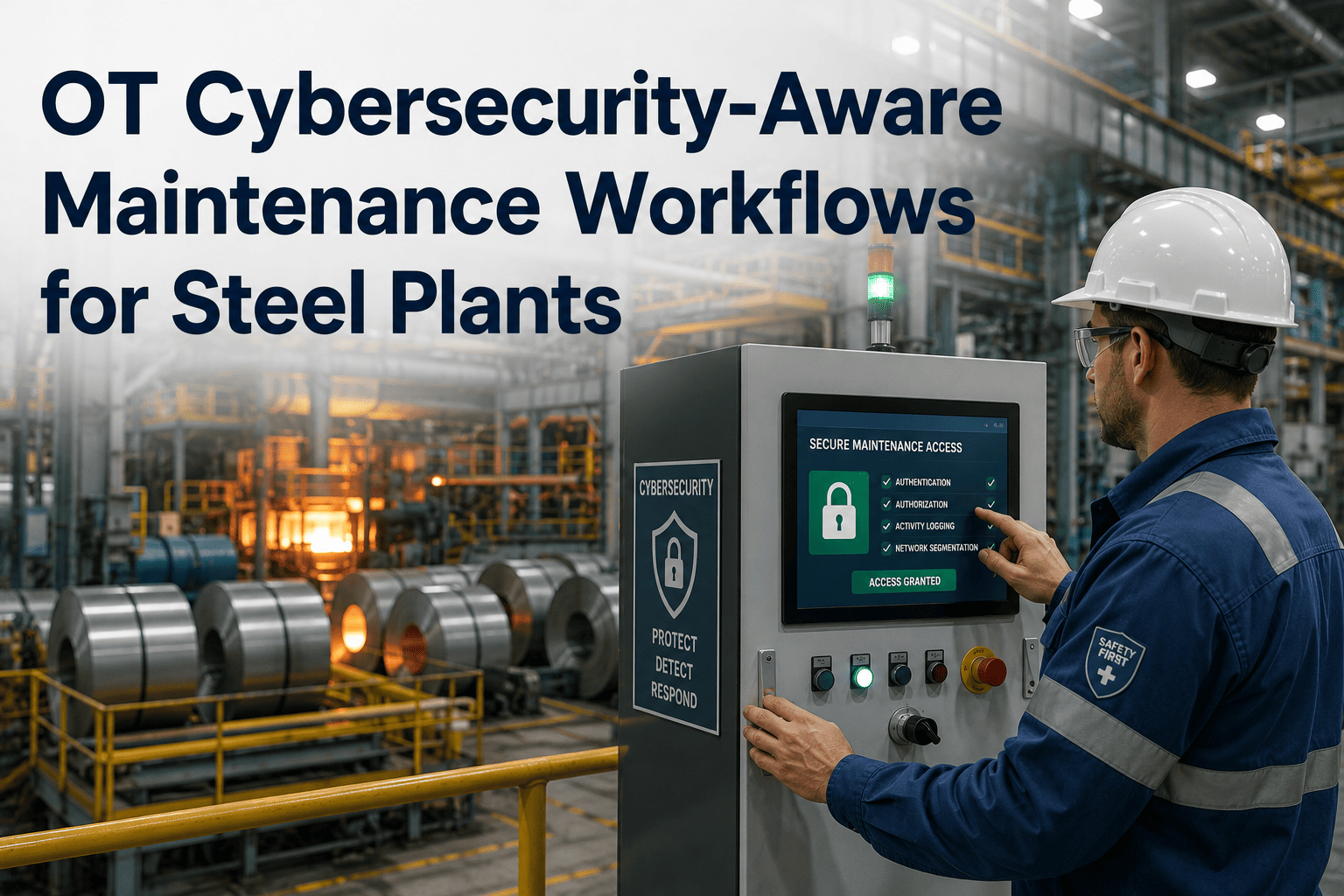
OT Cybersecurity-Aware Maintenance Workflows for Steel Plants
Access control, patch management windows, SCADA security, and tamper-evident audit trails — building maintenance operations that protect connected steel assets without adding friction for your technicians.
The Maintenance Workflow Is the OT Attack Surface
Steel plant OT networks — Siemens SIMATIC, Rockwell ControlLogix, ABB 800xA, and Honeywell Experion systems controlling blast furnaces, BOF converters, rolling mills, and continuous casting machines — were designed for reliability and process control, not cybersecurity. Maintenance activity is the primary path through which malicious code, unauthorised access, and credential compromise enters the OT environment.
Technicians using USB drives to transfer ladder logic, firmware updates, or diagnostic software to PLCs on rolling mills and blast furnace controls without malware scanning or chain-of-custody logging. The 2010 Stuxnet attack entered via USB in an industrial maintenance context — steel plants remain exposed to this vector.
SCADA terminals and PLC programming software using shared accounts ("maintenance", "admin", "operator") mean no individual accountability for configuration changes. A credential compromise grants access to every OT asset those credentials cover — with no audit trail showing which specific user made which change.
Contractor and OEM remote access to PLCs and SCADA systems for maintenance and troubleshooting without a formal access window, session recording, or work order linkage creates persistent, unmonitored backdoors into OT networks controlling critical steel plant processes.
Firmware and software patches for Siemens, Rockwell, and ABB systems must be applied during defined maintenance windows that coordinate with production schedules and change control. Ad-hoc patching — or indefinitely deferred patching — leaves known vulnerabilities exposed in assets controlling furnace temperature and rolling force.
When maintenance work orders and OT system access events exist in separate systems with no cross-reference, there is no way to verify that a SCADA login at 02:14 on a Sunday corresponds to an authorised maintenance task — or detect that it does not.
Third-party contractors performing maintenance on blast furnace instrumentation, rolling mill drives, or coke oven battery controls often operate under paper job cards with no digital record of what systems were accessed, what changes were made, or what equipment was connected.
Access Control Framework for OT-Safe Maintenance
IEC 62443-3-3 System Security Requirements defines seven foundational requirements for industrial control systems. For steel plant maintenance operations, the most relevant are SR 1.1 (Human User Identification and Authentication), SR 1.2 (Software Process and Device Identification), and SR 2.1 (Authorisation Enforcement). The access control framework below maps these requirements to practical maintenance workflow controls.
| Access Scenario | OT Risk Without Control | IEC 62443 Requirement | OxMaint Control |
|---|---|---|---|
| PLC programming access — Siemens S7 / Rockwell | Unrestricted config change, no individual accountability | SR 1.1 / SR 2.1 | Work order linkage required before access credential issued; individual account only |
| SCADA HMI terminal login — rolling mill | Shared credentials, no session attribution | SR 1.1 / SR 1.3 | Named user login only; session duration logged against open work order |
| Contractor remote access — ABB / Honeywell OEM | Persistent VPN credential, no session time limit | SR 1.2 / SR 2.4 | Time-bound access token per work order; session recording; auto-expiry on WO closure |
| USB / removable media connection to OT device | Malware entry vector; no chain-of-custody | SR 3.4 / SR 3.9 | Media scan logged pre-connection; chain-of-custody record created in CMMS |
| Historian / data export from process systems | Process IP exfiltration; no export log | SR 2.8 / SR 2.9 | Export events logged; data classification tag applied; access tied to named user + work order |
Patch Management Windows: Coordinating OT Updates With Production
OT patching in steel plants cannot follow IT patching norms. A firmware update on the Siemens SIMATIC controller managing a blast furnace tuyere cooling system requires coordination with production scheduling, safety system state verification, and a defined rollback plan before the maintenance window opens. Uncoordinated patching — driven by IT security pressure without production alignment — creates more risk than the unpatched vulnerability it was meant to address.
OT asset vulnerability identified — Siemens PSIRT advisory, Rockwell security bulletin, or ICS-CERT alert. OxMaint classifies severity against asset criticality tier (blast furnace = Tier 1; auxiliary = Tier 3) and assigns patch window priority accordingly.
Patch window proposed against production schedule for the affected asset. Minimum 72-hour advance notice to operations and safety teams. Safety Instrumented System (SIS) state confirmed as bypassed or in safe mode before window opens.
Change request linked to OxMaint work order. Authorised approvers — OT security lead, production supervisor, and maintenance manager — all sign digitally before the window opens. No access without three-party sign-off for Tier 1 assets.
Patch applied by named technician within the defined window. Pre-patch and post-patch asset configuration baselines compared. Process behaviour verified against normal operating parameters before window is closed.
Patch status updated to confirmed in OxMaint asset record. Firmware version logged. Work order closed with digital sign-off. Patch compliance report auto-generated for OT security dashboard — showing patched vs unpatched asset count by criticality tier.
OxMaint Compliance Tracking Closes the Gap Between Maintenance and OT Security
Every access event, patch window, contractor session, and corrective action logged against the work order that authorised it — giving your OT security team the audit trail they need without slowing down your maintenance team. See it live in a 30-minute walkthrough.
OT-Safe Work Order Design: What Every Steel Plant Maintenance Task Needs
An OT-aware work order is not just a task description. It is a security instrument that defines who is authorised to access which system, during which window, using which credentials, with what scope of change permitted. The checklist below defines the minimum security fields for any maintenance task touching OT-connected steel plant assets.
Audit Trail Requirements: What IEC 62443 and ISO 27001 Demand from Steel Plant Maintenance Records
OT security frameworks require that all access to industrial control systems is logged, attributed to a named individual, and retained for a defined period. The audit trail generated by maintenance activity on steel plant OT assets is a primary evidence source for both post-incident forensics and regulatory compliance verification.
| Audit Record Type | Required Content | Retention | Standard Reference | OxMaint Record |
|---|---|---|---|---|
| OT system access event | Named user, asset ID, timestamp, session duration, changes made | 3 years minimum | IEC 62443-3-3 SR 6.1 | Auto-logged against WO; immutable |
| Patch / firmware update | Asset ID, pre/post firmware version, technician, approval chain, verification result | Asset lifetime | IEC 62443-2-3 / NIST SP 800-82 | Patch task WO with version snapshot |
| Contractor remote session | Contractor identity, company, systems accessed, session recording reference, scope confirmation | 5 years | IEC 62443-2-4 SP.03.01 | Contractor portal WO with session log |
| Configuration change | Before/after configuration baseline, change author, approver, change reason, rollback reference | Asset lifetime | IEC 62443-3-3 SR 7.6 | Configuration snapshot per WO closure |
| Access denial / security event | Attempted user, asset, timestamp, denial reason, escalation action taken | 3 years minimum | IEC 62443-3-3 SR 6.2 | Security event linked to compliance dashboard |
Expert Review
The steel industry's OT security problem is largely a maintenance governance problem. The attack vectors that actually succeed — credential theft, USB malware introduction, persistent contractor backdoors — are all maintenance workflow failures, not technology failures. The industrial control systems themselves are not the weak point; the processes around human access to those systems are. What makes OxMaint's approach relevant here is that it attacks the problem at the workflow level — embedding access control, window definition, and audit logging into the work order itself, so the security record is created as a natural byproduct of doing the maintenance, not as an additional compliance burden imposed on top of it. That is the only approach that achieves both IEC 62443 compliance and technician adoption simultaneously.
Frequently Asked Questions
Your Maintenance Workflow Is Your OT Security Posture
Every unlogged access, every shared credential, every untracked contractor session is an open door into your blast furnace controls, rolling mill PLCs, and BOF converter SCADA. OxMaint closes those doors — without adding friction for your maintenance team. See the compliance tracking workflow live in 30 minutes.