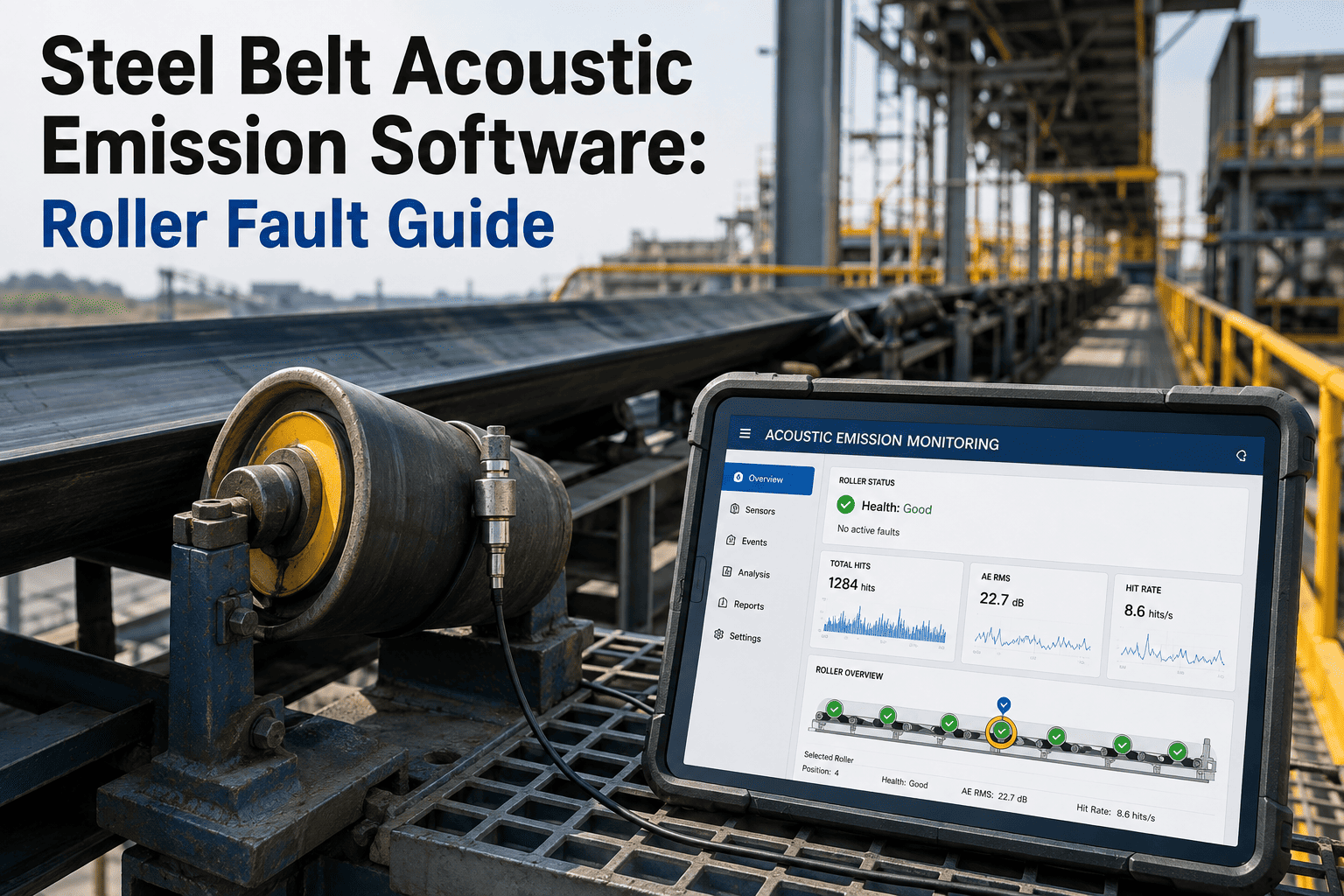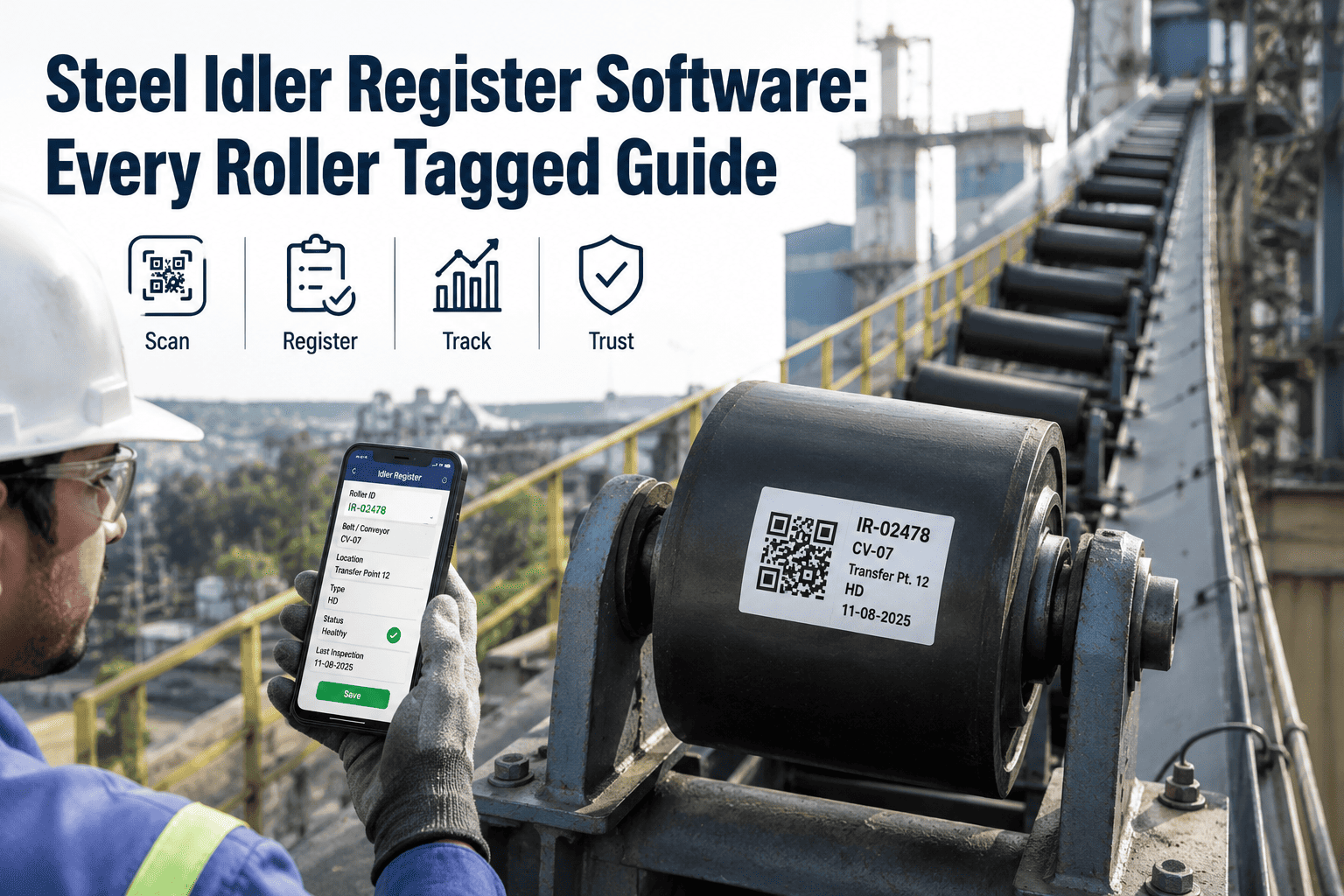
Walk any integrated steel plant's ore yard, sinter strand, or hot metal transfer conveyor and you will pass thousands of individual idler rollers — each one a small, cheap component with no name, no history, and no way to tell an inspector which exact roller failed twice already this year. A single 1,800mm ore yard conveyor run can carry more than two thousand troughing and return idlers strung along its length, and when nobody knows which physical roller sits at which position, every seized bearing looks like a surprise instead of a pattern that could have been caught weeks earlier. Reliability teams end up replacing idlers reactively, chasing squeals and smoke instead of managing a known population of assets with known install dates and known acoustic signatures. The fix is not more spare idlers stacked on a shelf — it is registering every roller as a tracked asset the same way a plant already tracks pumps, motors, and gearboxes. Plants that tag idler position, install date, and acoustic baseline inside one CMMS turn an anonymous swarm of rollers into a searchable, trendable fleet, and Oxmaint's asset register is built to hold exactly that level of granularity — start a free trial to see how a single conveyor's idler population looks once every roller has an identity.
Steel Idler Register Software: Every Roller Tagged, Every Position Known
Give every troughing, return, and impact idler in your steel plant a position ID, an install date, and an acoustic baseline inside one searchable CMMS register — so failures stop looking random and start looking like patterns.
Why Idlers Are the Least Tracked Asset Class in the Plant
Every steel plant has a formal asset register for its pumps, its motors, its gearboxes, and its cranes. Almost none have one for idlers, even though idlers outnumber every other rotating asset in the facility by a wide margin. A single conveyor circuit routed through the ore yard, sinter plant, coke handling, blast furnace charging, and hot rolling zones can carry tens of thousands of individual rollers, and most plants treat them as a consumable line item rather than an asset with a location, an install date, and a failure history worth tracking.
That gap is expensive because idler duty cycles vary enormously by zone. Ore yard conveyors run belt widths of 1,200 to 1,800mm at capacities up to 3,000 tonnes per hour, fully exposed to weather, abrasive lump ore, and constant vibration loading — conditions that push idler bearings far harder than a finishing-line return run ever will. Dust ingress and moisture damage more steel plant bearings than fatigue alone, and a misaligned or worn idler is the single most common cause of belt mistracking, which drives edge damage, material spillage, and structural contact damage further down the line. Without a register that ties failure history to a specific position, none of that pattern is visible — every seized bearing gets logged as an isolated incident instead of the third failure at the same chainage this year.
The reactive cost compounds quietly. A bearing running hot rarely seizes without warning — it typically runs at an elevated temperature or an abnormal acoustic signature for six to fourteen days before it fails outright. That window is a maintenance opportunity, but only if there is a baseline reading for that specific roller to compare against. Without a position-level register, there is nothing to compare the abnormal reading to, so the warning window passes unused and the roller fails on a shift when nobody was watching for it.
There is also a labor cost hiding inside the untracked-idler problem that rarely shows up on a maintenance budget line. Every time a squeal or a smoking bearing gets reported without a position ID attached, someone has to walk the conveyor from end to end to physically locate the source before a repair crew can even be dispatched. On a mile-long ore yard run, that search alone can consume an hour of skilled technician time that a tagged register would have eliminated with a single lookup. Multiply that across every reactive callout in a year, and the plant is effectively paying its most experienced people to play detective on rollers that a proper register would have already pinpointed by chainage, zone, and repair history the moment the alert came in.
What Belongs in a Steel Plant Idler Register
A usable idler register is not a spreadsheet of part numbers — it is a set of fields tied to a physical position on a physical conveyor, built so anyone walking the line can find, inspect, and replace the correct roller without guesswork. Six fields do most of the work, and skipping any one of them leaves a gap that eventually surfaces as a mystery failure someone has to re-diagnose from scratch.
A unique identifier tied to the conveyor number and linear distance along the frame, so a replacement crew and an inspector are always talking about the exact same roller.
Which functional zone the idler sits in — ore yard, sinter feed, coke handling, BOF charge, hot rolling — and whether it is on the carrier or return strand, since duty cycle differs sharply by zone.
The exact day the roller entered service, forming the foundation for age-based trending, warranty tracking, and expected service-life comparisons across the fleet.
Troughing, return, impact, garland, or self-aligning classification, plus shell diameter, bearing series, and seal rating, so a replacement always matches the applied load.
The sound or vibration signature captured at install or first walkthrough, stored as the reference point every later reading at that position is measured against.
Every swap, reseal, or realignment logged against that specific position, building the chronic-failure history that turns scattered incidents into a visible pattern.
Idler Types Every Steel Plant Register Needs to Cover
Not every roller carries the same risk, and a register that treats them identically wastes inspection effort on low-duty positions while missing the ones that actually cause downtime. Grouping the register by idler type first, then by zone, is what lets a reliability team decide where acoustic baselining pays for itself fastest.
| Idler Type | Function | Typical Zone | Register Priority |
|---|---|---|---|
| Troughing / Carrier Idler | Supports the loaded belt in a three-roll trough formation | Ore yard, sinter feed, coke handling | Critical |
| Return Idler | Supports the empty belt on its return run beneath the frame | All conveyor zones | High |
| Impact Idler | Absorbs drop energy from material loading points | Transfer points, hopper discharge | Critical |
| Garland / Training Idler | Self-aligns the belt to correct gradual lateral drift | Long overland ore yard runs | High |
| Self-Aligning Idler | Actively corrects lateral belt travel on exposed curves | Curved or weather-exposed sections | Medium |
Registering the fleet in this order also gives new reliability hires a fast way to learn a plant's conveyor network — instead of memorizing every roller individually, they learn which type sits in which zone and immediately know where to expect the next failure before it happens.
How Position-Level Acoustic Baselining Actually Works
A baseline is only useful if it belongs to one specific roller. A plant-wide sound threshold flags healthy heavy-duty idlers as abnormal and misses quiet failures on light-duty ones — position-level baselining fixes both problems at once by giving each roller its own tolerance band instead of forcing every position on the conveyor through the same generic rule.
The walkthrough technician records the roller's sound and vibration signature on installation day and logs it against its position ID in the register.
Mobile walkthroughs follow a route sequenced by position ID so nothing on a mile-long conveyor gets skipped or double-counted between shifts.
Every later reading is compared to that specific roller's own baseline rather than a generic plant-wide tolerance band.
Once a position's signature drifts past its own tolerance, the register flags that exact chainage for priority inspection.
A replacement or reseal work order generates automatically, and the outcome writes back into that position's permanent history.
Stop Guessing Which Idler Failed — Register Every One
Oxmaint tags every troughing, return, and impact idler with a position ID, an install date, and an acoustic baseline, then flags drift before a bearing seizes on a shift nobody was watching.
Untracked Idler Fleet vs. a Registered Idler Program
The difference between the two columns below rarely comes down to better idlers or better technicians — it comes down to whether a specific position ever had a name, a date, and a baseline attached to it in the first place.
| Metric | Untracked Idler Fleet | Registered Idler Program |
|---|---|---|
| Failure identification | Nobody knows which roller failed until it is already pulled off the frame | Position ID pinpoints the exact roller before the crew reaches it |
| Replacement trigger | Reactive — after a squeal, a smell, or visible smoke | Trend-triggered from acoustic drift, days before seizure |
| Chronic failure zones | Invisible — rediscovered from scratch every time | Surfaced automatically from position-level replacement history |
| Spares planning | Bulk guesswork based on total idler count | Position-specific demand forecasting by zone |
| Audit trail | None — replacements go unrecorded once installed | Full install-to-replacement history per roller position |
How Oxmaint Automates Idler Registration End-to-End
Building the register by hand across thousands of positions is the reason most plants never finish one. Oxmaint turns the setup into a walkthrough exercise a technician completes as part of normal rounds, then keeps the register current automatically from that point forward.
Every idler gets a unique register entry tied to conveyor ID, chainage, and carrier or return side, so a roller is never just "somewhere on belt four" again.
Technicians select the position ID on a tablet, log condition, and photograph the roller in one continuous pass down the conveyor line.
Install-day and periodic acoustic readings store against the position ID, giving every roller its own drift threshold instead of a blanket plant standard.
Ore yard, sinter, and transfer-point positions weight higher than low-duty return runs, so inspection frequency matches real operating risk.
A flagged position generates a work order carrying the correct idler spec and bearing part number pulled straight from that position's register entry.
Replacement history by position reveals which zones consume idlers fastest, sizing stock levels to real chronic-failure patterns instead of plant-wide averages.
What Structured Idler Registration Changes on the Floor
Plants that move from an unregistered idler population to a position-tagged register tend to see the same pattern play out: fewer surprise stops, faster diagnosis when something does go wrong, and a spares budget that finally matches where failures actually happen instead of a plant-wide average.
Frequently Asked Questions
How does Oxmaint assign a position ID to thousands of idlers across one plant?
Each conveyor is broken into chainage segments during setup, and every troughing, return, and impact idler receives a position ID tied to that segment and side. Start a free trial to configure your conveyor's position-ID structure.
Can we capture an idler's acoustic baseline without buying separate condition-monitoring hardware?
Yes — a walkthrough technician can log a baseline manually with a handheld sensor or phone-based reading during the install inspection, and Oxmaint stores it against that position for every future comparison.
When an idler gets replaced, does that position keep its failure history?
The position ID stays permanent — a replacement closes out the old roller's record and opens a new one under the same position, so the location's full history is never lost.
Does the register help plan idler spares differently for ore yard versus finishing-line conveyors?
Yes — because replacement history logs by position and zone, chronic failure areas like ore yard feed points surface automatically. Book a demo to see zone-level spares forecasting in action.
Can an inspector pull a single idler's full history during a floor walkthrough?
Yes — searching a position ID on a tablet returns install date, bearing spec, every acoustic reading, and every past replacement in seconds, with no paper logs to dig through.
Turn Your Idler Fleet Into a Register, Not a Guessing Game
Tag every roller with a position ID, an install date, and an acoustic baseline — then let drift alerts and automatic work orders catch bearings weeks before they seize. Free trial, no credit card required.