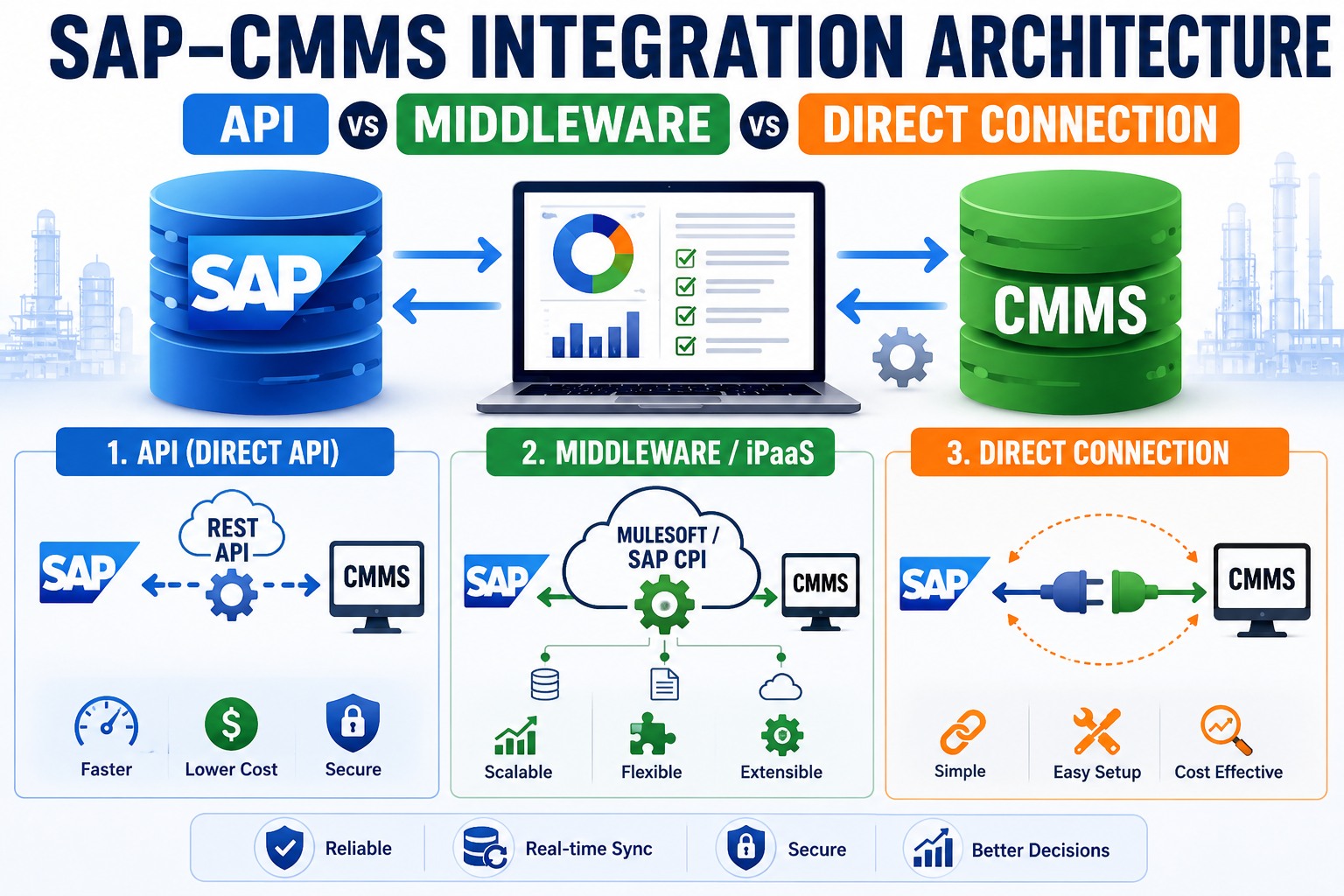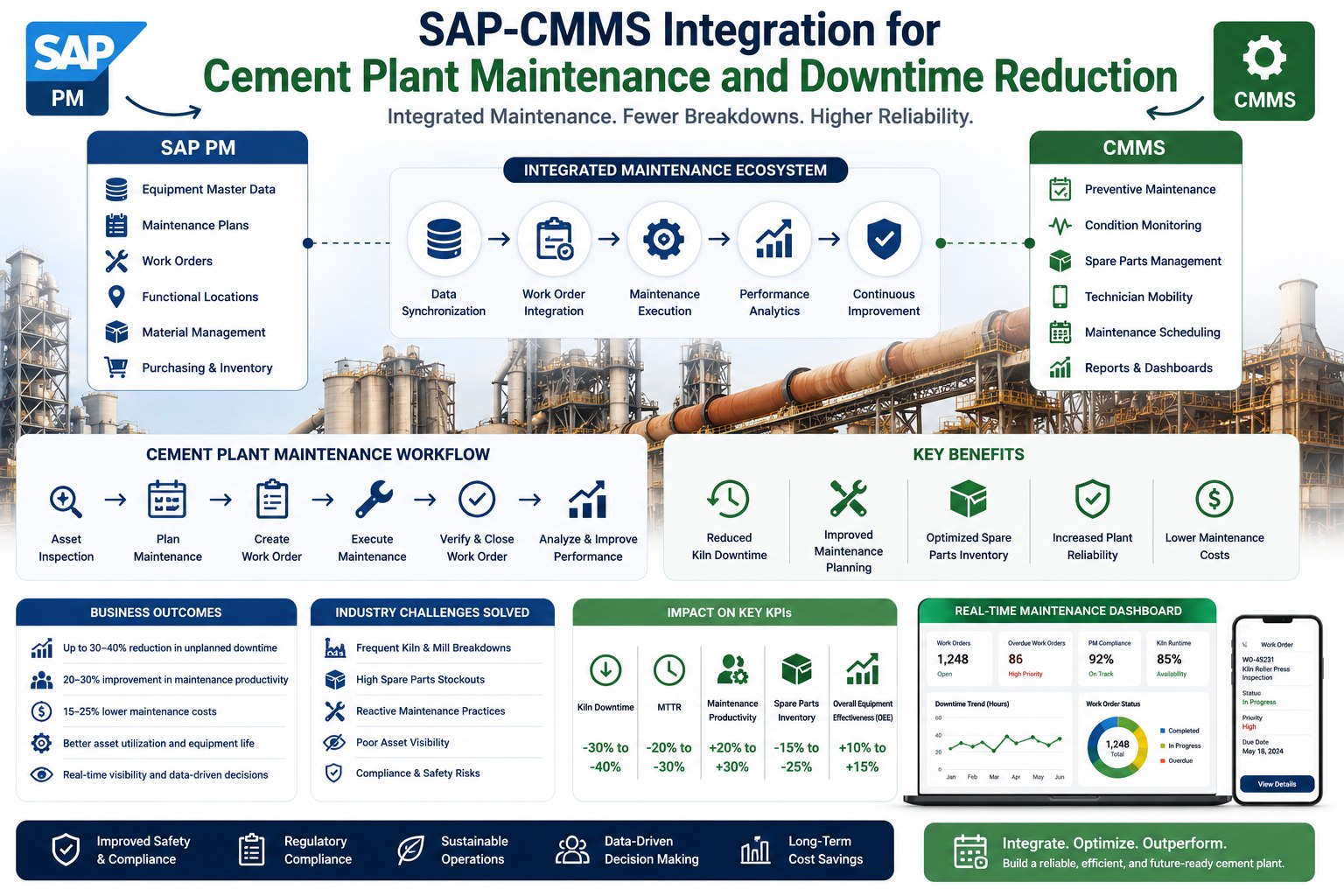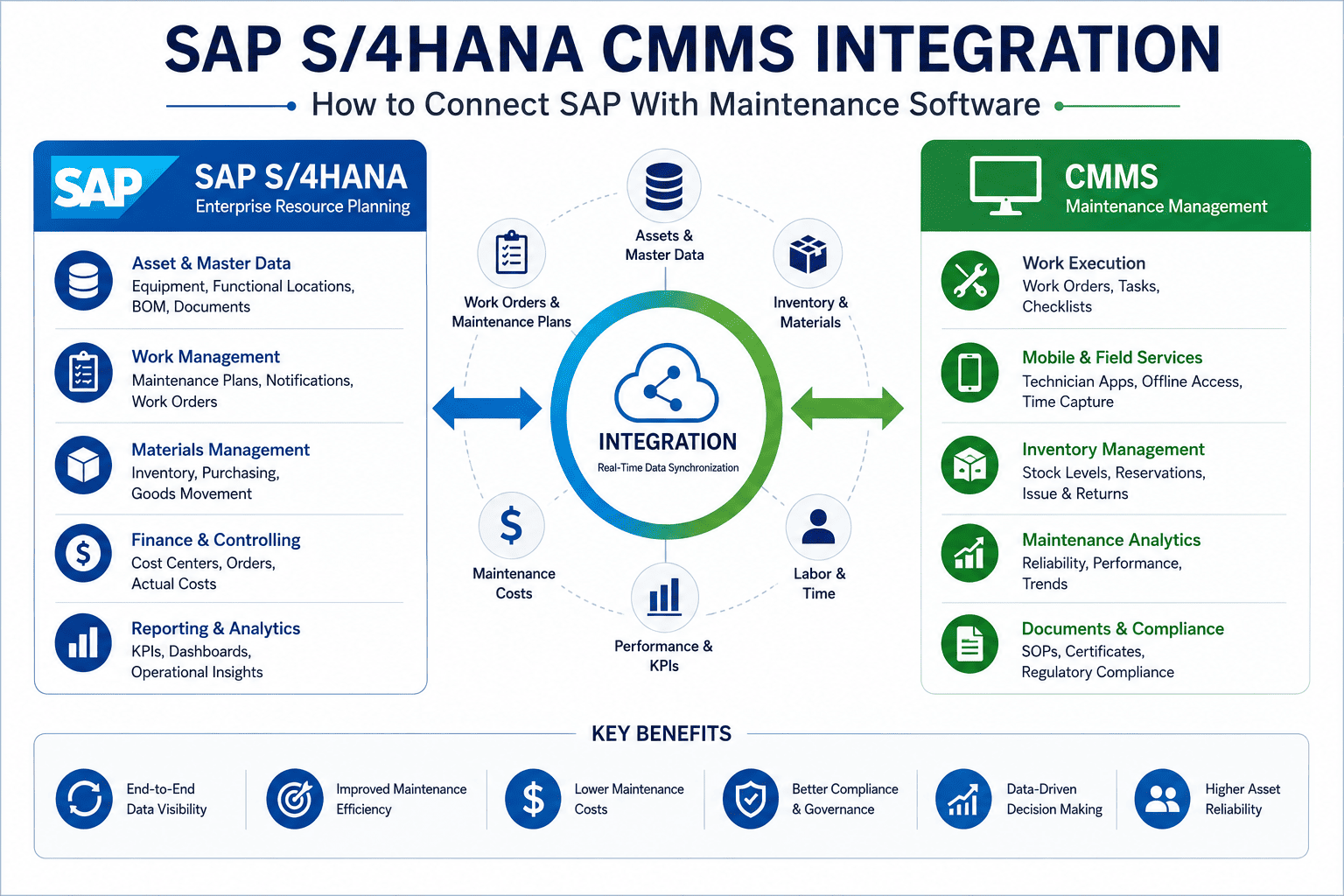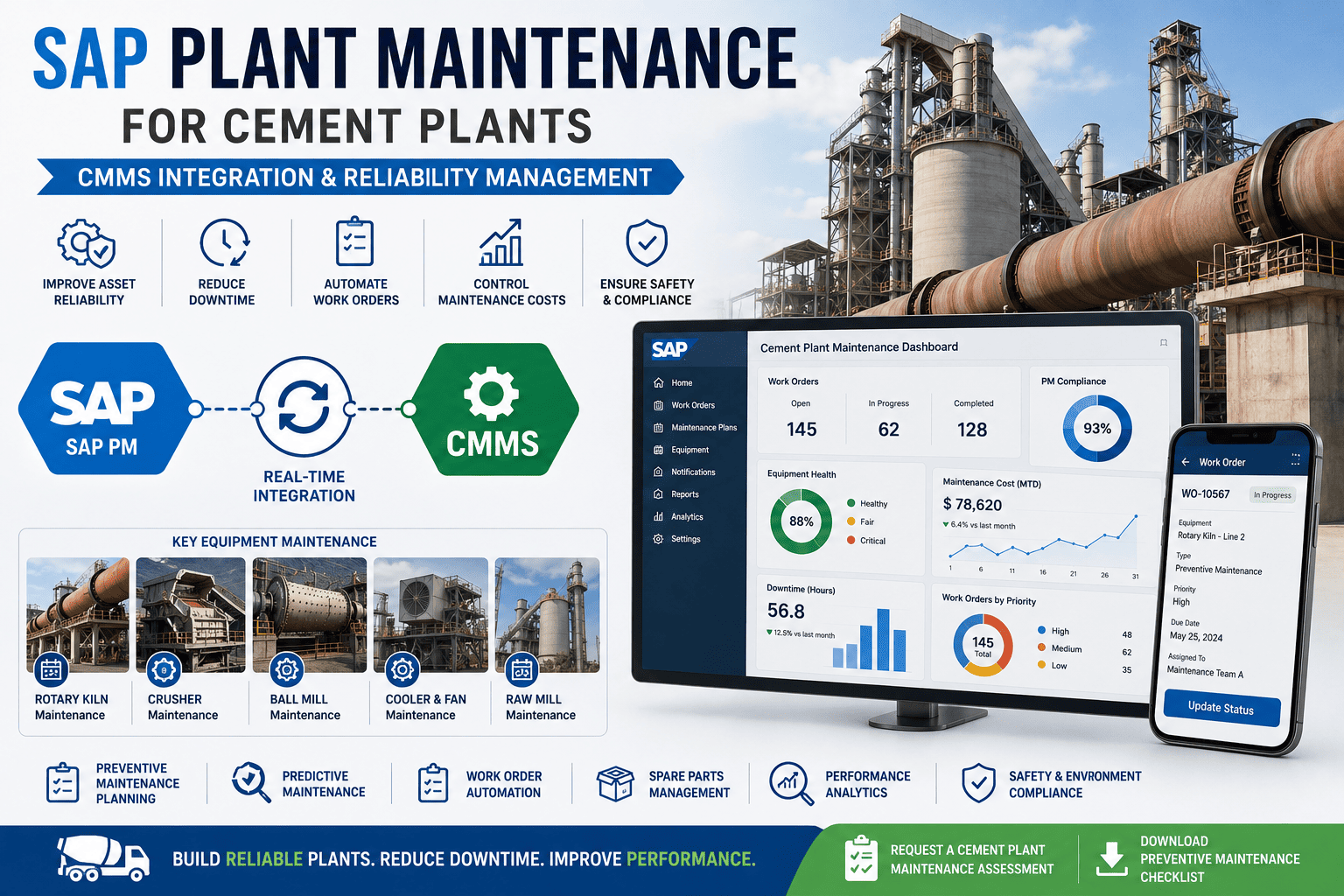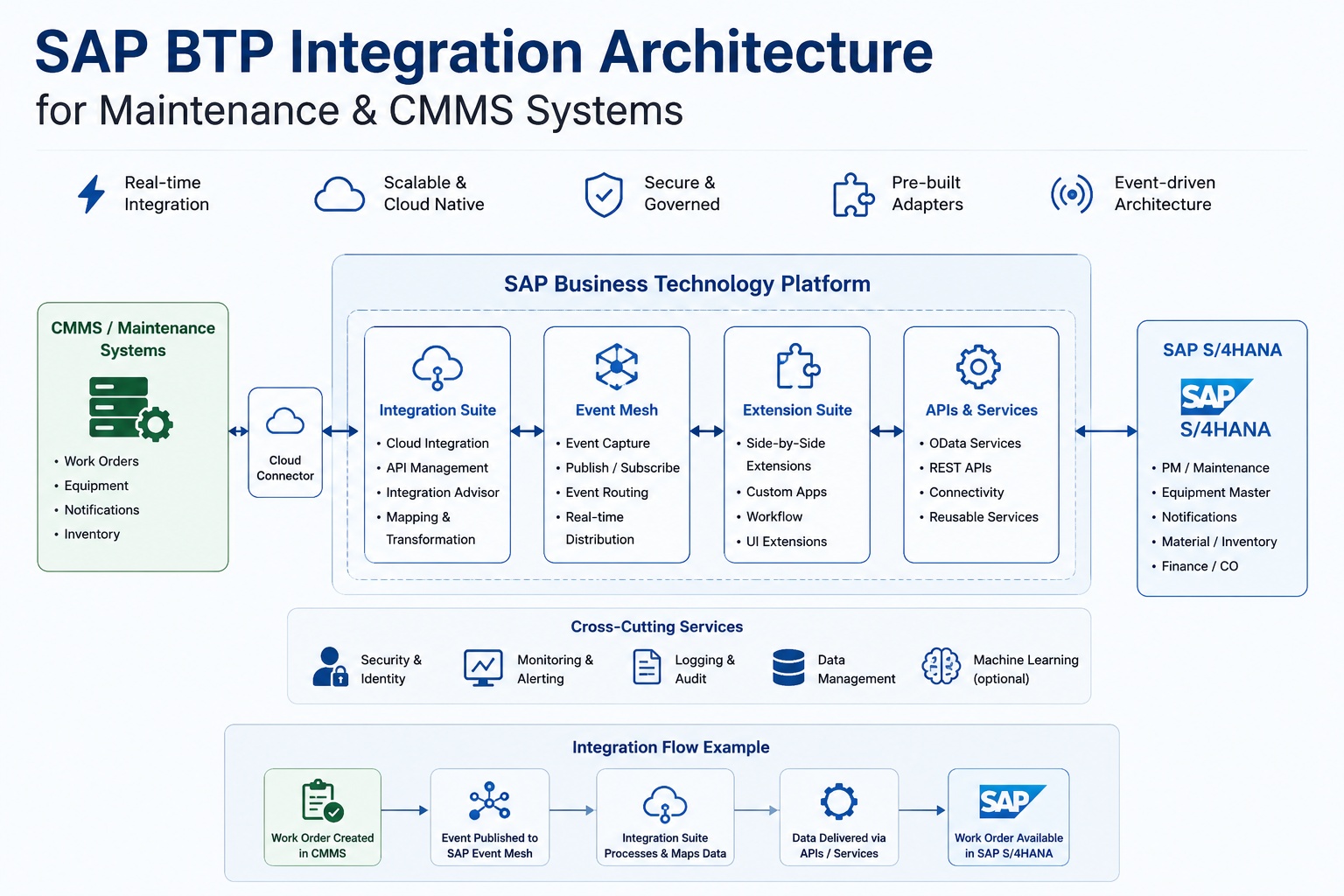
SAP Business Technology Platform has become the standard middleware layer for connecting CMMS systems to SAP S/4HANA. Where previous generations required custom ABAP and on-premise middleware servers, BTP provides a managed cloud integration platform with pre-built connectors, event-driven messaging, and API lifecycle management for hybrid maintenance landscapes. This article breaks down the BTP components that matter — Integration Suite, Event Mesh, API Management, and Cloud Connector — and explains how they work together in a production CMMS deployment. Book a free demo to see how Oxmaint integrates with SAP BTP in a live S/4HANA environment.
Three-layer architecture connecting field CMMS to SAP S/4HANA via BTP Integration Suite
SAP Integration Suite: The Core of BTP Maintenance Connectivity
SAP Integration Suite (formerly Cloud Platform Integration) is the primary orchestration engine within BTP for CMMS-to-S/4HANA data flows. It provides pre-built integration flows (iFlows) for standard SAP PM objects, a graphical mapping editor for field transformation, error handling and retry logic, and message monitoring with full audit trail. For maintenance teams connecting a CMMS to S/4HANA, Integration Suite handles the translation layer between CMMS data models and SAP's BAPI/OData interface structures. Organizations ready to evaluate this architecture with their own SAP landscape can sign up free for Oxmaint and explore our BTP Integration Suite connector designed specifically for SAP PM work order flows.
Each service handles a distinct integration function — most production deployments use all five
SAP Event Mesh: Real-Time Maintenance Event Architecture
Traditional SAP PM integrations are polling-based — the CMMS queries SAP every N minutes for new or changed orders. This creates latency, generates unnecessary API load, and means a technician's work order completion can take minutes to reflect in SAP reporting. SAP Event Mesh replaces polling with a publish-subscribe model: when a work order changes state in S/4HANA, it immediately publishes a business event to the Event Mesh topic, and any subscribed system — CMMS, analytics platform, scheduling tool — receives it within seconds. For maintenance operations where real-time visibility matters, this architectural shift is significant. Teams wanting to see this in practice can sign up free and review Oxmaint's Event Mesh integration configuration guide for SAP S/4HANA.
Match the pattern to the maintenance use case — most production architectures combine all three
Cloud Connector Setup: Bridging On-Premise S/4HANA to BTP
Most large manufacturing organizations run SAP S/4HANA on-premise or in a private cloud, not SAP BTP's public cloud infrastructure. The SAP Cloud Connector is a lightweight Java application installed in the on-premise network that establishes an outbound-only encrypted tunnel to BTP. This means no inbound firewall rules are required on the corporate network — the connection originates from inside the perimeter. From BTP's perspective, the Cloud Connector exposes internal SAP systems as virtual hosts. Integration Suite iFlows then call these virtual hosts as if they were internet-accessible services, while the Cloud Connector securely proxies those calls to the on-premise SAP system. This architecture is the standard deployment pattern for enterprise maintenance integrations where S/4HANA cannot be exposed publicly. Organizations planning this architecture can book a free demo to walk through the Cloud Connector topology with our SAP architects.
API Management: Governing CMMS Access to S/4HANA
Every CMMS call to SAP S/4HANA should pass through BTP API Management rather than connecting to the SAP system directly. API Management acts as the governance layer: it enforces authentication (OAuth 2.0, API keys), applies rate limits to prevent a misbehaving CMMS integration from flooding SAP with requests, transforms and validates payloads before they reach S/4HANA, and maintains a full audit log of every API call. For maintenance operations managers who need to demonstrate compliance with IT security policies, API Management provides the access control and audit trail that direct RFC connections cannot. Oxmaint's BTP API Management configuration templates for SAP PM maintenance workflows are available to all connected customers and can be reviewed after account setup at app.oxmaint.ai.
BTP Monitoring: Keeping Your Maintenance Integration Healthy
An integration that runs silently and fails silently is worse than one that fails loudly. BTP provides three monitoring layers for maintenance integrations: Integration Suite's Message Monitor (real-time iFlow execution status with error drill-down), the SAP BTP Alert Notification Service (push alerts to email, Slack, or PagerDuty when failure thresholds are exceeded), and Cloud Connector's audit log (connection history, virtual host access records, and certificate expiry warnings). Production maintenance integrations should configure all three before go-live. The Alert Notification Service in particular should be wired to your operations team — not just the IT team — because a CMMS-to-SAP sync failure is a maintenance operations problem, not just an IT problem. Teams configuring this monitoring stack can sign up free and access Oxmaint's BTP Alert Notification configuration guide for maintenance-specific thresholds.
Expert Perspective: BTP Architecture Decisions That Determine Integration Success
The BTP architecture decisions that cause the most production problems are made early and quietly. Teams choose polling over event-driven because it feels simpler — until their SAP system performance degrades under 500 poll requests per minute. They skip API Management because it adds a layer — until a misconfigured CMMS floods S/4HANA with duplicate work order creation requests. They skip Cloud Connector proper configuration and use basis-managed direct RFC connections instead — until a firewall change breaks every integration overnight. BTP gives you the right tools for each of these problems. The architectural discipline is using them before you need them, not after the incident.
Design for Volume from Day One
Size your Integration Suite tenant and Event Mesh quotas based on peak production volume, not average volume. A burst during shift change — when 200 work orders sync simultaneously — is 10x the average. Under-provisioned BTP tenants throttle quietly.
Use Queues for Resilience
Configure Event Mesh queues with dead-letter handling for all maintenance event topics. When S/4HANA is briefly unavailable for planned maintenance, events must persist and replay — not be lost. A queue without dead-letter configuration is a silent data loss risk.
Centralize Credentials in BTP Destination Service
Never hardcode SAP credentials in iFlow configurations. Store all RFC connection credentials, API keys, and OAuth tokens in the BTP Destination Service. This enables credential rotation without iFlow redeployment and provides a single audit point for all SAP access credentials.
Evaluating SAP BTP for Your CMMS Integration?
Oxmaint ships pre-configured BTP iFlows for SAP PM — covering work orders, notifications, equipment masters, and labor confirmations. No integration build from scratch.
BTP Maintenance Integration: Common Architecture Mistakes
SAP BTP gives integration architects tremendous flexibility — which means there are many ways to build an architecture that works in development but fails in production. The five mistakes below are the most common patterns that Deloitte, Accenture, and SAP's own integration advisory practices flag during BTP maintenance integration reviews. Understanding them before designing your architecture is significantly less expensive than discovering them post-go-live.
Synchronous polling instead of Event Mesh subscriptions
Teams that poll SAP PM every 60 seconds for new or changed orders generate 1,440 API calls per day per integration. At scale with multiple CMMS instances, this degrades SAP system performance and hits BTP API rate limits. Event Mesh subscriptions generate zero polling load — events push to subscribers only when state changes actually occur.
No idempotency handling in iFlow message processing
When a network timeout causes the CMMS to retry a work order creation call, Integration Suite may process the message twice — creating duplicate SAP PM orders. Without idempotency checks (message ID deduplication using an in-memory store or database), a 30-second network blip can create hundreds of duplicate orders during a batch sync window.
Cloud Connector not configured for high availability
A single Cloud Connector instance is a single point of failure between BTP and your on-premise S/4HANA. When the host server reboots for patching, every maintenance integration is offline. SAP Cloud Connector supports master-shadow HA configuration — most teams skip this because it requires a second server, then pay for it during the first planned maintenance window.
Skipping API Management and calling S/4HANA directly from iFlow
iFlows that call SAP S/4HANA OData endpoints directly, without an API Management proxy in front, cannot enforce rate limiting or per-client quotas. When a CMMS bug causes a tight retry loop, the iFlow will hammer the SAP system until manual intervention stops it. API Management's rate limiting policy prevents this class of incident.
Insufficient BTP monitoring and alerting configuration
Integration Suite provides a message monitor, but teams that only check it reactively (after users report problems) miss silent failures — iFlow exceptions that are swallowed by misconfigured error handlers, messages stuck in retry queues, or Cloud Connector tunnel disconnections that don't generate user-visible errors for hours.
Frequently Asked Questions
What is the difference between SAP Integration Suite and SAP Process Integration (PI/PO) for maintenance integrations?
SAP PI/PO (Process Integration / Process Orchestration) is SAP's legacy on-premise integration middleware, requiring dedicated server infrastructure and SAP Basis expertise to operate. SAP Integration Suite on BTP is its cloud-native successor — managed infrastructure, subscription-based licensing, and graphical iFlow development without on-premise server management. For new CMMS-to-S/4HANA integration projects, SAP's official recommendation is Integration Suite on BTP. Organizations still running PI/PO should plan migration as part of their S/4HANA upgrade roadmap, since SAP has announced end of mainstream maintenance for PI/PO aligned with the broader SAP NetWeaver sunset timeline.
Do we need BTP if our CMMS vendor already provides a pre-built SAP connector?
Pre-built CMMS connectors typically use direct RFC or OData connections to SAP PM without a middleware layer. This works for simple deployments but creates challenges at scale: no centralized error monitoring, no rate limiting, no governed API access, and no audit trail for compliance. BTP adds the governance layer on top of the connector. Many organizations use the pre-built connector as the transport mechanism while routing traffic through BTP API Management and monitoring message flows via Integration Suite's message monitor. Whether BTP is needed depends on your compliance requirements, integration volume, and how critical the maintenance-SAP data flow is to operations.
Which SAP BTP pricing model applies to CMMS integration use cases?
SAP BTP uses a consumption-based pricing model for most integration services. Integration Suite is licensed per message processed per month, with tiers based on volume. Event Mesh is priced per message published and per queue storage. API Management pricing is based on API call volume. Cloud Connector is included at no additional cost with any BTP subscription. For a typical mid-size manufacturing CMMS integration processing 10,000–50,000 messages per month, BTP integration costs are typically $500–$2,000 per month depending on the services used. SAP's BTP Discovery Center provides a cost estimator for modeling specific integration volumes.
Can SAP BTP integration work with SAP ECC as well as S/4HANA?
Yes. SAP Cloud Connector and Integration Suite support connectivity to SAP ECC 6.0 systems via RFC/BAPI, the same as S/4HANA. The integration patterns are largely identical, though S/4HANA exposes richer OData APIs and supports Business Event publishing via the Enterprise Event Enablement framework. ECC-connected architectures typically rely more heavily on BAPI calls through Integration Suite rather than event-driven patterns via Event Mesh, since ECC's event publishing capabilities are more limited. The Cloud Connector configuration is identical regardless of whether the on-premise system is ECC or S/4HANA.
How do you handle SAP S/4HANA planned downtime in a BTP-connected maintenance integration?
BTP Integration Suite includes built-in retry and queuing capabilities. When S/4HANA is unavailable for planned maintenance, iFlows configured with retry policies will hold messages in a processing queue and replay them when connectivity is restored. For event-driven architectures using Event Mesh, queue persistence ensures no events are lost during SAP downtime windows. The critical configuration requirement is setting appropriate retry intervals and maximum retry counts to match your typical SAP maintenance window duration. Messages that exhaust their retry count should route to a dead-letter queue for manual review rather than being discarded. Testing this behavior in a staging environment before go-live is a mandatory requirement for production BTP maintenance integrations.
Connect Your CMMS to SAP S/4HANA via BTP — Without Building from Scratch
Oxmaint's BTP integration ships with pre-built iFlows for SAP PM work orders, notifications, and equipment masters — plus full Event Mesh and API Management configuration guides for your architecture team.