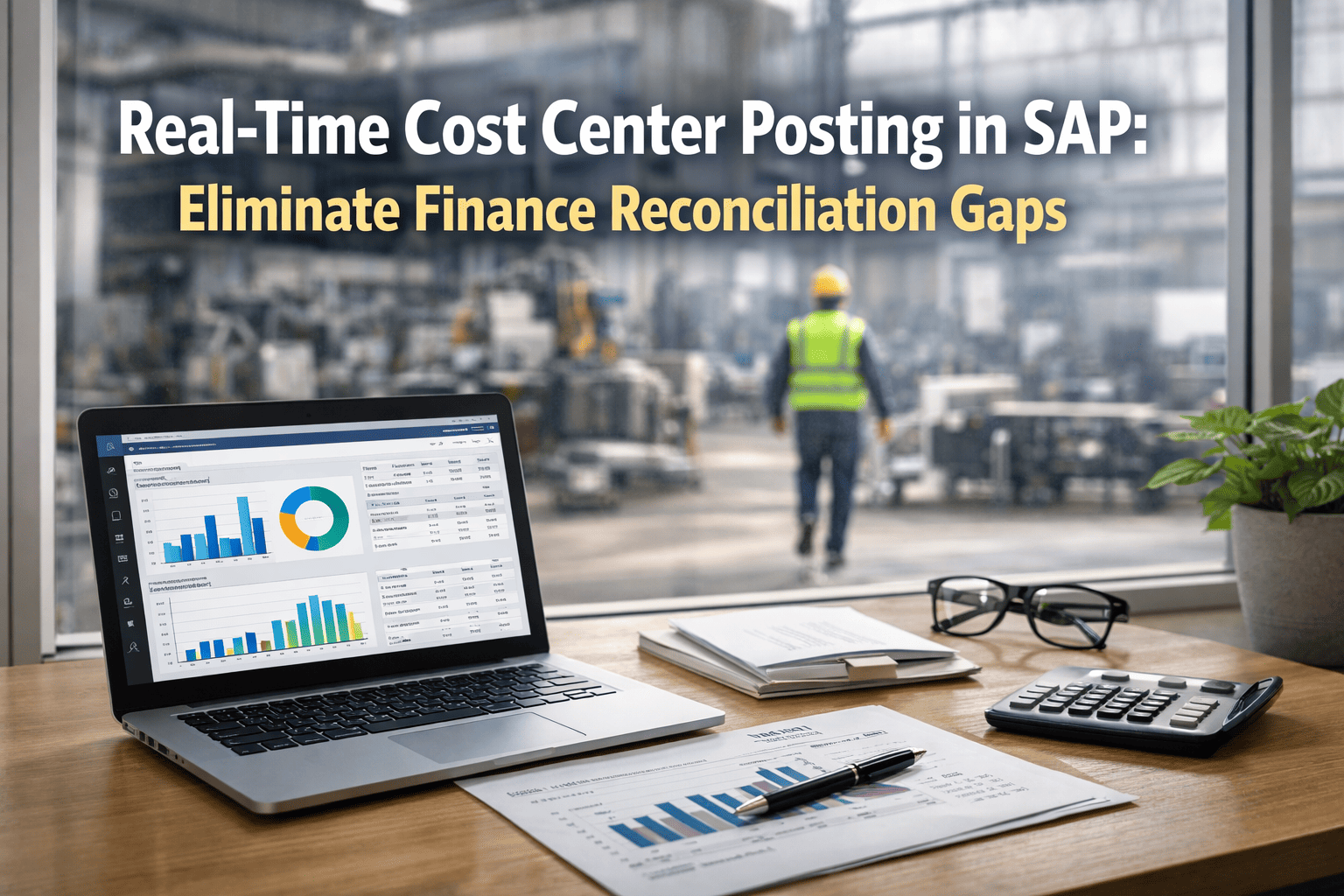
Here's a question most maintenance managers can't answer on demand: what did you spend on that pump line this month—right now, not after month-end close? Too often the honest answer is "I'll know in three weeks, once finance reconciles." By then a cost center has already blown its budget. SAP's FI/CO engine can track every dollar; the real problem is the gap between when work happens and when the cost appears. Close that gap and budget-versus-actual becomes a live dashboard, not a post-mortem. Book a free demo to see real-time cost visibility.
Why Maintenance Cost Visibility Breaks Down
The reconciliation gap that real-time FI/CO posting eliminates
4
Cost categories every work order accumulates: labor, materials, services, overhead
Month-end
When most teams discover overruns—too late to act on them
Real-time
When costs should post—the moment work closes, not weeks later
0
Spreadsheet aggregations needed when every cost posts to the right CO object
The Four Cost Elements Every Work Order Carries
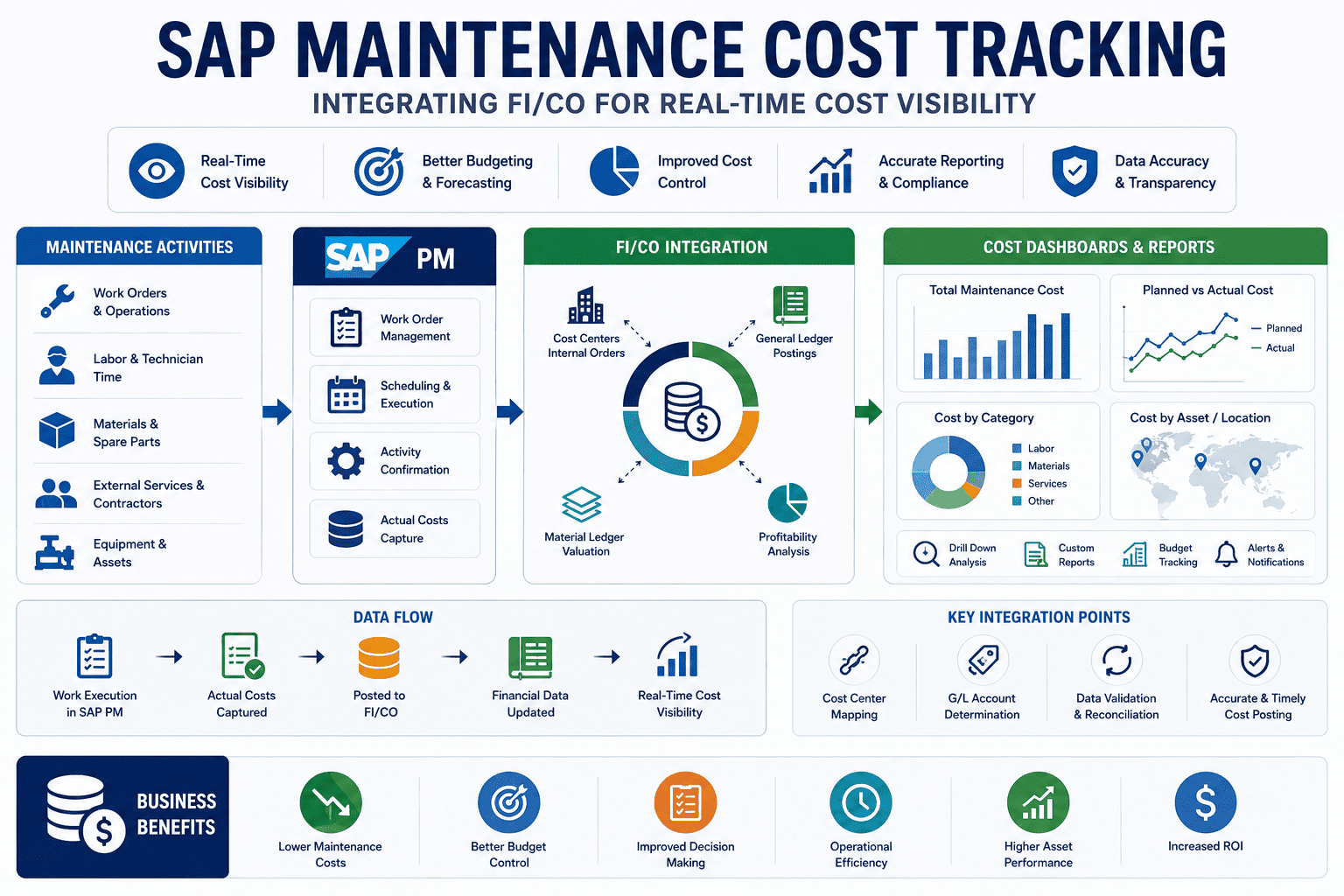
Before you can track maintenance cost, you have to understand what a work order actually accumulates. In SAP PM, every order acts as a cost collector—a temporary bucket that gathers spend across four distinct categories until the job closes and the total settles to its final home. Each category posts through a different SAP mechanism, which is exactly why piecemeal tracking fails and integrated posting works. Here's what flows onto every order.
What Accumulates on a Maintenance Order
Internal Labor
Posts as CO activity allocation
Time confirmations debit the work center's cost center via activity type and planned rate. The technician's hours become cost.
Spare Parts & Materials
Posts as FI material document
Goods issues credit inventory and debit the order, with automatic account determination through SAP's standard OBYC.
External Services
Posts via service entry sheets
Contractor work creates FI documents on posting—so external rates per job type are visible and comparable in real time.
Overhead & Burden
Applied via costing sheet
Indirect costs layer on through overhead rates, giving a fully-loaded picture rather than just direct spend.
How Cost Actually Flows: Accumulate, Settle, Report
The magic of FI/CO integration is that maintenance cost isn't a separate ledger you maintain by hand—it's a flow that runs automatically from the moment a technician logs time to the moment a controller reads a dashboard. The work order collects, settlement moves the total to its permanent owner, and CO reporting makes it visible by equipment, line, or plant. When that flow runs in real time, finance and maintenance finally share one accurate view.
The Maintenance Cost Lifecycle
From time confirmation to controller dashboard
1
Accumulate
Labor, parts, services, and overhead post to the work order as work happens—the order is a live cost collector.
2
Settle
On completion, the accumulated total settles to its receiver—the equipment cost center or fixed asset—in both CO and FI.
3
Report
CO reports break spend down by equipment, line, or plant—no spreadsheet aggregation, no reconciliation sprint.
That settlement linkage is what keeps SAP's documents consistent end to end. Teams ready to trace this against their own cost-center structure can sign up free to map their cost flow before scoping an integration.
Real-Time Posting vs the Month-End Scramble
The single biggest lever in maintenance cost tracking is timing. The same cost elements posting through the same FI/CO mechanisms produce wildly different value depending on when they land. Post in real time and a controller can intervene before a cost center overspends. Wait for batch reconciliation and you're explaining the overrun after it's already happened. The difference isn't accounting accuracy—it's whether the data arrives in time to change a decision.
Batch Reconciliation vs Real-Time Posting
Swipe to compare →
See Live Cost Center Posting on Your Setup
Watch maintenance labor, parts, and contractor costs post to the right SAP CO object the moment a job closes—budget-versus-actual live across every cost center—mapped to your environment in 30 minutes.
Planned vs Actual: Reading the Variance Signal
Cost tracking earns its keep when it turns numbers into decisions, and the sharpest signal is the gap between planned and actual. When you create a work order you assemble a planned cost—labor, materials, subcontractor services, and overhead. The actual cost is what the ledger shows once material issues, time confirmations, service entries, and any rework land. The variance between them is your early-warning system: a consistent overrun on one asset class flags a reliability problem; a category that always runs hot flags an estimating or sourcing issue.
Where Variance Tells You Something
Labor over plan
Jobs scoped too tight, or recurring rework on an asset
Materials over plan
Failures escalating—more parts than the PM assumed
Services over plan
External spend exceeding internal cost—insourcing case
Corrective vs preventive
Too much reactive spend—the case for more PM investment
That corrective-versus-preventive ratio is one of the most persuasive numbers a maintenance leader can put in front of finance. Teams ready to surface it from their own data can sign up free to build their cost dashboard and see the split live.
Expert Perspective: Make the Numbers Match Reality
The real test of any costing setup isn't whether the math is right—it's whether the numbers reflect what actually happened on the floor. I've seen plants with immaculate SAP configurations where finance still didn't trust the maintenance numbers, because the data arrived weeks late and half-aggregated in spreadsheets. The moment costs post in real time to the right cost center, something changes culturally: maintenance and finance stop arguing about whose number is right and start working from the same one. That shared, live view is worth more than any single cost reduction.
Timing Beats Precision
A real-time estimate that arrives in time to act beats a perfect number that lands after the overrun.
One Shared View
When finance and maintenance read the same live cost data, reconciliation arguments simply disappear.
Variance Is a Signal
Planned-vs-actual gaps point straight at reliability, estimating, and sourcing problems worth fixing.
Getting to Real-Time Cost Visibility
You don't need to re-architect SAP to get here. The path is to connect maintenance execution directly to FI/CO so every cost element posts to the correct CO object automatically—labor as activity allocation, materials as FI material documents, services as entry sheets—the moment work closes. Start by validating the posting logic on one cost center or asset group, confirm that planned-versus-actual reads correctly, then expand. Teams can sign up free to start with one cost center and widen visibility from there. Each validated step gives finance a little more live visibility and removes a little more month-end reconciliation work.
Maintenance cost tracking isn't really an accounting problem—it's a timing problem wearing an accounting costume. SAP's FI/CO engine already knows how to capture labor, materials, services, and overhead with full document integrity. The win comes from making those postings happen in real time, so budget-versus-actual is a live signal a controller can act on instead of a story month-end tells after the fact. Teams ready to see live cost center posting on their own landscape can book a free demo to review their integration strategy.
Turn Month-End Surprises Into Live Control
Post every maintenance cost to the right SAP CO object the moment work closes. Live budget-versus-actual, real contractor comparisons, and a corrective-versus-preventive split finance can trust. See it on your setup.
Frequently Asked Questions
How does SAP PM integrate with FI/CO for cost tracking?
Each maintenance work order acts as a cost collector that accumulates spend across four categories, and each posts through its own SAP mechanism. Internal labor posts as a CO activity allocation, debiting the work center's cost center via activity type and planned rate. Spare parts post as FI material documents with automatic account determination through OBYC. External services post via service entry sheets that create FI documents. Overhead applies through a costing sheet. When the order closes, the accumulated total settles to its receiver—the equipment cost center or fixed asset—in both CO and FI.
What's the difference between planned and actual maintenance cost?
Planned cost is assembled when you create the work order—estimated labor, materials, subcontractor services, and overhead. Actual cost is what the ledger shows once the work is done: material issues, time confirmations, service entries, and any rework. The variance between the two is the valuable signal. A category that consistently runs over plan points to a specific problem—tight scoping, escalating failures, or external spend that exceeds internal labor cost—letting you act on root causes rather than just noting the overage.
Why is real-time cost posting better than month-end reconciliation?
Timing changes everything. With real-time posting, budget-versus-actual is visible across all cost centers continuously, so a controller can intervene before a cost center overspends rather than discovering the overrun after month-end close. You also get cost breakdowns by equipment, line, or plant directly from CO reports without spreadsheet aggregation, real-time contractor rate comparison per job type, and an always-visible corrective-versus-preventive split. And because everything is already posted correctly, month-end stops being a reconciliation sprint.
Can I see maintenance cost broken down by individual equipment?
Yes. Because costs settle to the equipment cost center or asset and post to the correct CO object, you can break total maintenance spend down by individual equipment, production line, or plant directly from SAP CO reports—no manual aggregation required. This granularity is what lets you identify your highest-cost assets, spot cost trends before they become budget problems, and build a data-driven case for repair-versus-replace decisions on specific machines rather than guessing from plant-level totals.
How does cost tracking help justify preventive maintenance investment?
When costs post correctly, you can see exactly what proportion of your maintenance budget is reactive corrective spend versus planned preventive work. That corrective-versus-preventive split is one of the most persuasive figures a maintenance leader can show finance: a high reactive proportion quantifies the cost of running to failure and builds the business case for investing in preventive maintenance to reduce future emergency costs. Without real-time cost visibility, that ratio is rarely calculated—and the case for PM investment stays anecdotal instead of financial.