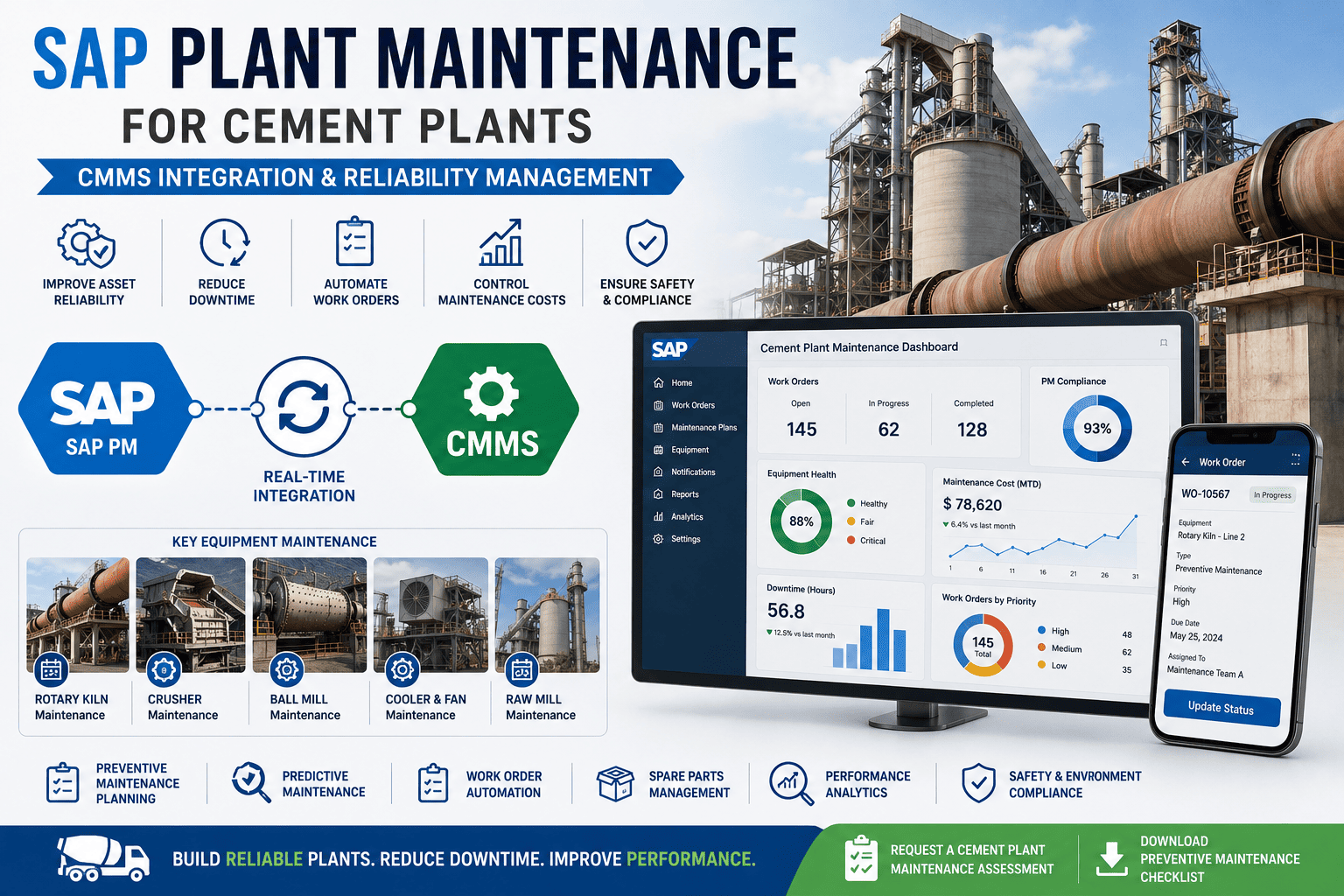
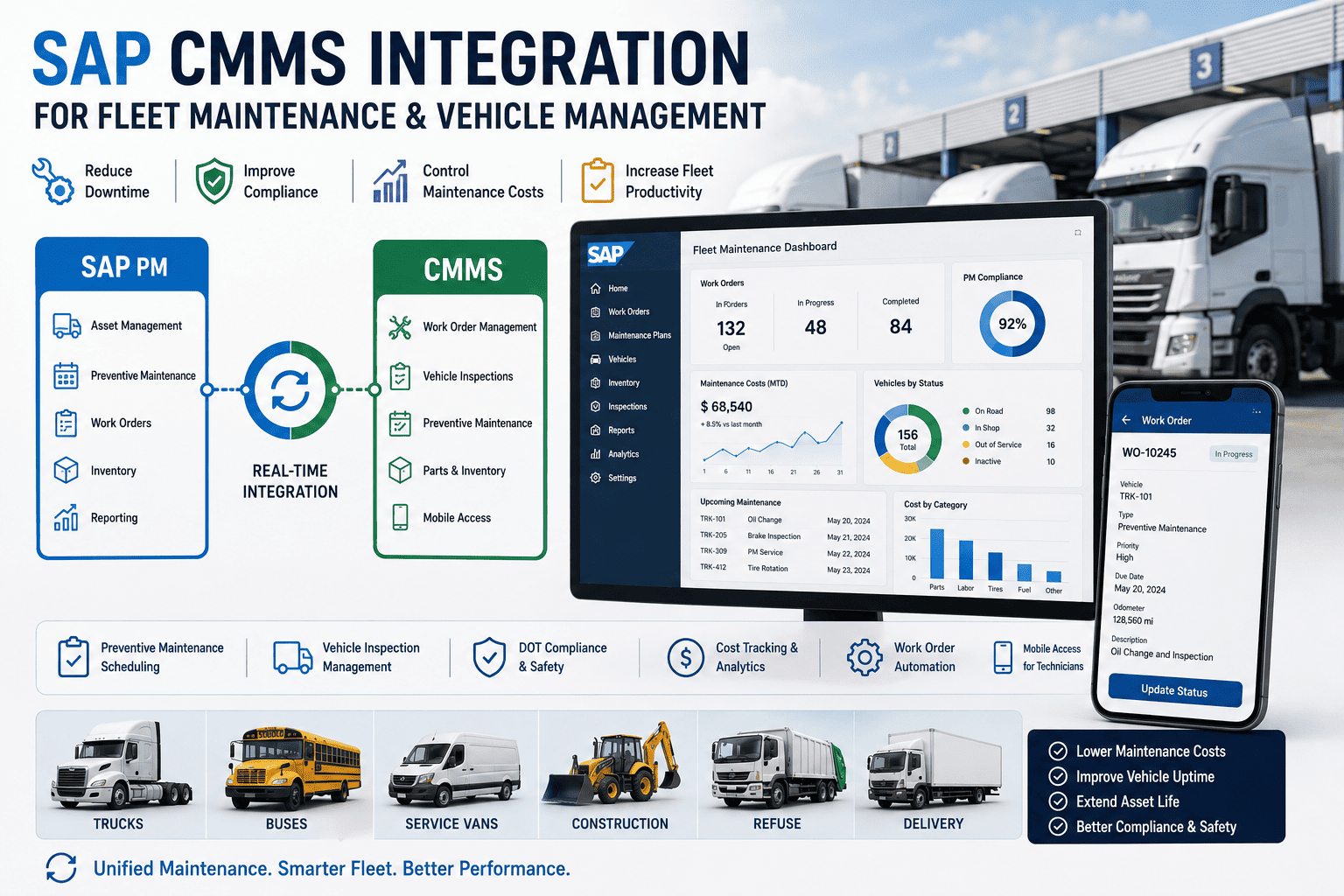
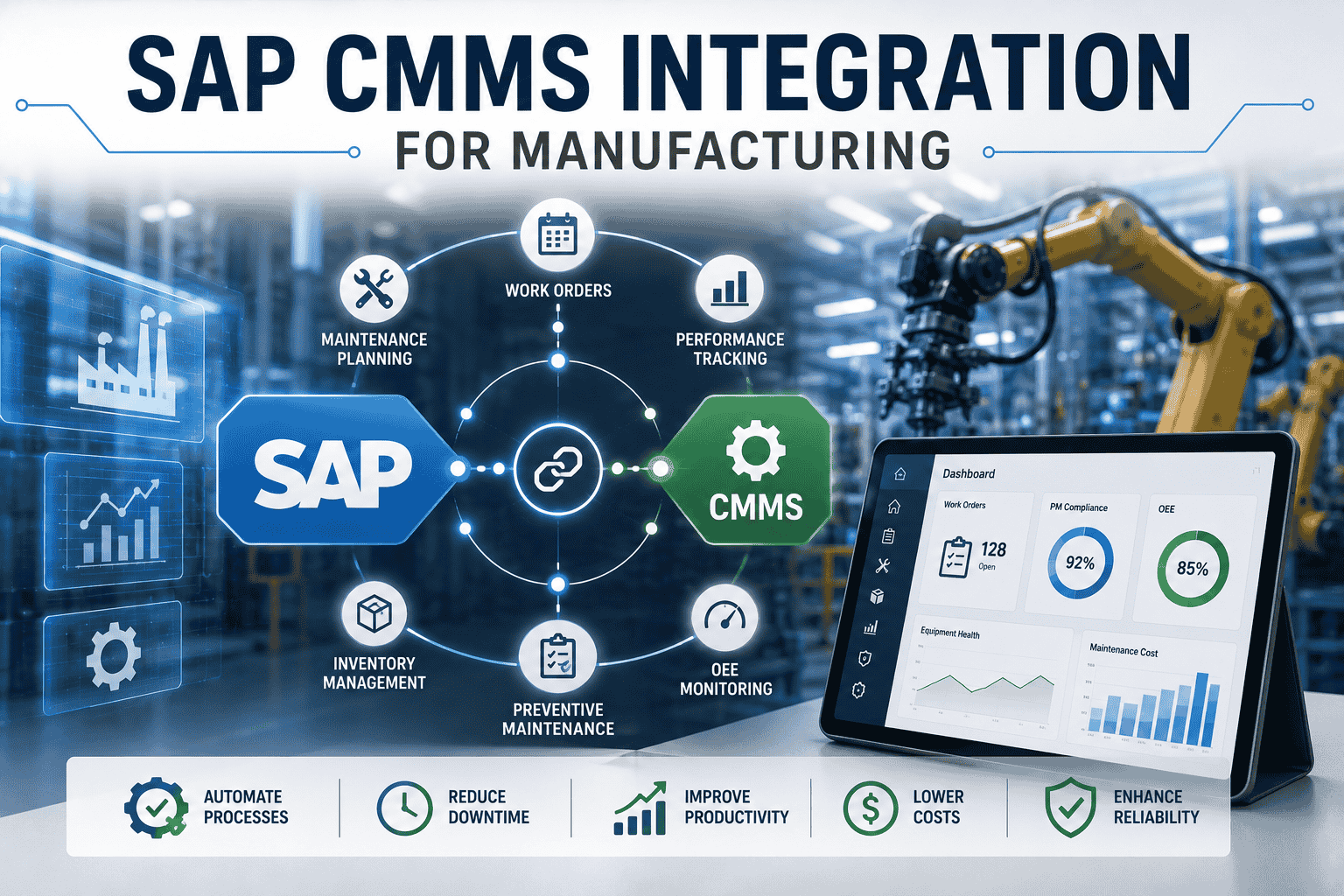
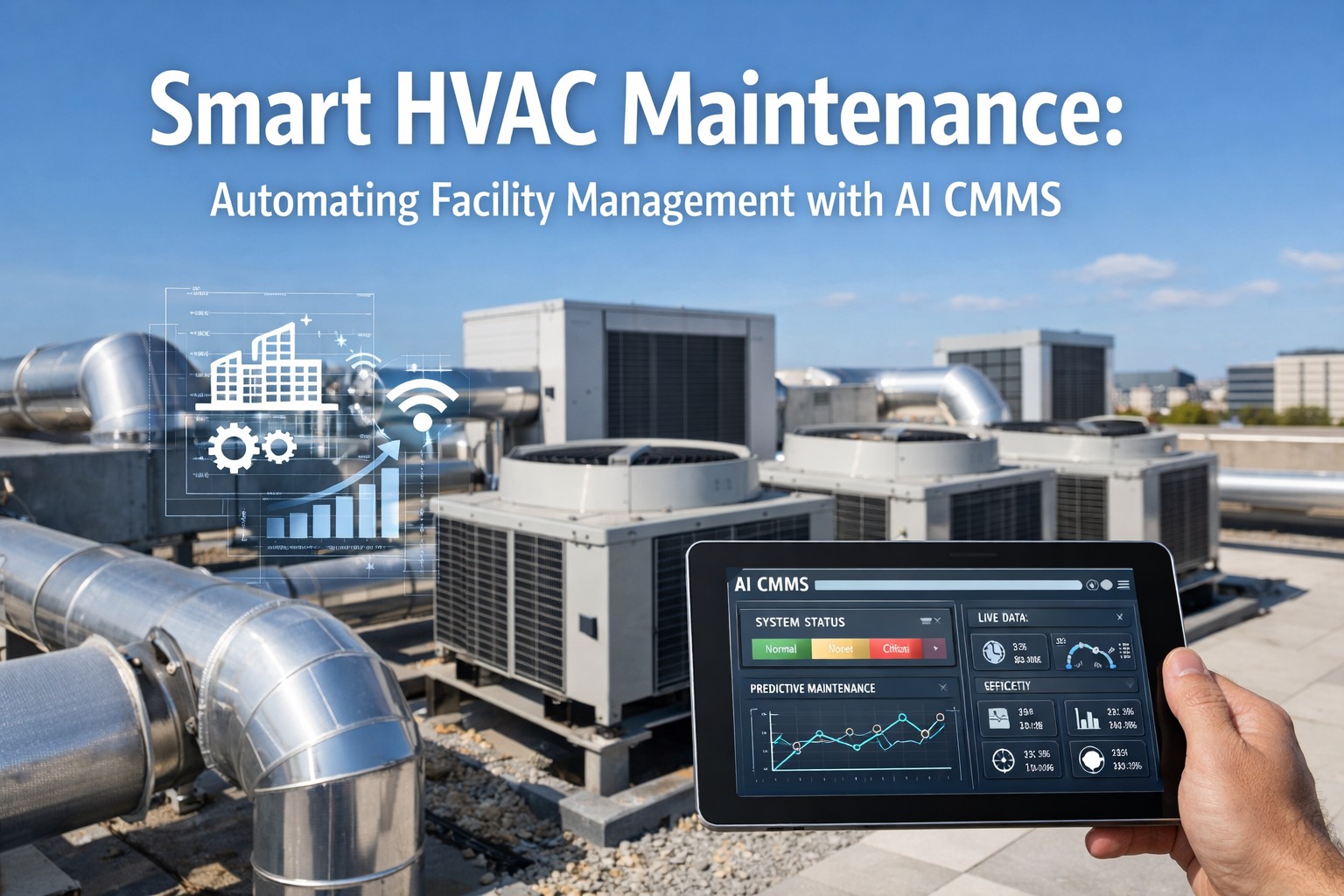
Your maintenance data lives in one system. Your finance, procurement, and inventory data live in another. And the technician on the floor is carrying a printed work order, scribbling notes they'll re-key later. This is the data-silo problem at the heart of most SAP maintenance operations: enterprise truth and plant-floor reality drift apart, and every gap costs uptime, accuracy, and trust. Integrating SAP PM with a modern CMMS closes those gaps—turning two disconnected worlds into one source of operational truth. This guide covers the benefits, use cases, and best practices. Book a free demo to see it in action.
What Integration Actually Delivers
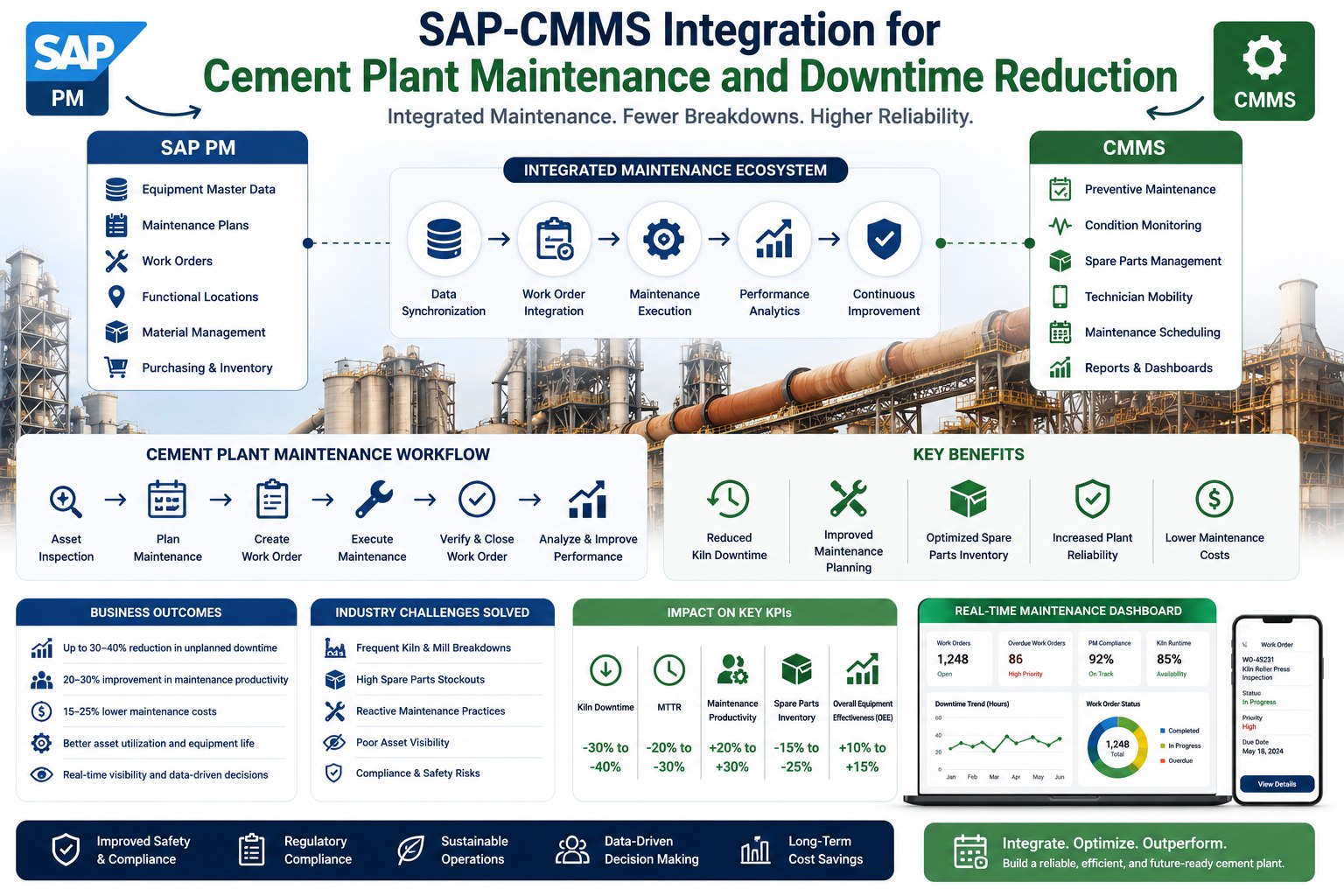
Measured gains from connecting SAP PM to a modern CMMS
15–30%
Downtime reduction from better preventive maintenance
5–20%
Labor productivity gain with integrated, predictive data
2–4 hrs
Manual data entry eliminated per technician, every week
60–80%
Less month-end reconciliation time
Sources: Deloitte predictive maintenance research, SAP-CMMS integration benchmarks (2026)
Why SAP PM Needs a CMMS Layer
SAP Plant Maintenance is a genuinely powerful module—it centralizes asset data, structures work order flows, and ties maintenance into finance and materials across the enterprise. But it was built for desktop planners, not for technicians in the field, and that's where the execution gap opens. Teams still print work orders, parts get consumed without real-time inventory updates, and downtime reports arrive days late because nobody wants to navigate the SAP GUI on a tablet. The answer isn't replacing SAP—it's adding a CMMS execution layer that technicians actually adopt, while SAP remains the system of record. Integration is what bridges enterprise depth and frontline usability.
The Benefits, Organized by Who Feels Them
Integration isn't a single benefit—it pays off differently at every level of the maintenance organization. The same unified data flow that gives a technician a mobile work order gives a controller real-time cost visibility and gives a reliability engineer clean history for analysis. Here's how the value lands for each role.
One Integration, Value at Every Level
Technicians
Mobile work orders, offline access, and no more re-keying. Close jobs in the field with photos and readings instead of printed checklists.
Planners
Real-time field status and clean schedules. PM plans push to mobile and completions flow back automatically—no telephone between systems.
Finance
Live cost visibility and 60–80% less reconciliation. Labor and parts settle to the right cost center the moment a job closes.
Reliability
Complete, accurate history for root-cause analysis. Clean data feeds predictive models, PM optimization, and repair-vs-replace decisions.
That compounding value is why integration consistently tops maintenance technology priorities. Teams ready to see where the gains land for their operation can sign up free to assess their stack against these benchmarks.
Which SAP Modules Connect—and What Each Unlocks
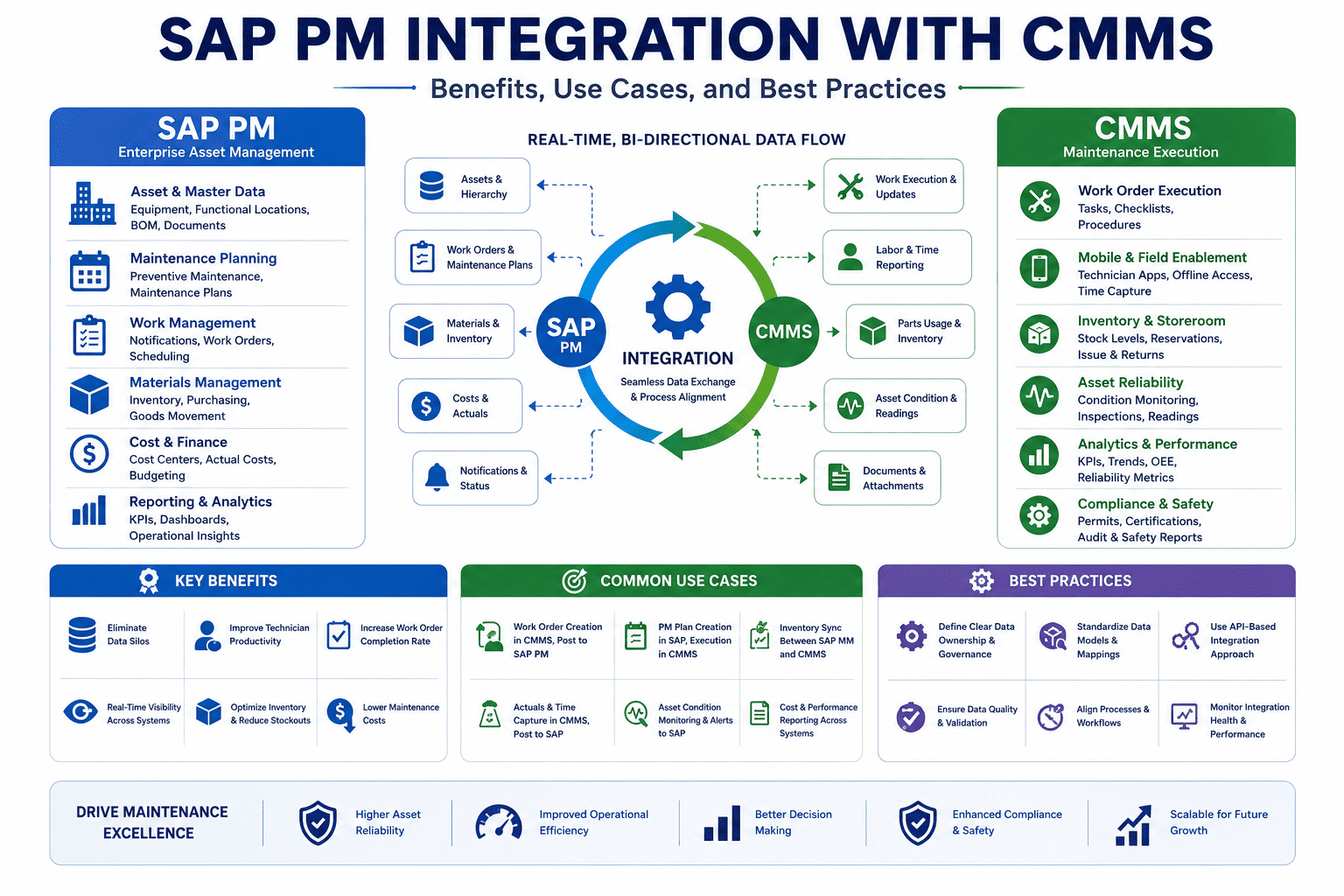
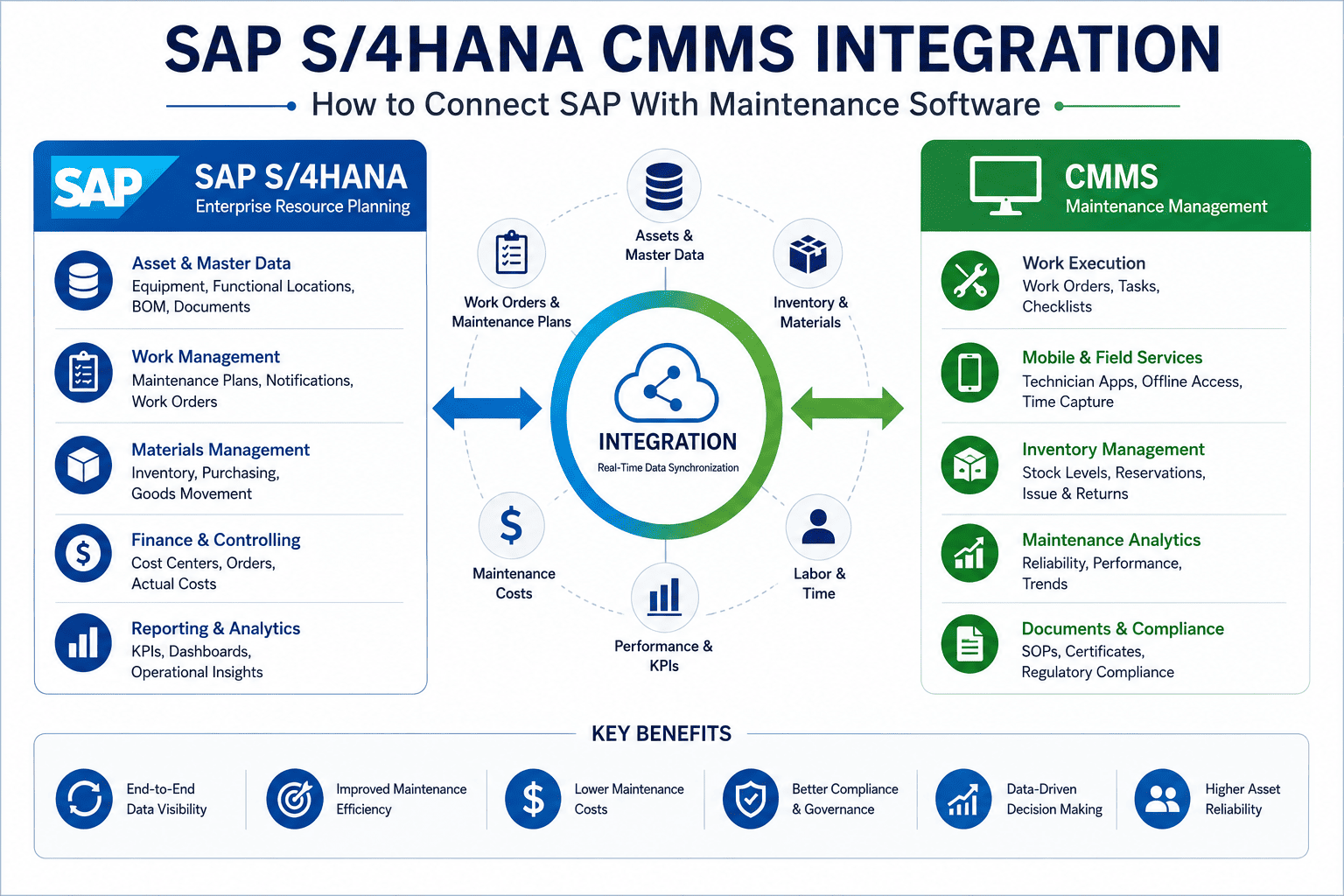
A complete SAP PM integration reaches beyond work orders. It connects every operational touchpoint across maintenance, inventory, finance, and quality—creating the single operational truth that eliminates duplicate entries, delayed reporting, and missed tasks. Each module a CMMS connects to unlocks a specific capability, and together they form the unified dataset that advanced analytics and AI run on.
The Four SAP Modules a CMMS Integrates
SAP PM
Plant Maintenance
Equipment masters, functional locations, work orders, and maintenance plans—the asset backbone the CMMS executes against.
SAP MM
Materials Management
Spare parts, stock levels, and procurement—so consumption posts in real time and reorder points fire requisitions.
SAP FI/CO
Finance & Controlling
Cost centers and settlement—labor and material cost land in the right place the moment work closes.
SAP QM
Quality Management
Inspection and compliance documentation—linked to assets for audit trails, warranty claims, and root-cause analysis.
See Your SAP Modules Mapped Live
Walk through a working SAP PM integration—PM, MM, FI/CO, and QM syncing with a mobile CMMS in real time—mapped to the exact modules in your environment in a focused 30-minute session.
Real Use Cases Where Integration Pays Off
The benefits get concrete when you look at how integration changes specific workflows. These are the moments where a connected SAP PM and CMMS turn a daily friction point into an automated, reliable process—the use cases maintenance teams cite most when they justify the investment.
01
Mobile Work Order Execution
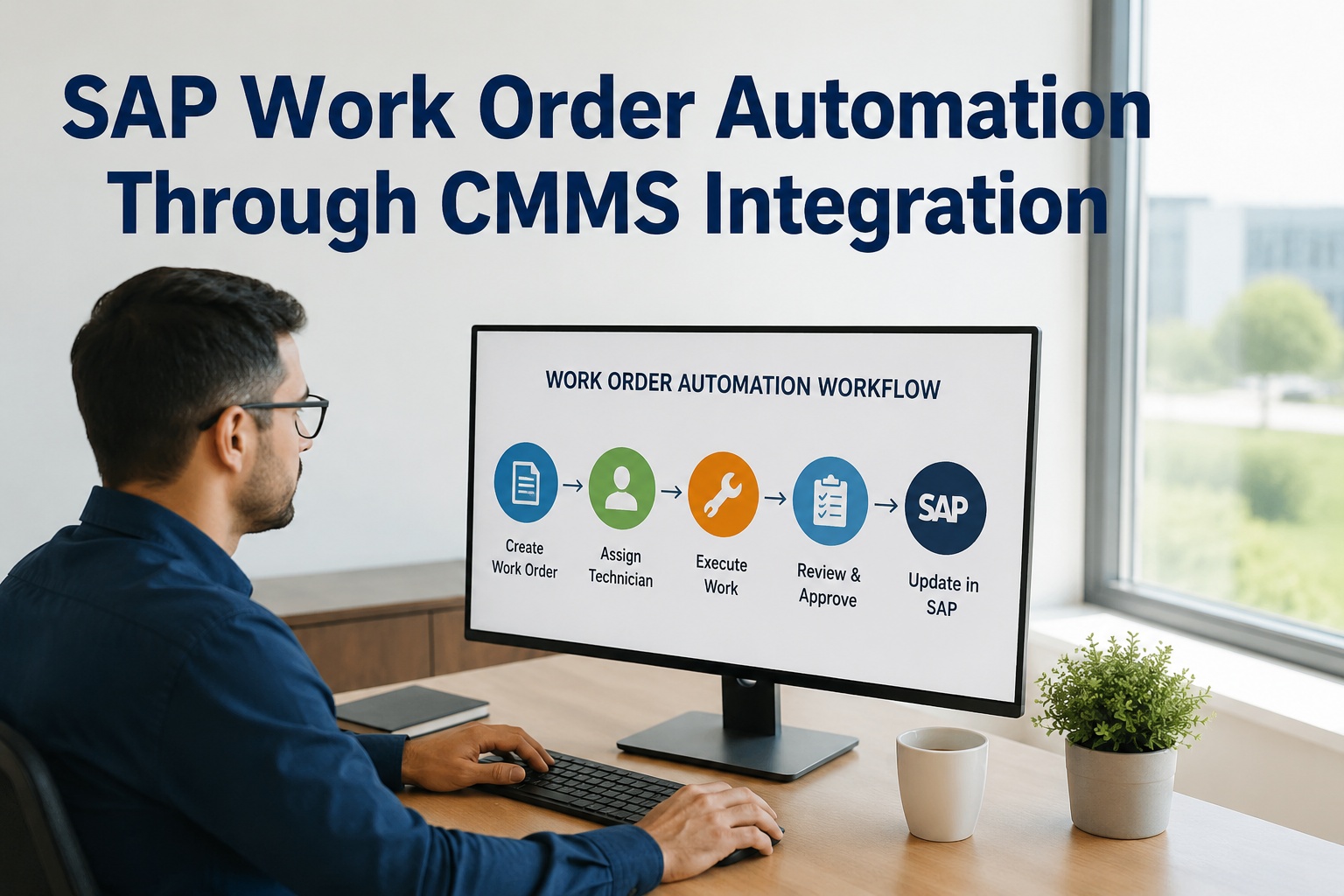
Orders initiated in SAP PM push to a technician's phone; completions, labor, and failure codes sync back—eliminating printed checklists and administrative delay.
02
Real-Time Parts & Inventory
Parts consumed in the field decrement SAP MM stock instantly, and reorder points trigger requisitions—preventing both stockouts and overstock.
03
Automated Cost Settlement
Labor and material costs settle to the correct cost center as work closes, giving finance live budget-versus-actual instead of a month-end surprise.
04
Predictive Maintenance on Unified Data
AI sits on the combined SAP and CMMS dataset to predict failures, optimize PM intervals, and recommend repair-versus-replace—feeding results back into SAP reporting.
05
Compliance & Audit Documentation
Inspections and photos link to specific assets for automatic, timestamped audit trails—improving regulatory readiness and warranty claims.
Each of these replaces a manual, error-prone routine with an automated one. Teams ready to see which use case would move the needle most for them can sign up free to map their workflows and start where the payoff is biggest.
Best Practices That Separate Success From Frustration
Integration succeeds or fails on execution discipline, not technology. The teams that get durable value follow a consistent set of practices—and the ones that struggle usually skipped one of them. Treat this as the pre-flight checklist for any SAP PM and CMMS integration.
The Integration Best-Practice Checklist
Clean data before you connect. Deduplicate equipment masters and fix functional locations first—integration replicates bad data faster.
Keep SAP as the system of record. Decide one owner per data element. SAP holds enterprise truth; the CMMS is the execution layer.
Insist on real-time, not batch. Nightly syncs defeat the purpose—inventory and confirmations must flow as events, not overnight.
Prioritize mobile adoption. If closing a work order takes more than a few taps, technicians revert to paper and the data dies.
Pilot, then scale. Deploy on one line or asset group, validate every sync point, then extend plant-wide—often in under four weeks.
Build reconciliation in. A daily compare of key fields catches sync drift in 24 hours—not at quarter close.
Follow these and integration becomes a durable asset rather than a maintenance headache of its own. Teams preparing a rollout can book a free demo to review their integration strategy against this checklist with someone who has shipped it before.
Expert Perspective: Integration Is the Secret Sauce
I've seen more SAP PM implementations fail from low adoption than from any technical flaw. The configuration was fine—the technicians just wouldn't touch it, so the data was never complete, and without complete data you get no real visibility into asset performance. Integrating a modern CMMS is the secret sauce because it closes that execution gap: technicians work in a tool they actually like, SAP stays the enterprise backbone, and suddenly the reports reflect reality. The integration isn't a nice-to-have on top of SAP PM—it's often what makes the SAP investment finally pay off.
Adoption Drives Data
Complete, trustworthy data only exists if technicians actually use the system that captures it.
Additive, Not Replacement
You keep SAP as the backbone and layer execution on top—no rip-and-replace required.
Unified Data Unlocks AI
Predictive models and optimization only work on the single, clean dataset integration creates.
Getting Started Without Disrupting SAP
The path is additive and low-risk. A modern CMMS integrates alongside your existing SAP configuration with no modifications to the core ERP—SAP stays the system of record while the CMMS becomes the execution layer. Begin by auditing your SAP PM setup and cleaning master data, then configure bidirectional sync for equipment, materials, and maintenance plans on a single production line or asset group. Validate that confirmations, parts consumption, and cost settlements flow correctly, then extend plant-wide. Many teams reach real-time SAP-CMMS synchronization in under four weeks this way.
SAP PM integration with a CMMS is one of the highest-leverage moves a maintenance organization can make: it eliminates data silos, lifts technician productivity, and turns the enterprise system of record into a real-time picture of what's actually happening on the floor. Keep SAP as the backbone, add the execution layer technicians embrace, connect the modules that matter, and follow the practices that keep data clean—and you get both enterprise governance and frontline usability without compromise. Teams ready to see it on their own landscape can sign up free to start their integration.
Turn Two Disconnected Systems Into One Truth
Connect SAP PM to a mobile-first CMMS and eliminate the silos costing you uptime and accuracy. Real-time sync across PM, MM, FI/CO, and QM—zero disruption to your ERP. See it on your setup.
Frequently Asked Questions
What is SAP PM integration with a CMMS?
It's connecting SAP Plant Maintenance with a dedicated CMMS so data flows bidirectionally between them. SAP PM stays the enterprise system of record for asset masters, finance, and procurement, while the CMMS provides the mobile execution layer technicians use in the field. Equipment records, work orders, and maintenance plans push from SAP to the CMMS; completions, labor, parts consumption, and costs flow back. The integration eliminates duplicate data entry and the silos that cause delayed reporting and missed tasks, creating a single operational truth across maintenance, inventory, finance, and quality.
What are the main benefits of integrating SAP PM with a CMMS?
The documented gains are substantial: 15 to 30% downtime reduction from better preventive maintenance, 5 to 20% higher labor productivity, 2 to 4 hours of manual data entry eliminated per technician each week, and 60 to 80% less month-end reconciliation time. Beyond the numbers, integration delivers role-specific value—mobile work orders for technicians, clean schedules for planners, live cost visibility for finance, and complete history for reliability engineers. These gains compound over time as the unified dataset enables AI-driven predictive maintenance and more accurate budgeting.
Which SAP modules does a CMMS typically integrate with?
A complete integration connects four core modules. SAP PM provides the asset backbone—equipment, functional locations, work orders, and plans. SAP MM handles spare parts, stock, and procurement so consumption posts in real time. SAP FI/CO covers cost centers and settlement so maintenance costs land correctly. SAP QM supports inspections and compliance documentation linked to assets. Together they form one unified dataset, which is what makes advanced capabilities like predictive analytics and AI-driven scheduling possible rather than leaving data fragmented across systems.
Does integrating a CMMS mean replacing or modifying SAP?
No. The approach is additive—a modern CMMS integrates alongside your existing SAP configuration with no modifications to the core ERP. SAP remains the system of record while the CMMS becomes the execution layer technicians actually adopt. Connection happens through standard APIs, so your SAP setup, cost centers, and master data stay exactly as they are. This is why integration carries far less risk than a rip-and-replace, and why many organizations reach real-time synchronization in under four weeks rather than the months a full reimplementation would take.
What are the best practices for a successful integration?
Six practices separate success from frustration. Clean your data before connecting, since integration replicates duplicates and errors faster. Keep SAP as the single system of record with one owner per data element. Insist on real-time event-driven sync rather than nightly batch. Prioritize mobile adoption, because if closing a work order takes too many taps, technicians revert to paper. Pilot on one line or asset group and validate every sync point before scaling plant-wide. And build a daily reconciliation report so any sync drift surfaces within 24 hours instead of at month-end close.