SAP Work Order Integration Guide: Automate the Full Work Order Lifecycle
A typical SAP work order takes 47 minutes to process from creation to closure—and 38 of those minutes are pure administrative friction. Operators report issues by phone. Planners create orders in SAP. Technicians get paper printouts. Time confirmations get re-entered hours after the work is done. Parts movements reconcile days later. Every step introduces lag, errors, and opportunity for things to fall through the cracks. Modern automation compresses this journey to under 8 minutes while improving accuracy. Book a free demo to see end-to-end work order automation in your SAP landscape.
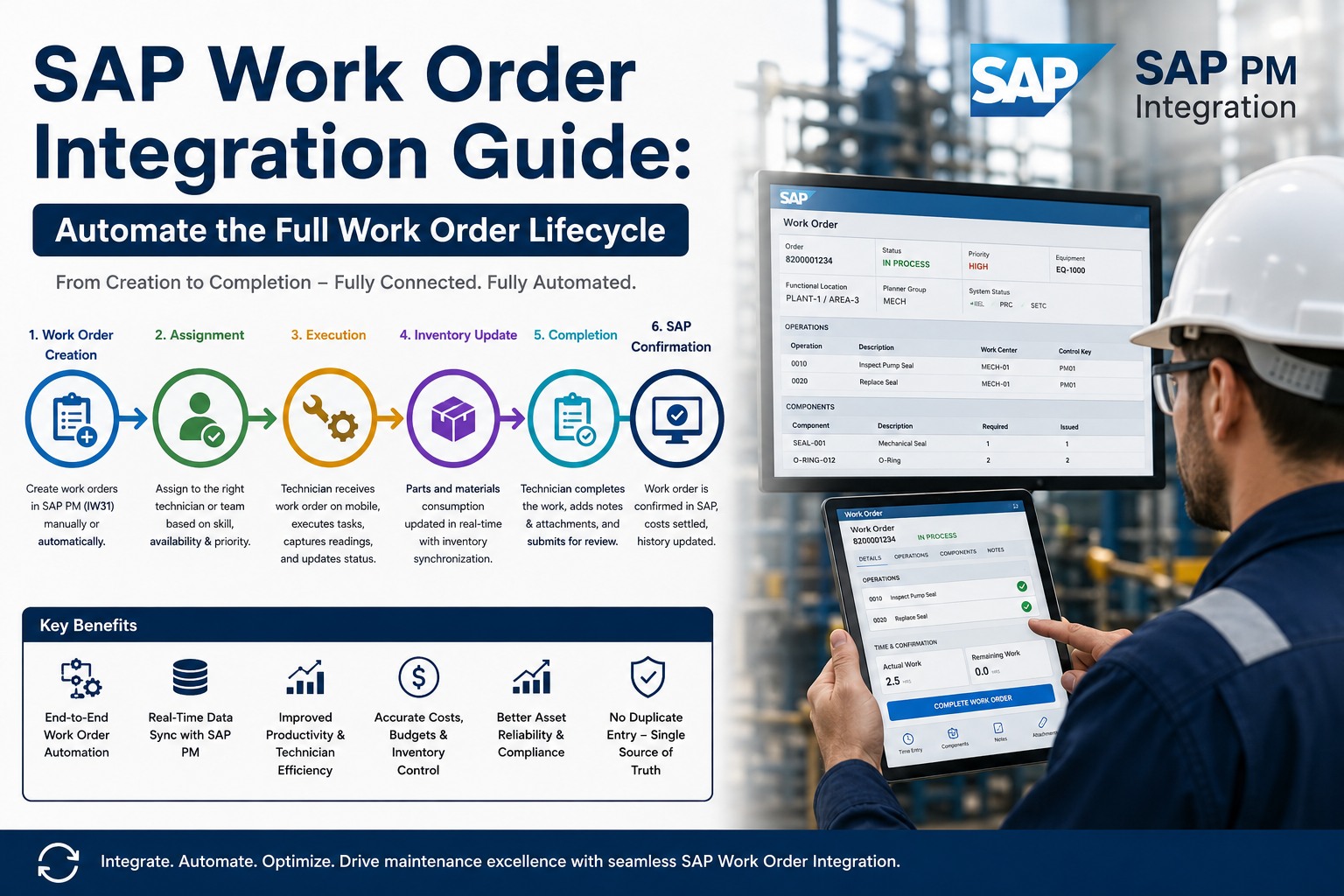
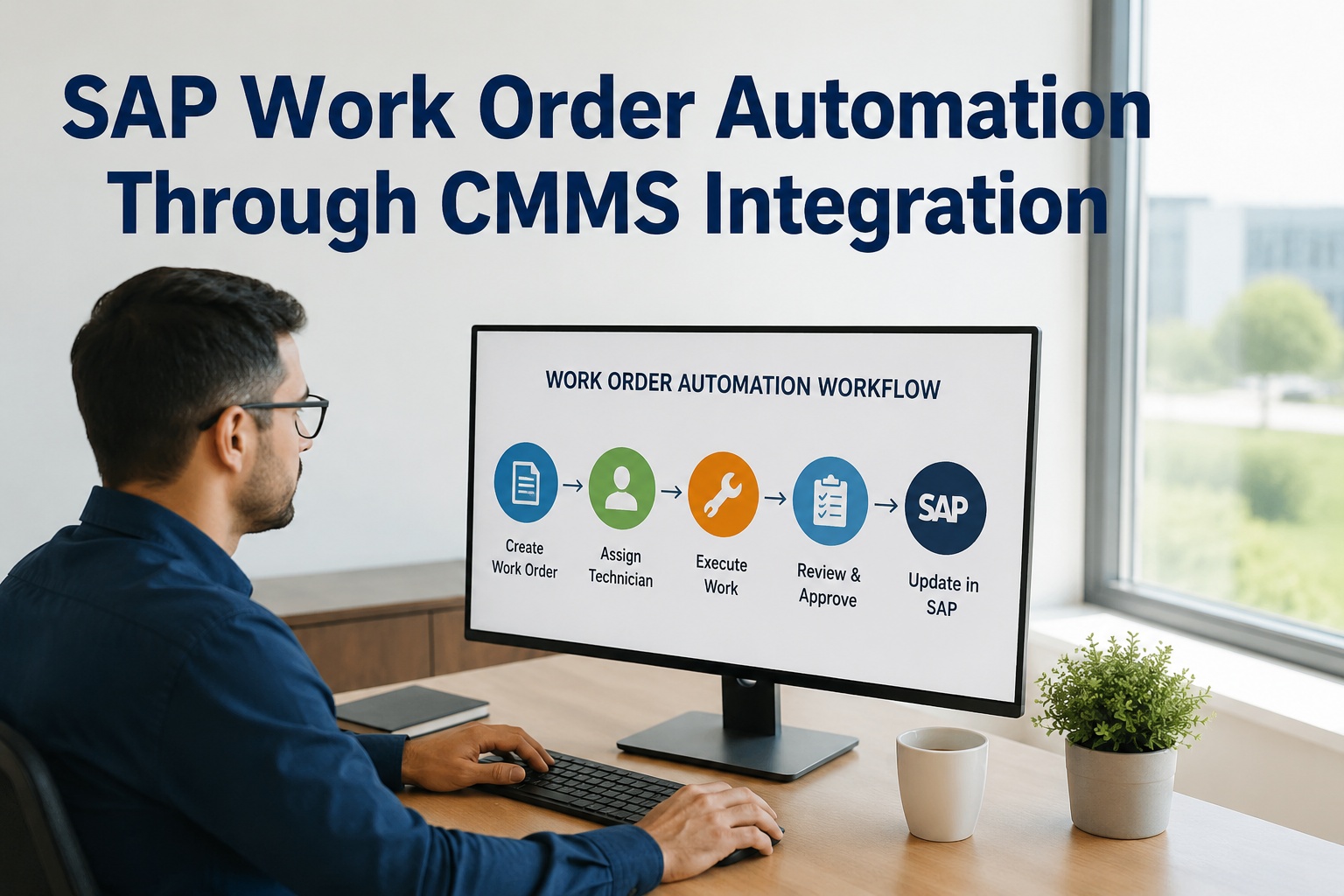
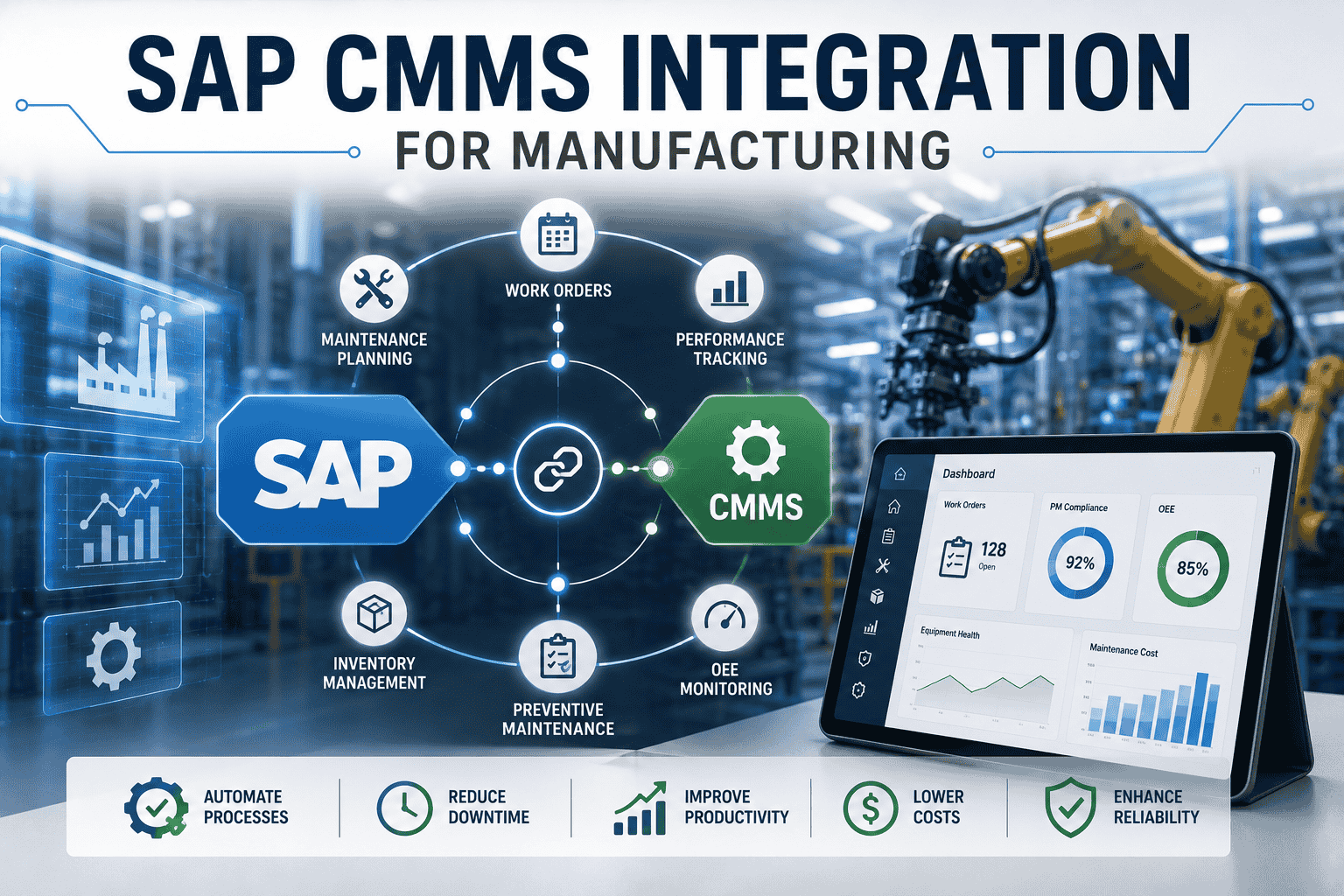
Automated Work Order Lifecycle · SAP PM ↔ CMMS Mobile
Five lifecycle stages with bidirectional sync between systems
Why Work Order Automation Eludes Most SAP Implementations
Most operations have automated parts of the work order lifecycle—usually creation and closure—while leaving the messy middle (dispatch, execution, confirmation, material posting) to manual processes. This partial automation creates the worst of both worlds: technology overhead without the productivity benefits, plus integration complexity that breaks every time SAP gets patched. The Aberdeen Group's 2025 maintenance automation study found that full lifecycle automation delivers 4.2x higher ROI than partial automation—but only 23% of operations achieve it because the technical and organizational challenges compound at each stage.
47 min
average work order processing time across manual and partially-automated operations
82%
time reduction when full lifecycle automation eliminates manual handoffs
23%
of operations achieve full lifecycle automation despite widely-deployed CMMS platforms
The technical capability has existed for years. What separates successful automation from stalled programs is end-to-end design from the start rather than stage-by-stage retrofitting. Sign up free to evaluate your automation gaps against the full work order lifecycle.
The Real Cost of Manual Work Order Processing
The cost of manual processing isn't just the technician minutes spent on administrative tasks—it's the cascade of downstream effects. Time confirmations entered the next day produce inaccurate cost reports. Parts movements reconciled weekly create inventory variances. Status updates that lag reality drive supervisor decisions on stale data. The side-by-side below shows what actually happens in the typical 15-step manual workflow versus the 5-step automated workflow handling identical work.
Manual
15 steps · 47 min
1Operator reports issue by phone or radio
2Supervisor takes message, walks to terminal
3Notification created manually in SAP
4Planner reviews next business day
5Work order created, scheduled, released
6Paper work order printed and routed
7Tech receives paper, walks to parts crib
8Manual parts pull, paper requisition
9Work executed, hours noted on paper
10Paper returns to supervisor for review
11Hours and materials re-entered into SAP
12Material movements reconciled to inventory
13-15Confirmation, closure, KPI updates—often days later
Automated
5 steps · under 8 min
1Trigger detected · sensor anomaly, mobile report, or PM schedule
2WO auto-created in SAP with priority and assignment rules
3Tech receives push notification with procedure and parts
4Work executed, mobile captures hours, photos, parts in-flow
5Auto-confirmation posts to SAP · WO closes, KPIs refresh
Per-WO Time Saved39 min
Stage 1: Automated Creation from Multiple Sources
Work orders should originate from whichever source detects the need first—not always a human at a terminal. Sensor anomalies, IoT health thresholds, PM schedules, operator mobile reports, and SAP notification routing should all create work orders automatically with the right priority, assignment, and parts requirements pre-populated. The integration logic that handles this multi-source creation determines whether your operation responds to issues in minutes or hours.
Stage 2-3: Mobile Dispatch and Field Execution
Once created, a well-automated work order routes to the right technician based on skills, current workload, and physical proximity—not just calendar availability. The technician receives push notification with the full work package: procedure document, required parts (pre-staged or reserved), asset history, safety requirements, and any open notifications related to the equipment. Field execution happens entirely on mobile with photo capture, voice notes, and barcode-scanned parts movements that update SAP in real time.
Stage 4: Confirmation and Material Posting Without Dual Entry
The most expensive manual step is the one that happens twice: technician records hours on paper, then someone re-enters them in SAP hours or days later. Beyond the direct labor cost of dual entry, the lag corrupts cost reports, distorts capacity planning, and creates the reconciliation headaches that plague month-end close. Automated confirmation captures time-on-task in real-time as the technician executes, posts material movements as parts get used, and updates SAP without anyone touching a keyboard. The cost impact compounds: 24 technicians × 1,920 hours × 8% productivity gain × $52/hour loaded rate equals $191K annual savings from this single integration point.
See Work Order Automation Running Live
Watch a full work order travel from creation to closure across SAP PM and a mobile CMMS in real time. We'll demonstrate every sync point against scenarios that match your operational environment in 30 minutes.
Stage 5: Closure, Cost Capture, and Performance Reporting
The final stage is where most automation efforts fall apart—not because closure logic is hard, but because cost capture requires precision that manual processes can't sustain. Automated closure handles the cascade flawlessly: work order moves to TECO status when all confirmations post, costs accumulate against cost center and internal order automatically, asset history updates with the maintenance event, KPI dashboards refresh within seconds, and the work order archives to CLSD status once any final approvals complete. None of this requires manual intervention—every step traces to a documented business rule executing against authenticated data.
Operations achieving full lifecycle automation consistently report 35-50% reduction in month-end close time. Sign up free to model closure automation for your specific cost-capture requirements.
Expert Perspective: Where Work Order Automation Actually Pays Off
Work order automation succeeds or fails based on what happens between stages, not within them. Any vendor can demo a slick mobile UI for stage 3 execution. What separates real automation from theater is whether stage 2 actually hands off cleanly to stage 3, whether stage 4 captures data correctly enough for stage 5 to close without human intervention. The teams that get this right map every stage transition before they pick a vendor—then they evaluate vendors based on stage-transition fidelity rather than feature counts. Stage transitions are where automation lives or dies.
Map Stage Transitions First
Before evaluating tools, document exactly what data must flow between each stage. The transitions—not the stages themselves—are where most automation programs fail.
Eliminate Dual Entry Aggressively
Every place a human enters the same data into two systems is automation debt. The cost compounds invisibly until month-end variance investigations expose it.
Measure End-to-End Cycle Time
Track the full creation-to-closure cycle weekly. Cycle time degrading is the earliest signal that automation is breaking before downstream effects appear.
Operations entering vendor selection for work order automation can request a structured walkthrough covering every stage transition against their operational scenarios. Book a free demo to validate stage transitions against your work order patterns.
Stop Paying for Manual Work Order Friction
Every minute your team spends on dual data entry is a minute not spent on actual maintenance work. See what end-to-end SAP work order automation looks like when designed for technician adoption from day one.
Can full work order lifecycle automation work with SAP ECC, or only S/4HANA?
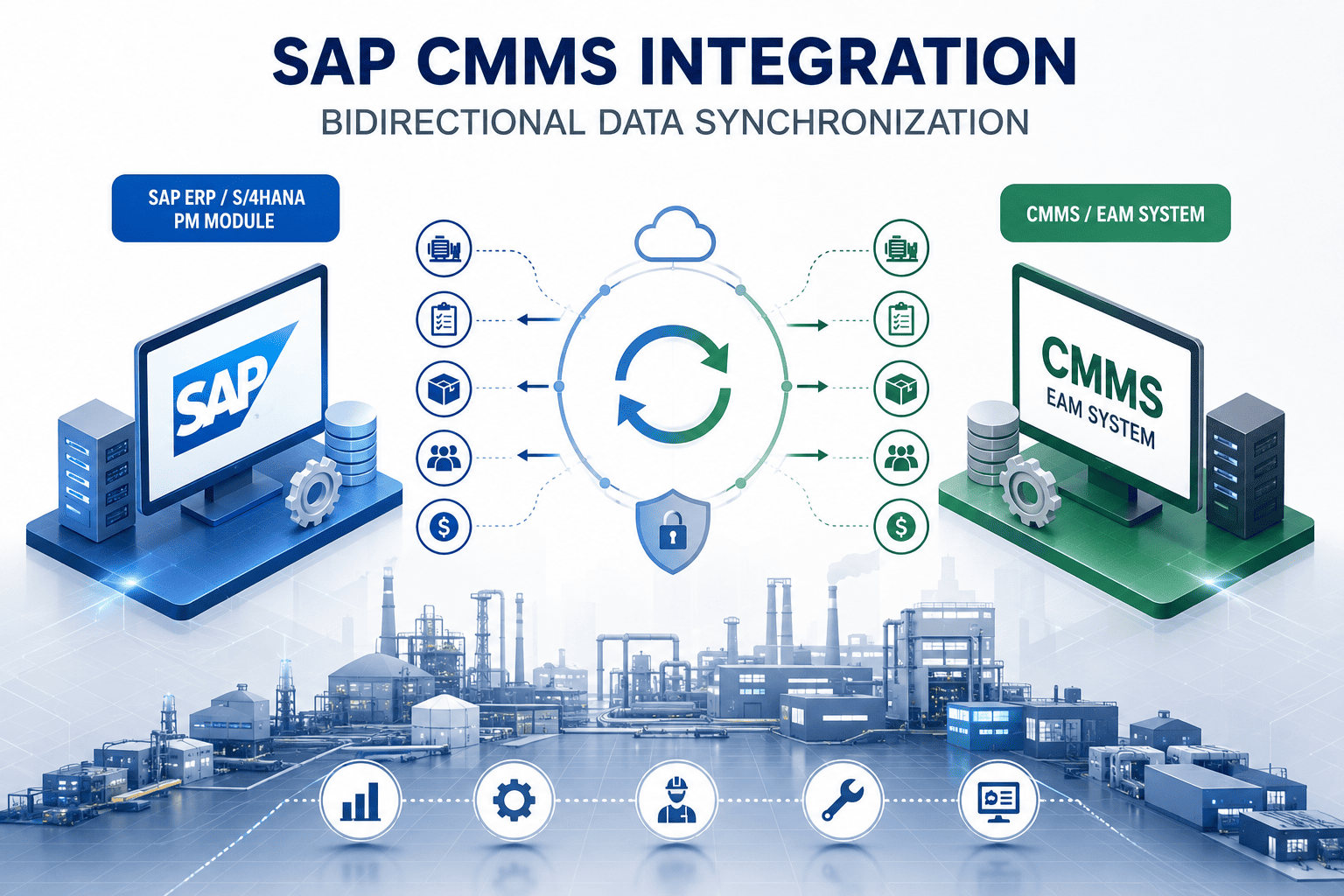
Both. SAP ECC supports full lifecycle automation through RFC, BAPI, and IDoc-based integration patterns that have been production-stable for years. S/4HANA offers cleaner OData APIs that simplify mobile integration and embedded analytics, but the underlying automation capability exists in both. The difference is implementation complexity: ECC integrations typically require more custom middleware configuration, while S/4HANA leverages newer standard interfaces that accelerate deployment by 20-30%. Either platform delivers full lifecycle automation when implemented properly.
What happens to work order automation when the network goes down at a plant?
A properly designed mobile CMMS handles network interruptions through local offline operation—technicians continue executing work orders without internet connectivity, with all updates queuing locally on the device. When connectivity restores, the queue syncs to SAP automatically with conflict resolution logic that handles edge cases like simultaneous edits from different sources. Operations relying on cloud-only mobile experiences are vulnerable; operations using mobile platforms with native offline support are resilient to typical plant network issues.
How do you handle complex work orders with multiple operations, sub-orders, or work permits?
Complex work orders are where automation maturity gets tested. Multi-operation work orders need sequential or parallel execution logic with operation-level confirmations. Sub-orders require parent-child relationship handling and rollup confirmation behavior. Work permits introduce dependency chains where execution can't start until LOTO, hot-work, or confined-space permits clear. Mature automation platforms handle all three patterns natively; basic CMMS tools collapse complex work orders into simplified flows and lose the granularity SAP requires for accurate cost capture and compliance reporting.
How long does it take to implement full work order lifecycle automation?
For mid-size operations (3-8 plants, 500-2,000 assets), full lifecycle automation typically takes 4-7 months from kickoff to all five stages running automatically. The breakdown: integration architecture and SAP configuration (6-8 weeks), mobile rollout and technician training (6-8 weeks), automation rule configuration and testing (4-6 weeks), parallel running and cutover (2-3 weeks), stabilization (2-4 weeks). Compressed timelines below 4 months typically skip parallel running, which is where most production issues surface—rushing this phase creates the data quality problems that haunt the program for months.
What's the biggest implementation pitfall to avoid?
Treating automation as a technology project rather than a workflow redesign. The largest implementation failures come from operations that automate existing manual workflows step-by-step without questioning whether those steps should exist. A well-automated work order workflow looks substantially different from a manual one—not just faster, but structurally different with fewer touchpoints and different decision points. Operations that map their current state and automate it exactly end up with automated friction rather than automated efficiency. Spend the early weeks designing the target-state workflow, then automate that.