Top 10 SAP–CMMS Integration Challenges and How to Overcome Them
Most SAP-CMMS integrations don't fail catastrophically—they limp. Six months in, data isn't syncing reliably. Twelve months in, technicians are bypassing the system. Two years in, finance can't reconcile cost data and leadership stops trusting the maintenance numbers. The failure modes are predictable. After hundreds of integration projects across manufacturing, energy, and heavy industry, the same ten challenges show up repeatedly—four data and sync issues, two architectural, two process, two people. This guide breaks each one down with the specific solution that resolves it, ranked by frequency and impact.
TOP 10 GUIDE
The Integration Challenges That Stall SAP-CMMS Projects
Ten recurring failure modes mapped to four root-cause categories—with the specific fix for each, drawn from real integration engagements.
10Top challenges
4Root categories
100%Solvable
Why SAP-CMMS Integrations Stall in the First Place
The technology to integrate SAP PM with a modern CMMS has existed for years. OData APIs, BTP connectors, middleware platforms—the connectors work. So why do integration projects keep struggling? Because integration is only 30% technical. The other 70% is data discipline, workflow alignment, user behavior change, and organizational coordination. Projects scoped purely as IT initiatives miss the rest. The ten challenges below represent the specific patterns that show up when one of those 70-percent dimensions gets shortchanged in planning.
The Four Categories Behind Every Failure
Every integration challenge eventually traces back to one of four root causes. Knowing which category a problem belongs to determines who owns the fix—and which fix actually works. A user adoption issue treated as a technical problem just produces a better-built system nobody uses. A data quality issue treated as a training problem leaves the underlying garbage in place.
04
Data & Sync
Most common
Master data mismatches, sync conflicts, real-time vs batch friction, org hierarchy drift. These compound silently and erode trust in both systems.
02
Architecture
Technical
API complexity across SAP's interface zoo and permission models that don't translate cleanly between systems. Fixable with the right integration platform.
02
Process
Operational
Workflow mismatches between how SAP thinks maintenance flows and how it actually flows. KPI definitions that drift between systems and stop matching.
02
People
Highest leverage
User adoption resistance and cross-functional change management. The challenges that determine whether the integration delivers value or just exists.
Teams structuring their integration around these four root causes—not just the technical layer—land their projects with far less rework. Maintenance organizations starting an integration assessment can sign up free to map their integration risk profile against the same four-category framework before scoping the work.
The 10 Most Common Integration Challenges
Below are the ten challenges ranked by combined impact and frequency, with the specific fix that resolves each. The pattern matters: technical challenges dominate the count, but people and process challenges typically determine whether the project succeeds or stalls. Every entry includes both the underlying cause and the workable solution.
01
DATA & SYNCHigh
Master Data Inconsistency
The Problem
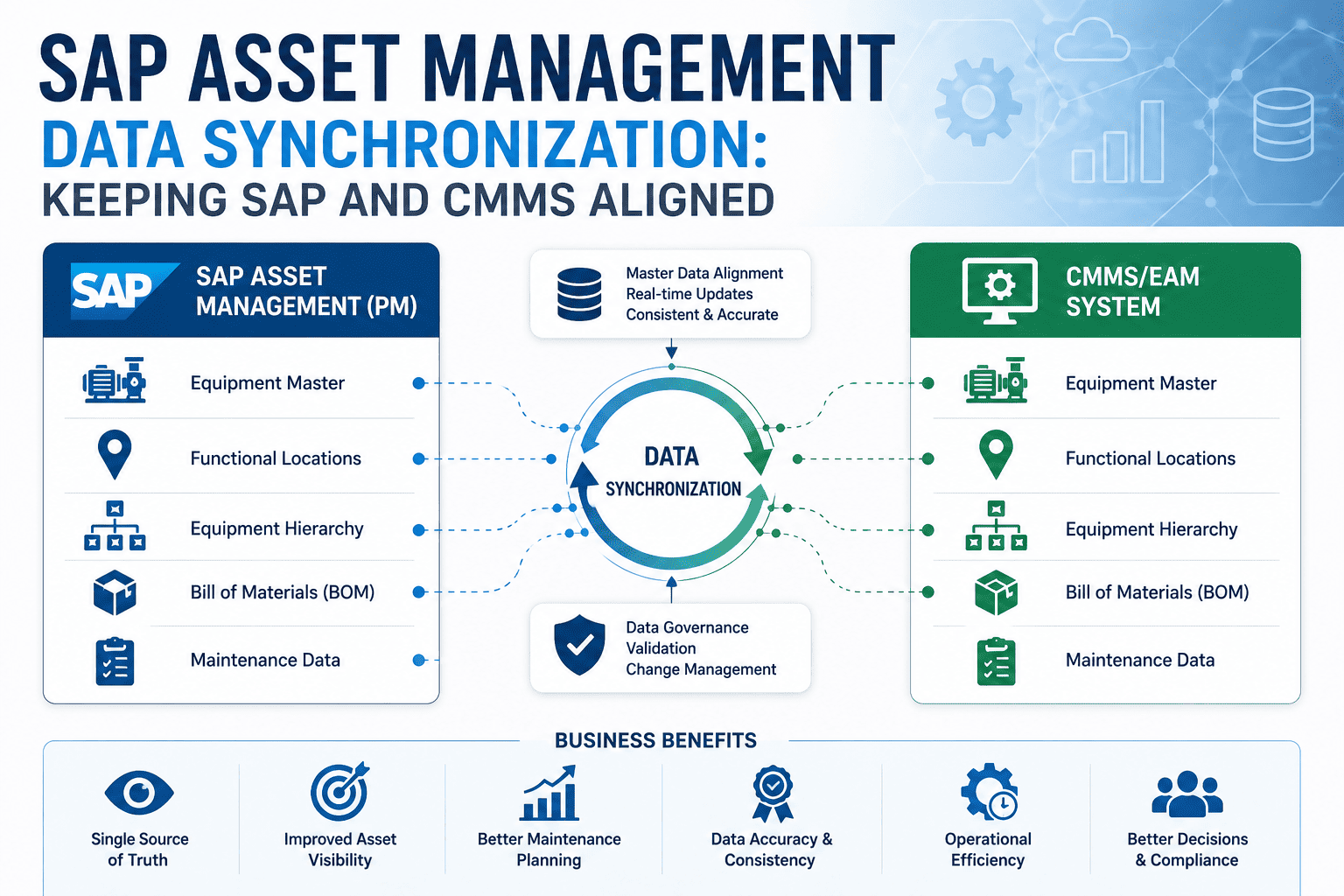
Asset IDs in SAP don't match asset IDs in the CMMS. Functional locations differ. Cost centers are mapped differently. The mismatch makes bidirectional sync mathematically impossible, no matter how good the connector is.
The Fix
Run a master data harmonization pass before connector deployment. Pick SAP as the authoritative source for equipment master records, lock the mapping schema, and don't go live until at least 95% of records reconcile cleanly between systems.
02
PEOPLEHigh
User Adoption Resistance
The Problem
Technicians stick to paper, radios, and personal spreadsheets because the new mobile interface adds steps to their workflow without removing any. Adoption stalls below 40% and the integration's value never materializes.
The Fix
Design mobile workflows that actively replace existing pain (radio calls, paper paperwork, double entry) instead of adding to it. Pilot with one shift, iterate on real friction, then expand. Tie technician feedback into release cycles.
03
DATA & SYNCHigh
Bidirectional Sync Conflicts
The Problem
Work order updated in CMMS, then updated in SAP before sync runs. Which version wins? Without conflict resolution rules, the last writer wins randomly, data inconsistency compounds, and users lose faith in both systems.
The Fix
Define field-level ownership upfront: which fields are CMMS-authoritative (status, completion data), which are SAP-authoritative (costs, master data). Use timestamp-based conflict resolution with audit logging, and surface conflicts to a human reviewer rather than silently overwriting.
04
PROCESSHigh
Workflow Mapping Mismatches
The Problem
SAP PM workflows assume a planner creates the work order, releases it, the technician executes, then it closes. Real plants have emergency work, follow-on work, and on-the-fly scope changes that don't fit that linear flow.
The Fix
Map the real maintenance workflow before mapping it to SAP. Build CMMS-side flexibility for emergency creation and scope changes, then sync to SAP at well-defined commit points. Don't force SAP's linear model onto floor reality.
05
PEOPLEHigh
Change Management Across Teams
The Problem
IT cares about uptime and security. Maintenance cares about wrench-time. Finance cares about cost coding. Operations cares about production. Each department fights for their priorities and the integration drifts toward whoever pushes hardest.
The Fix
Establish a cross-functional steering committee with explicit decision rights and a shared scorecard covering technical performance, user adoption, and business outcomes. Force trade-offs to be made at the committee level instead of fought out in implementation.
06
ARCHITECTUREMedium
API Complexity Across SAP's Interface Zoo
The Problem
SAP exposes data through OData, SOAP, RFC, BAPIs, and IDocs—each with different patterns and authentication models. CMMS platforms typically speak REST. Bridging requires either expensive middleware or a connector built specifically for SAP semantics.
The Fix
Use a purpose-built SAP connector that handles the protocol diversity internally and presents a consistent REST-style interface to the CMMS. Or standardize on OData where SAP version allows. Don't reinvent the integration layer for each interface type.
07
PROCESSMedium
KPI Definition Gaps
The Problem
SAP calculates MTTR including planning time. The CMMS calculates MTTR from work-start to work-finish. Same name, different number, different conclusion. Leadership compares the two and concludes the data is unreliable.
The Fix
Define every KPI in a shared dictionary before go-live. Document the exact calculation in both systems. Reconcile differences and pick a single authoritative source per metric. Audit quarterly for drift as both systems get upgraded.
08
DATA & SYNCMedium
Real-Time vs Batch Sync Friction
The Problem
CMMS captures sensor data and work events in real time. Some SAP environments still run nightly batch jobs for cost roll-ups and master data updates. The mismatch means floor decisions are made on data that's already 24 hours stale.
The Fix
Classify data flows by latency requirement. Work order status and parts consumption need real-time sync. Cost roll-ups and master data updates can run on schedule. Configure the integration to respect both tiers explicitly rather than forcing one model.
09
DATA & SYNCMedium
Cost Center & Org Hierarchy Drift
The Problem
Company reorganizes. SAP org structure changes. CMMS still maps work orders to the old cost centers. Suddenly maintenance costs post to wrong general ledger accounts and nobody catches it until quarter-end variance review.
The Fix
Treat org hierarchy changes as integration events, not just SAP changes. Build automated reconciliation alerts that flag CMMS records mapping to deactivated SAP cost centers within 24 hours of the change taking effect.
10
ARCHITECTUREMedium
Permission & Security Model Mismatches
The Problem
SAP uses role-based authorization with PFCG roles and authorization objects. Mobile CMMS uses simpler permission groups. Translating between the two often results in either over-permissive CMMS access or work orders that can't be created because permissions don't translate cleanly.
The Fix
Map SAP roles to CMMS permission groups explicitly during integration design. Use a service account with controlled SAP permissions for the connector itself, then layer CMMS permissions on top for the end-user experience.
Each fix above is workable independently, but they compound when applied together. Organizations addressing three or more challenges proactively during integration design typically deliver projects 40–60% faster than those that hit each issue reactively after go-live. Teams ready to apply this framework can book a free demo of the SAP-CMMS integration playbook against representative scenarios.
Challenge Severity Map
Not every challenge deserves equal attention. The quadrant below plots each of the ten challenges by impact (how badly it hurts when it happens) and frequency (how often it actually shows up). Critical-focus items in the upper right need explicit planning during scoping. Lower-impact items can be addressed after go-live without compromising the project.
Impact × Frequency Quadrant
Numbered dots reference the 10 challenges above
IMPACT
Plan Carefully
High impact, low frequency
07
Critical Focus
High impact, high frequency
01
02
03
04
05
Monitor
Low impact, low frequency
10
Streamline
Lower impact, high frequency
06
08
09
FREQUENCY
Critical Focus quadrant — address during scoping
Other quadrants — address during or after implementation
The most striking pattern: five of the top six challenges fall in the Critical Focus quadrant, and they span every root cause category. Integration projects that don't explicitly plan for at least these five tend to surface them as crises after go-live. Maintenance leaders prioritizing their integration scope can sign up free to run the Critical Focus diagnostic against their planned approach.
De-Risk Your SAP-CMMS Integration Before You Start
A 30-minute working session walks through the ten challenges, maps them to your specific integration scope, and identifies which Critical Focus items need explicit planning. Built around real integration engagements, not theory.
The integrations that land cleanly share four operating patterns. None are about choosing better technology—they're about how the integration is sequenced, governed, and validated. Teams that follow this playbook hit their go-live dates with the data quality and adoption rates needed to actually deliver business value.
Master Data First, Connectors Second
Successful teams spend the first 30–45 days on master data reconciliation before any connector configuration starts. They identify the duplicate records, mismatched IDs, and orphaned cost centers, fix them in SAP, and only then turn on bidirectional sync. The discipline pays back tenfold during go-live.
Start Small, Expand Confidently
Pilot the integration with one production line or one asset class before plant-wide rollout. Run the pilot for 60 days. Catch every edge case in a controlled scope. Then expand. Big-bang rollouts amplify every unfixed problem from challenge one through challenge ten simultaneously.
Cross-Functional Governance From Day One
A steering committee with representatives from IT, maintenance, finance, and operations meeting weekly during build. Shared scorecard. Trade-offs resolved at the committee table instead of fought out in implementation tickets. The projects that skip this step typically run 50%+ over schedule.
Measure Adoption, Not Just Uptime
Technical metrics (uptime, sync latency) are necessary but not sufficient. Track work order completion rates, mobile app daily active users, and time-to-close per work order. If adoption is climbing, the integration is winning. If uptime is high but adoption is flat, the project has a people problem the technology can't fix.
These four patterns work because they address the 70% of integration that isn't technical—the data discipline, the rollout sequencing, the cross-team coordination, and the adoption measurement. Maintenance leaders running their own SAP-CMMS integration can sign up free to apply this playbook to their environment or book a free demo with our integration architects to pressure-test their plan against these four patterns.
Skip the Most Expensive Mistakes
Every integration project hits some of these challenges. The successful ones plan for them. Oxmaint comes with the SAP connector patterns, master data harmonization tooling, and rollout playbook built around what actually works in real engagements.
Which of the ten challenges shows up most often in real integration projects?
Master data inconsistency and user adoption resistance are tied for the most common—they appear in roughly 80% of SAP-CMMS integration projects. Master data is the more technical of the two: asset IDs, functional locations, or cost centers don't match cleanly between systems. User adoption surfaces later but kills more projects, because even a perfectly synced integration delivers no value if technicians refuse to use it. Both deserve explicit planning during scoping, not afterthought handling during rollout.
Can these challenges be addressed after go-live, or do they have to be solved upfront?
Critical Focus quadrant items—roughly half the list—should be addressed during scoping and design, before go-live. The cost of fixing them post-launch is typically 5–10x the cost of designing them in from the start. Streamline quadrant items can often be improved iteratively after launch without compromising the project. Plan Carefully items are rare but high-impact, so they need contingency planning even if you don't actively work them. The matrix in this guide is designed to help teams sequence their effort.
How long does a typical SAP-CMMS integration take when these challenges are addressed proactively?
A focused integration with proactive challenge management typically runs 14–20 weeks from kickoff to go-live: 3–4 weeks for master data work, 4–6 weeks for connector setup and workflow design, 4–6 weeks for pilot and tuning, 2–4 weeks for plant-wide rollout. Projects that hit challenges reactively often stretch to 9–15 months. The single largest predictor of timeline is whether master data is reconciled before connector deployment begins.
Does AI analytics make these challenges easier or harder?
Both. AI analytics depends on clean integration—data quality issues that were tolerable in a basic CMMS become deal-breakers once predictive models are training on them, so the bar for getting these challenges right rises. At the same time, AI analytics offers more value than basic CMMS, which makes the project worth doing right. Adding AI to an integration scope usually means more disciplined master data work upfront, but the same fundamental challenges and fixes apply.
Is there a difference between SAP S/4HANA Cloud and on-premise in how these challenges appear?
Yes. Cloud deployments hit architectural challenges (API complexity, security models) less often because the API surface is more standardized and managed by SAP. They hit process challenges (workflow mismatches) more often because Cloud's standardized processes don't bend as easily to plant reality. On-premise deployments flip that pattern—more architectural friction, more customization headroom for workflows. Master data, sync conflicts, and people challenges show up equally regardless of SAP deployment model.