A cement plant technician walking the 800-metre stretch between the preheater tower and the raw mill loses an average of 47 minutes per shift walking back to a control room or supervisor desk to log a maintenance observation, retrieve a work order, or check spare parts availability. Across a 3-shift, 365-day operation, that is over 860 hours of productive maintenance time consumed by walking and waiting — time that a mobile CMMS eliminates entirely by putting the full power of your plant's maintenance intelligence directly in the technician's hand. In 2025, cement plants that have deployed mobile-first CMMS platforms are reporting 40% faster inspection completion, 35% fewer unplanned equipment stoppages, and technician adoption rates above 82% within the first 45 days. Start your free Oxmaint account now and give every technician a maintenance command center in their pocket. Want to see it running live on a cement plant asset? Book a 30-minute demo configured for your specific equipment hierarchy.
The Field Reality No Desktop CMMS Can Solve
Cement plants are not office environments. They are 24/7 industrial ecosystems spanning multiple kilometres of heavy equipment operating at extreme temperatures, pressures, and dust levels. Understanding how technicians actually move through this environment is the foundation of effective mobile CMMS design.
Six Field Capabilities That Define a True Mobile CMMS
Not all mobile maintenance apps are equal. These six capabilities separate a purpose-built mobile CMMS from a basic work order app with a mobile skin — and each one has measurable impact on cement plant maintenance performance.
QR-Code Work Order Creation at the Asset
Every piece of cement plant equipment — from the rotary kiln to a baghouse pulse-jet valve — carries a scannable QR code. When a technician identifies a fault, they scan the code: the asset register auto-populates, the failure mode library appears, priority scoring runs automatically, and the work order is dispatched before the technician takes a single step away from the equipment. No form-filling. No walking to a terminal. No radio call to a supervisor. The entire sequence from fault discovery to assigned work order takes under 90 seconds. This single capability eliminates the most common data entry failure point in paper-based cement plant maintenance: the gap between what a technician observes in the field and what actually gets recorded in the system.
Complete Asset History in the Field — Including Offline Access
When a technician arrives at a cement mill gearbox that is running hot, the difference between a confident repair and a guessing game is access to history. A true mobile CMMS delivers the last 24 months of repair records, failure codes, parts consumed, lubrication intervals, torque specifications, and OEM maintenance notes — directly on the technician's device, even without cellular or Wi-Fi coverage in remote plant areas. Cement plants commonly have signal dead zones around kiln shells, inside preheater towers, and in underground conveyor tunnels. Offline-capable mobile CMMS platforms cache the full asset register and pending work orders locally, syncing automatically when connectivity resumes. This offline-first architecture is the critical differentiator between a mobile CMMS and a mobile app — and it is non-negotiable in cement plant environments. Every field interaction becomes part of the permanent asset record, directly strengthening your long-term asset lifecycle management strategy.
Photo-Evidence and GPS Stamping for Compliance-Grade Documentation
Cement plants operate under some of the most stringent safety and environmental compliance frameworks in global industry — OSHA 29 CFR 1910.147, ISO 45001, EPA NESHAP, and increasingly the EU ETS carbon reporting requirements. Traditional paper-based maintenance records fail audits because they lack verifiable timestamps, are often completed hours after the actual work, and provide no evidence that maintenance was performed at the correct asset location. Mobile CMMS addresses all three failures simultaneously: the camera captures photographic evidence of the equipment condition before and after repair, GPS coordinates confirm the exact physical location of the maintenance event, and the system timestamp is applied automatically at the moment of record creation — not when someone gets around to filling in a form. For cement plant EHS managers, this means audit-ready documentation is generated automatically on every work order closure — fully compliant with OSHA 29 CFR 1910.147 and ISO 45001 requirements without any manual assembly before inspection visits.
Real-Time Spare Parts Inventory Check — Before Walking to the Stores
In a cement plant without mobile inventory access, the sequence is: technician identifies a failed component in the field, walks to the stores room, discovers the part is out of stock, abandons the job, waits for procurement. This cycle — which repeats dozens of times daily across a large cement operation — consumes 45–90 minutes per incident and leaves equipment in a degraded state waiting for a part that could have been confirmed available (or expedited) before the technician ever left the equipment. Mobile CMMS integrates directly with spare parts inventory: the technician searches part numbers or asset-linked BOM (Bill of Materials) from the field, confirms availability in real time, and reserves the part against the work order before beginning the walk to stores. If the part is out of stock, the system immediately alerts the storekeeper and initiates a reorder flagged to the open work order — creating an automatic supply chain trigger that previously required multiple phone calls and manual follow-up. Cement plants implementing mobile inventory integration report 55% fewer stockout-related job deferrals within six months.
Give Your Technicians the Tool They Will Actually Use
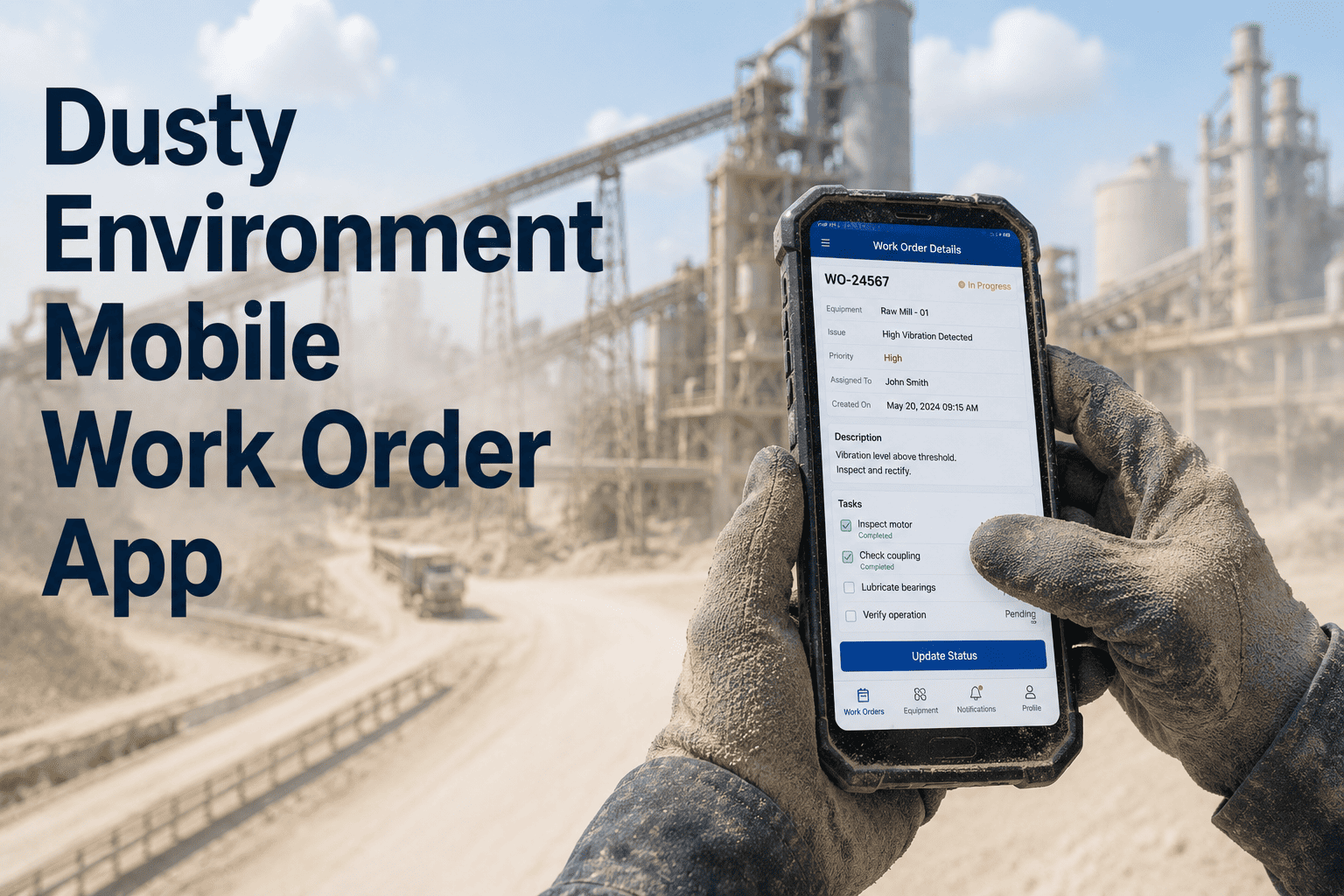
Oxmaint's mobile CMMS is designed for cement plant field conditions — dust, heat, gloved hands, signal dead zones, and shift rotations. The interface works on any Android or iOS device, requires no specialist training, and delivers full functionality offline across every area of your plant.
Mobile Wrench Time: Before vs. After Deployment
Wrench time — the percentage of a technician's shift spent actually performing maintenance versus walking, waiting, documenting, and coordinating — is the single most actionable metric in cement plant maintenance management.
Time
Time
Mobile CMMS in Action: Cement Plant Shift Scenarios
Real-world scenario walkthroughs showing exactly how mobile CMMS changes maintenance outcomes for the three most common field situations in cement plant operations. Sign up free and configure your first mobile workflow today.
Your Maintenance Team Deserves Better Than a Radio and a Clipboard
Oxmaint's mobile CMMS turns every cement plant technician into a connected, data-armed maintenance professional — without complex training, expensive hardware, or lengthy implementation timelines. Deploy across your full field team in under 48 hours.
Bring your asset list. We will walk through mobile work orders live on your equipment hierarchy.
Or Start Free TodayMobile CMMS Adoption Roadmap for Cement Plant Field Teams
Adoption — not deployment — is the real implementation challenge. This proven 30-day activation strategy is the fastest path from first login to sustained 80%+ field technician engagement in cement plant environments.
Start with One Use Case: Mobile Inspection Routes
The fastest path to adoption is not comprehensive rollout — it is a single use case that makes technicians' daily work visibly easier within their first 30 minutes. Start with the most repetitive daily task: equipment inspection rounds. Configure 3–5 mobile inspection checklists for your highest-frequency routes (kiln daily walk, raw mill rounds, baghouse checks). Technicians who complete their first mobile inspection 40% faster than their paper clipboard routine become internal adoption champions before management issues a single mandate.
Expand to Work Order Creation and Fault Reporting
Once inspection adoption is established, expand the mobile workflow to fault reporting and work order creation. Install QR codes on all P1 and P2 criticality assets (kiln, raw mill, cement mill, primary crusher). Run a 20-minute on-site session with each shift crew demonstrating QR scan to work order in under 90 seconds. Remove the paper fault report form from clipboards simultaneously — the friction of paper being absent is a powerful adoption accelerator. By the end of Week 2, all new fault reports should originate from mobile, not from radio or paper.
Full PM Schedule Migration and Inventory Integration
With work order creation habitual, migrate all preventive maintenance schedules to mobile-delivered work orders. Each PM task should arrive as a push notification with the full checklist, torque specs, lube quantities, and required spare parts pre-listed. Connect live inventory lookup so technicians can check part availability from the field before walking to stores. Begin the daily 10-minute dashboard review meeting using live mobile data — this replaces the morning whiteboard session and makes the CMMS the official operational record, cementing its role as the plant's maintenance intelligence platform rather than an optional tool.
Frequently Asked Questions: Mobile CMMS for Cement Plant Maintenance
Does a mobile CMMS work in areas of the cement plant with poor or no Wi-Fi and cellular coverage?
This is the defining technical requirement for mobile CMMS in cement plant environments, and it separates purpose-built industrial mobile platforms from general mobile apps. Cement plants have significant signal dead zones — inside kiln shells, underground conveyor tunnels, inside preheater tower cyclones, and in raw material storage areas. A genuine mobile CMMS for cement plant use must operate in full offline mode, caching the complete asset register, pending work orders, PM checklists, and spare parts BOM locally on the device. All work performed offline is queued and syncs automatically the moment connectivity is restored. Oxmaint's mobile app is built on an offline-first architecture, meaning the core functionality — QR scan, work order creation, checklist completion, photo capture — operates identically whether the device has 5G connectivity or zero signal. Connectivity is used for sync, not for access.
How long does it realistically take to train cement plant technicians to use a mobile CMMS?
When a mobile CMMS is designed correctly for the field worker — not the IT administrator — training time for a cement plant technician should be 20–30 minutes for full proficiency on core functions: QR scan, work order creation, checklist completion, photo capture, and work order closure. The single most common reason mobile CMMS training takes longer is poor interface design that requires too many taps, too much typing, or too many menu levels to complete a basic task. Oxmaint's mobile interface is designed for one-handed operation with gloved hands — large tap targets, voice note capability for field observations, and pre-populated dropdown selections reduce the need for text entry to near-zero for routine tasks. The critical adoption insight: train technicians on-site at actual equipment, not in a conference room with a laptop. Scanning the kiln QR code during training and seeing their own plant's asset data appear on screen drives faster habit formation than any classroom demonstration.
How does mobile CMMS handle LOTO (Lockout/Tagout) safety requirements specific to cement plants?
Mobile CMMS LOTO integration in a cement plant context means three critical safety controls delivered through the technician's device. First, the work order displays the specific LOTO procedure for the asset being worked on — the exact isolation points, sequence, and verification steps — pulled from the digital LOTO library linked to that asset in the register. This eliminates reliance on technician memory or searching for paper procedure sheets in dusty plant conditions. Second, the mobile work order cannot be marked complete while any lockout permit remains active on the asset — the system blocks closure until all energy isolation tags are verified cleared, preventing the most common serious injury mechanism in cement plant maintenance. Third, every LOTO action is digitally recorded with timestamp, technician ID, and GPS location — creating an automatic compliance audit trail that meets OSHA 29 CFR 1910.147 documentation requirements without any manual record-keeping. The result is both safer field execution and automatic regulatory compliance documentation generated at zero administrative cost.
What is the difference between a mobile CMMS and simply using Excel or WhatsApp to manage maintenance tasks in the field?
The distinction matters enormously for cement plant reliability outcomes. Excel and WhatsApp manage communication — they have no connection to asset data, no enforcement of safety procedures, no inventory integration, and no analytics capability. Specific limitations in the cement plant context: Excel spreadsheets shared via messaging apps have no version control — two supervisors editing different versions of the PM schedule simultaneously creates dangerous schedule conflicts. WhatsApp work order dispatching creates no searchable maintenance history — when a kiln bearing fails and you need the last 12 months of lubrication records and repair history for root cause analysis, the data exists in thousands of chat messages that cannot be systematically queried. Neither platform integrates with DCS sensor data for predictive trigger work orders, connects to spare parts inventory for real-time availability checks, enforces LOTO completion before task sign-off, or auto-generates compliance documentation. A mobile CMMS is an integrated maintenance intelligence platform — not a messaging tool with maintenance-themed conversations.
Can mobile CMMS manage multi-shift handover between cement plant maintenance crews?
Multi-shift handover is one of the highest-value mobile CMMS capabilities in a 24/7 cement plant operation, and it directly addresses the most common source of maintenance continuity failure. At shift change, the incoming crew's mobile devices automatically display: all open work orders with current status and completion percentage, any P1 or P2 work orders created during the previous shift, PM tasks due within the next 8 hours, parts that have been reserved but not yet collected, and any LOTO permits still active on plant equipment. The outgoing shift supervisor can add voice notes or typed handover observations directly to work orders that carry forward to the incoming crew. This digital handover replaces the paper shift log — which is illegible, incomplete, and lost within weeks — with a structured, searchable, timestamped record that feeds directly into the next shift's work queue. Cement plants that implement digital shift handover through mobile CMMS report 60–70% reduction in repeat faults that occur because the previous crew's observations were not communicated effectively.
How does mobile CMMS support cement plant maintenance during planned annual kiln shutdown?
Annual kiln shutdowns concentrate enormous maintenance complexity into 7–21 days — typically 200–800 work orders, 40–150 contractors, simultaneous access to confined spaces, refractory work, mechanical and electrical maintenance, and regulatory inspections all happening concurrently. Mobile CMMS transforms this from controlled chaos to coordinated precision. Each contractor crew receives their specific work orders on mobile devices pre-loaded with asset-specific safety procedures, confined space permits, and LOTO requirements. Plant supervisors monitor all active work orders in real time on the dashboard — seeing which are in progress, which are blocked (awaiting parts or permits), and which are complete. Critical path dependencies are flagged: refractory installation work orders automatically show as blocked until the kiln temperature permit clears. Photo documentation of every completed task creates the inspection record required for post-shutdown insurance reviews and regulatory reporting. Cement plants using mobile CMMS for shutdown coordination consistently complete turnarounds 15–22% faster than equivalent plants using paper-based coordination, recovering significant production revenue per day of reduced shutdown duration.
What hardware is required to deploy a mobile CMMS across a cement plant maintenance team?
The hardware requirement for a mobile CMMS deployment in a cement plant is deliberately minimal. Any Android device running Android 8.0 or later or any iOS device running iOS 14 or later can run Oxmaint's mobile CMMS — which includes standard consumer smartphones that many technicians already carry. For cement plant environments specifically, consider devices with IP65 or higher dust and moisture ingress ratings for use near crushers, raw mills, and baghouses; high-brightness screens (600+ nits) for visibility in outdoor quarry and direct sunlight conditions; and drop-rated cases for operation in areas with elevated fall risk near elevated platforms. Many cement plants issue shared pool devices that live in the shift supervisor's office, assigned to technicians at shift start. This shared-device model works well for larger teams and reduces per-head hardware cost. QR code scanning requires only the device's standard camera — no specialist scanner hardware needed. The total hardware investment for a 20-person maintenance team using shared pooled devices typically runs $3,000–$8,000 — typically less than 5% of the first-year productivity savings generated by mobile CMMS deployment.