Building a Comprehensive Asset Register for Your Facility
By John Polus on March 25, 2026
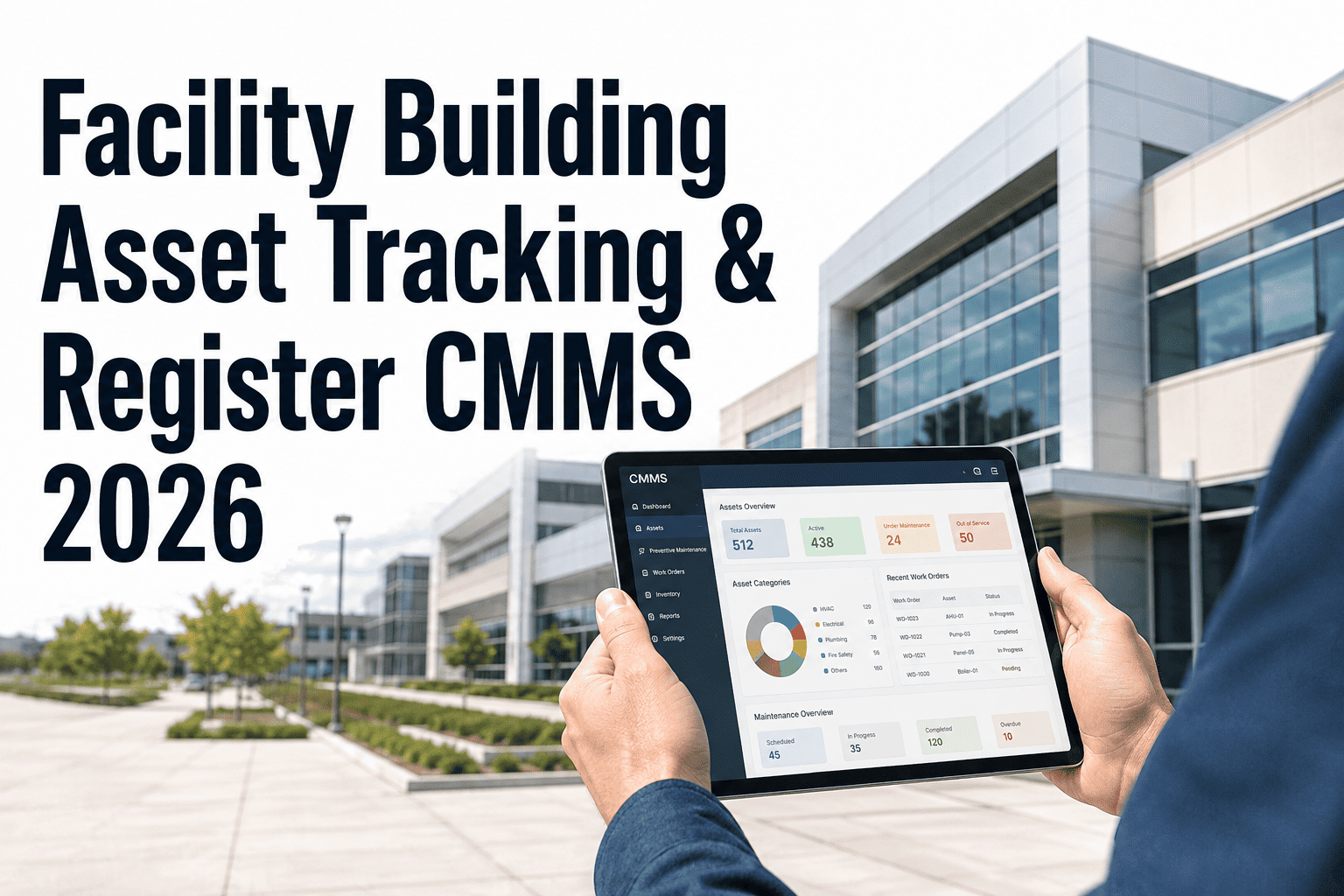
A facility asset register is not a list of equipment. It is the data foundation from which every maintenance decision, PM schedule, work order, and capital renewal request is made. A list of equipment names tells you what you own. A comprehensive asset register tells you where each asset sits in your facility hierarchy, what its criticality level is, what its maintenance history shows, what its condition score is today, and when it will require capital replacement. Facility managers operating from incomplete or informal asset registers make PM decisions without asset context, raise work orders that cannot be attributed to specific assets, and present CapEx requests to ownership without condition evidence. The comprehensive asset register eliminates each of those gaps. Book a demo to see how Oxmaint builds and maintains a comprehensive facility asset register for your building portfolio.
BlogBuilding a Comprehensive Asset Register for Your FacilityAsset and Inventory Management · Spoke · P2 · 7 min read
68%
of facility managers report their asset register is incomplete or inaccurate, missing assets added after initial commissioning
$3,200
average annual cost per unregistered asset due to missed PM, lost warranty claims, and duplicate procurement on untracked equipment
14 days
typical time to complete an asset register setup and activate PM schedules, work order management, and condition scoring in Oxmaint
40%
reduction in unplanned capital expenditure when facilities maintain a comprehensive asset register with condition scoring and RUL tracking
Asset Register Setup, Criticality Ranking, PM Scheduling, and Condition Scoring in One Platform
Oxmaint's asset register module covers the full hierarchy from portfolio down to component level. QR code scanning registers assets from the field in minutes. PM schedules activate automatically on registration. Condition scoring and RUL tracking feed the CapEx forecasting module from day one. Book a demo to see asset register configuration for your facility type.
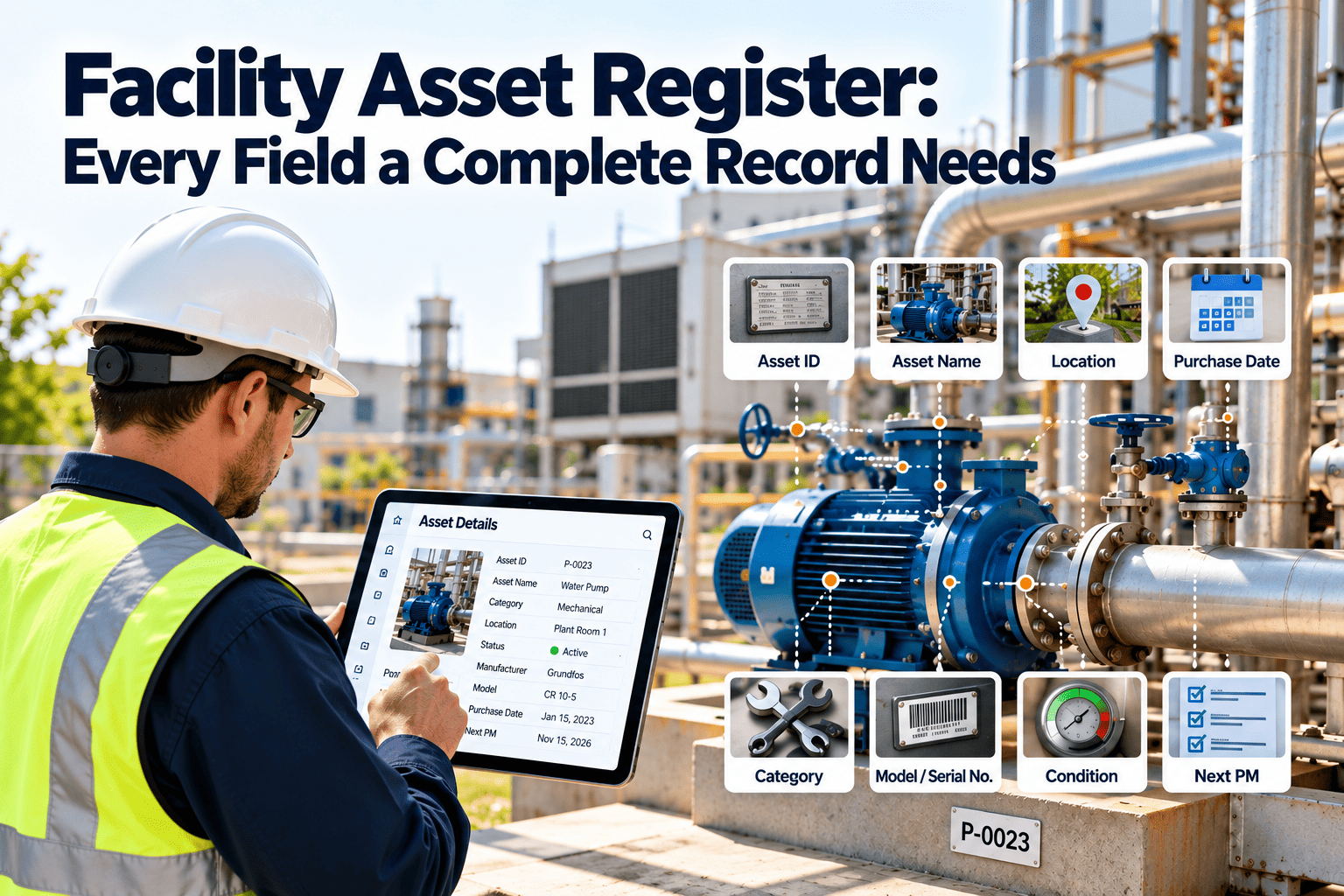
An asset register that lists only asset name and location is not comprehensive. The data fields below represent the minimum required for each asset to support PM scheduling, work order management, lifecycle tracking, and CapEx forecasting at facility management standard.
Identity Data
Who is this asset and where does it sit?
Asset name, tag number, location, system, and hierarchy level
Asset name, unique tag number, QR or barcode label reference, physical location, system classification, and position in the facility hierarchy. Without a unique tag number, assets cannot be reliably identified in the field or in work order records. Without hierarchy placement, reporting cannot aggregate by floor, system, or building.
Unique
tag number per asset is the minimum requirement for reliable work order attribution and maintenance history tracking
Technical Data
What is this asset and how does it operate?
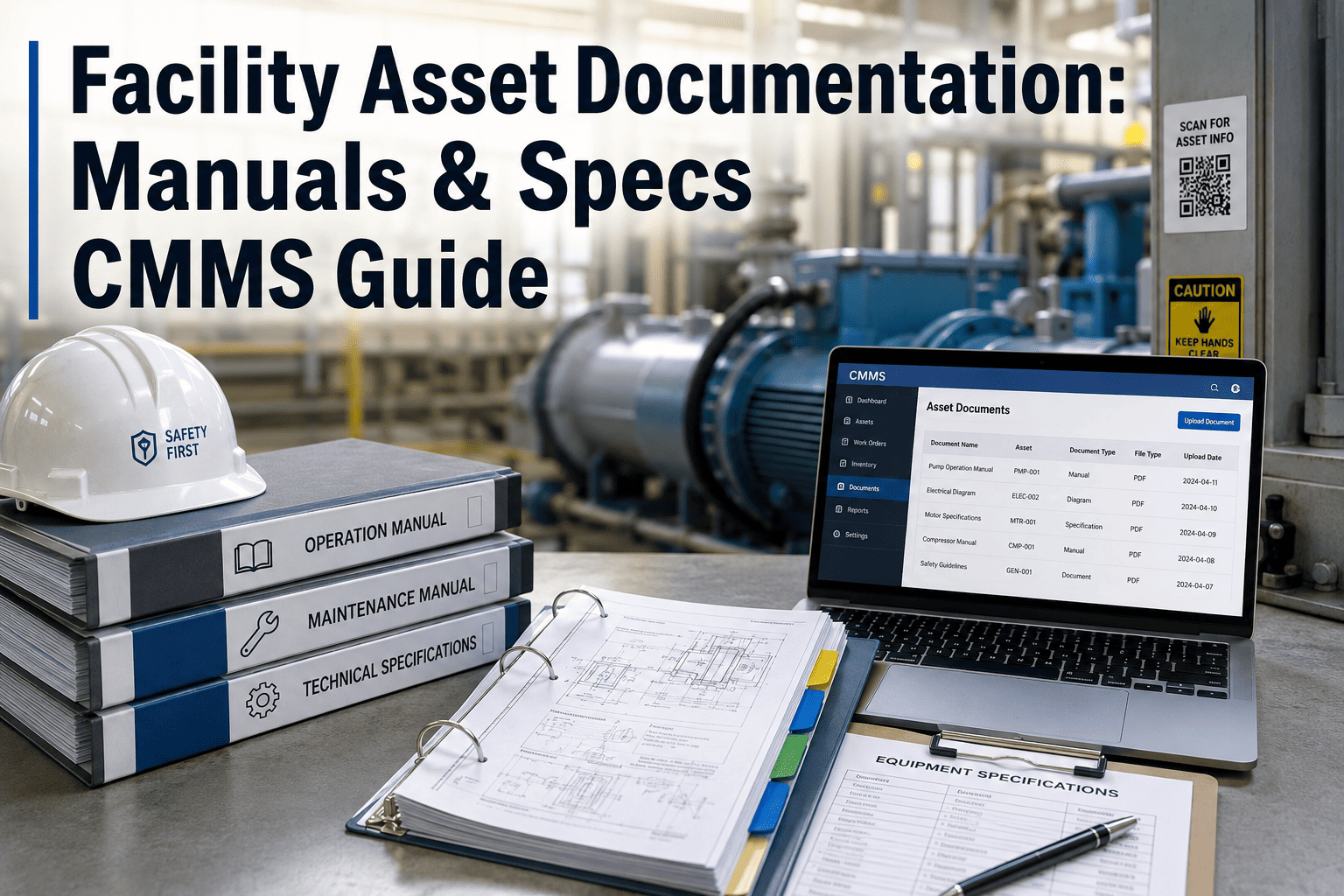
Manufacturer, model, serial number, capacity, and OEM documentation links
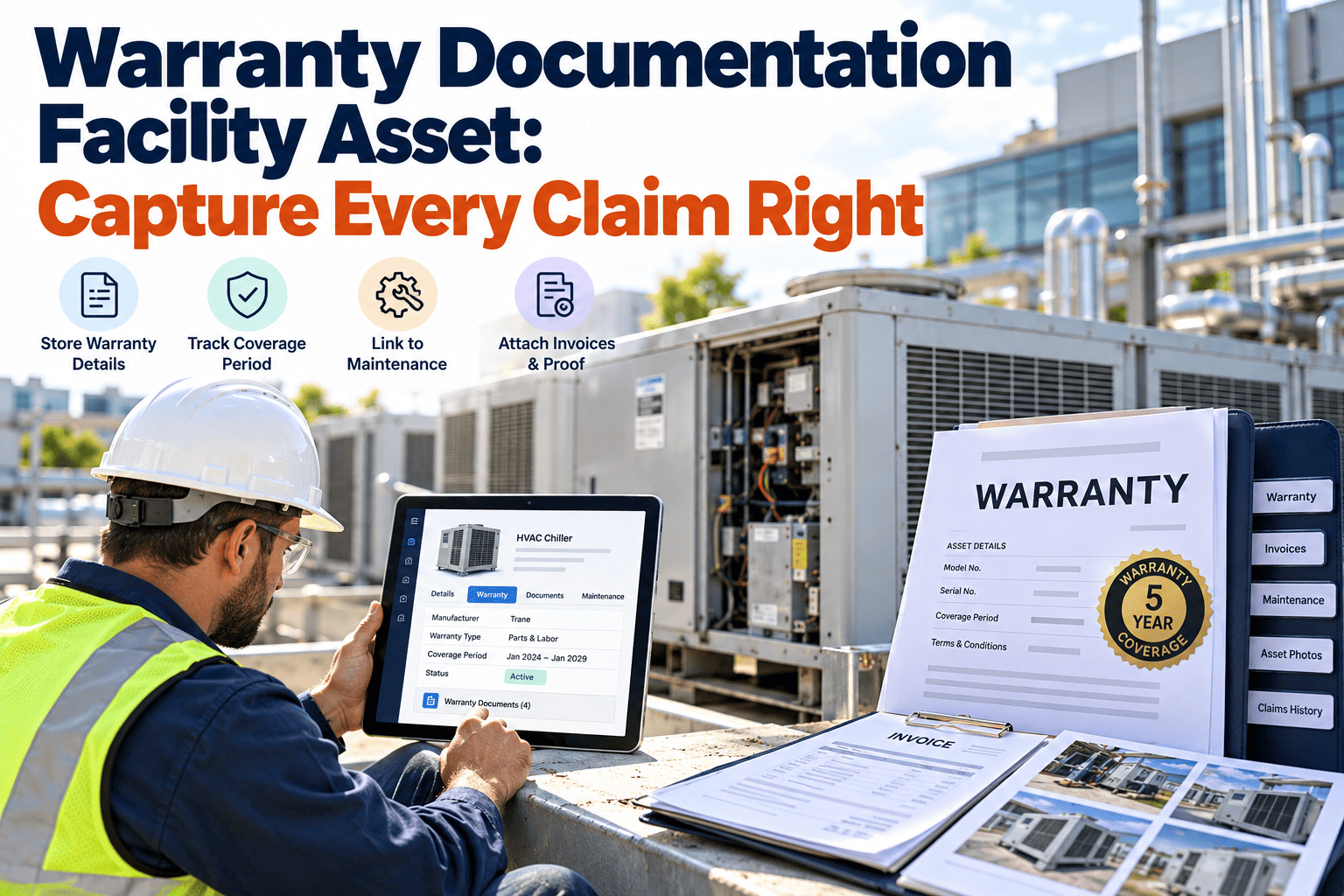
Manufacturer, model number, serial number, rated capacity or output, install date, OEM manual link, and warranty expiry date. Technical data enables PM tasks to reference correct specifications and lets purchasing teams order exact replacement parts and components without field verification trips that add 1 to 2 hours to every procurement request.
OEM docs
linked to the asset record eliminates manual specification lookups that add 30 to 90 minutes to each unfamiliar repair
Financial Data
What does this asset cost over its life?
Purchase price, replacement value, maintenance cost accumulation, and depreciation
Purchase price, current replacement value, accumulated maintenance labour and parts cost, and remaining useful life estimate. Financial data per asset enables the Maintenance Cost Ratio calculation that identifies assets absorbing disproportionate maintenance spend and the CapEx forecasting model that produces investor-grade capital renewal schedules per building.
5-10yr
CapEx forecast generated automatically from replacement value and RUL data per asset in Oxmaint
Condition Data
What is the current health of this asset?
Condition score, inspection date, defect history, and remaining useful life estimate
Condition score on a standardised scale, most recent inspection date, open defects, and estimated remaining useful life. Condition data per asset converts the register from a static inventory list into a live health dashboard that identifies which assets are deteriorating and when each will require renewal. 68% of reactive capital expenditure events are predictable 6 to 12 months in advance from condition data.
68%
of reactive capital expenditure events predictable 6 to 12 months in advance from asset condition score trends
Asset Criticality Ranking: Prioritise What You Track Tightly
Critical Assets (Tier 1)
Assets whose failure immediately stops operations, creates safety risk, triggers regulatory notification, or generates significant financial loss. Primary HVAC serving occupied zones, fire suppression systems, primary power distribution, passenger lifts, and production-critical equipment. These assets receive continuous tracking, short PM intervals, and parts pre-staging. Failure of a Tier 1 asset is never acceptable as a surprise.
Tracking intensity: Perpetual condition monitoring, maximum PM frequency
Essential Assets (Tier 2)
Assets whose failure degrades operations without stopping them completely. Secondary HVAC, backup systems, secondary electrical distribution, escalators, and non-critical production equipment. These assets receive scheduled PM and condition inspection at moderate frequency. Failure is disruptive but not immediately catastrophic. Managed deferred maintenance is acceptable within defined limits.
Assets whose failure causes minor inconvenience without operational impact. Decorative lighting, secondary plumbing fixtures, non-essential minor equipment, and redundant backup systems. These assets are tracked in the register but at lower inspection frequency. Run-to-failure is an acceptable maintenance strategy for many Tier 3 assets. Register inclusion ensures they are not confused with Tier 1 assets if they are upgraded in criticality.
A separate classification overlaid on criticality tiers for assets with regulatory PM documentation requirements regardless of operational criticality. Fire suppression systems, emergency egress lighting, life safety equipment, and environmental monitoring systems require documented PM records that must be producible at inspection regardless of their operational tier. Compliance assets in Oxmaint carry mandatory PM tasks that cannot be deferred without supervisor override.
Asset Register Built Once. PM Schedules Active from Day One. Condition Scores Updated Automatically.
Oxmaint's bulk import tool populates your asset register from existing spreadsheets in under 2 hours. QR code labels print directly from the platform. PM schedules activate automatically on asset registration. Every work order, inspection, and parts issue updates the asset record automatically from that point forward. Book a demo to see the asset register setup process for your facility.
Asset Register: Informal vs Comprehensive in Oxmaint
Register Function
Comprehensive with Oxmaint
Informal Register or Spreadsheet
Asset identification
Every asset has a unique tag number, QR label, and hierarchy position. Field scan opens the full record in seconds. No lookup errors. No duplicate records across systems.
Assets identified by description or location only. No unique tag. No QR label. Technicians search manually or identify assets from memory. Work order attribution errors common.
PM schedule linkage
PM tasks linked directly to the asset record and activated on registration. Frequency, task description, parts required, and technician assignment set per asset. Schedule changes update all future PMs automatically.
PM schedule maintained separately from asset list. Link between PM task and specific asset informal or absent. PM schedule changes require manual update across multiple systems.
Maintenance cost tracking
Every work order labour hour and parts cost attributed to the specific asset record automatically. Cumulative maintenance cost per asset visible against replacement value in real time. MCR calculated per asset and asset class.
Maintenance costs tracked by department or system, not per asset. No cumulative cost visibility per asset. Repair vs replace decisions made without comparative cost data per asset.
CapEx forecasting
Asset condition scores, remaining useful life estimates, and replacement values generate a 5 to 10 year CapEx forecast automatically. Board-ready capital renewal schedules per building and asset class.
CapEx requests based on asset age or visible condition. No condition score data. No replacement cost per asset. Budget requests submitted without comparative evidence across the portfolio.
Asset Register Performance Benchmarks
Of facility managers report their asset register is incomplete or missing assets added after initial commissioning68%
Reduction in unplanned capital expenditure when facilities implement comprehensive asset register with condition scoring40%
Reduction in CapEx planning time when 5 to 10 year forecast is generated from live CMMS data vs manual consolidation84%
Reduction in work order attribution errors when QR code scanning links technicians directly to the specific asset record74%
Building the Register: Four Steps to Full Coverage
1
Define Your Hierarchy and Import Existing Data
Set your asset hierarchy in Oxmaint: Portfolio, Property, System, Asset, Component. Import existing asset data from spreadsheets using Oxmaint's bulk import template. Most facilities complete the initial import in under 2 hours. Missing data fields are populated progressively as assets are inspected and worked on. Book a demo to see the import process for your existing data.
2
Tag Every Asset and Print QR Labels
Oxmaint generates printable QR labels for every asset in the register. Technicians apply labels during the next inspection or PM visit on each asset. Once tagged, every future scan by any technician opens the full asset record immediately from any mobile device without a separate scanning app or hardware.
3
Assign Criticality Ranking and Activate PM Schedules
Assign Tier 1, 2, or 3 criticality to each asset and flag compliance assets that carry mandatory documentation requirements. PM schedules linked to each asset class activate automatically. Oxmaint deploys pre-built PM templates for common building systems including HVAC, electrical, plumbing, lifts, and fire suppression. Book a demo to see PM templates for your asset classes.
4
Run the First Condition Assessment and Set Replacement Values
Complete the initial condition assessment for each Tier 1 and Tier 2 asset using Oxmaint's standardised inspection template. Record replacement value per asset. Oxmaint calculates the initial Facilities Condition Index for your building and generates the first CapEx forecast from the condition data collected. From this point, every work order, PM, and inspection updates the register automatically.
QHow does Oxmaint handle assets that were not registered at commissioning and have years of undocumented maintenance history?
Oxmaint allows retrospective data entry for historical PM completions and repair events against any asset record. Assets registered late start with an incomplete history, but each new work order and inspection begins building the documented record from registration date. Historical condition assessments can be entered manually. Book a demo to see the retrospective data entry workflow for existing facilities.
QCan Oxmaint import an existing asset list from a spreadsheet or another CMMS to avoid re-entering data manually?
Yes. Oxmaint's bulk import tool accepts CSV and Excel uploads with a standard template that maps to the Oxmaint asset data fields. Most facilities complete the initial import in under 2 hours. Post-import, QR labels generate automatically for all imported assets. Missing fields populate progressively through inspection and work order activity. Start free trial to access the bulk import template for your asset data.
QHow does Oxmaint calculate the Facilities Condition Index from asset register data?
Oxmaint calculates FCI as total deferred maintenance cost divided by current replacement asset value, per building and portfolio-wide, from live asset condition scores and accumulated work order cost data. FCI updates automatically as condition assessments are completed and work orders are closed. Book a demo to see FCI calculation for your building portfolio.
QHow many assets can Oxmaint manage in a single facility register, and does it support multi-site portfolios?
Oxmaint supports unlimited assets across unlimited sites in a single account on paid tiers. The portfolio architecture groups assets by Portfolio, Property, System, Asset, and Component with separate PM templates and compliance configurations per site. Central FM teams see portfolio-wide dashboards while site teams see their local view. Sign up free or book a demo to configure your facility hierarchy in Oxmaint.
Complete Asset Register. PM Schedules Active from Day One. CapEx Forecast Built from Live Condition Data.
Oxmaint connects your facility asset register, criticality ranking, PM scheduling, work order management, condition scoring, and 5 to 10 year CapEx forecasting into one platform. Bulk import from existing data. QR labels in minutes. Go live in under 14 days.




.jpeg)