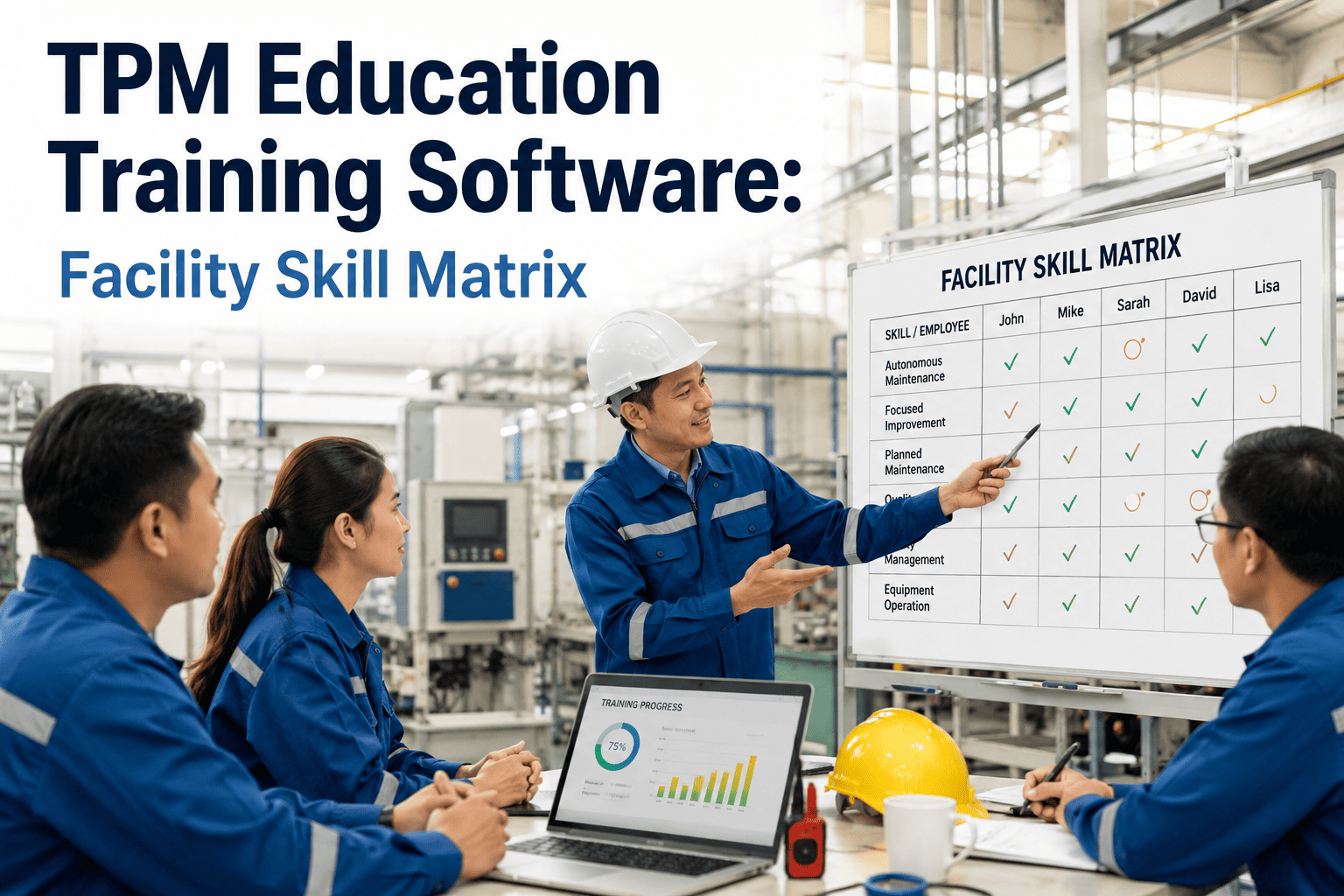
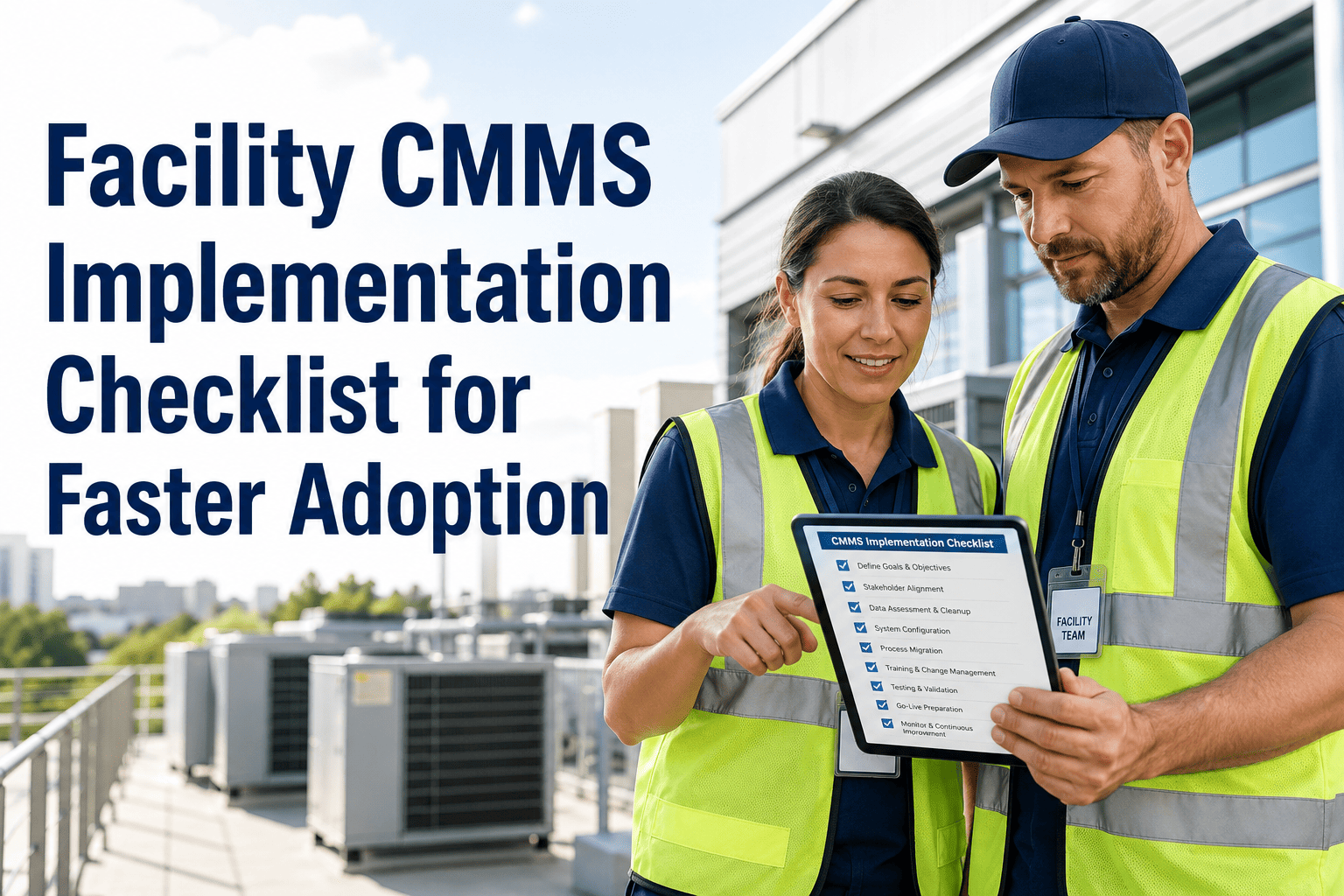
The biggest reason AI-powered CMMS deployments fail to deliver ROI is not the software - it is the training plan. Maintenance teams conditioned to paper logs, email chains, and shared spreadsheets do not adopt digital workflows by default. Without a structured onboarding program that addresses skill gaps, change resistance, and role-specific workflows, even the best CMMS platform sits underused within 90 days of deployment. Organizations that invest in structured AI CMMS training achieve 82% higher user adoption rates and see full ROI payback 40% faster than those that rely on self-service onboarding alone. Book a demo to see how Oxmaint's guided onboarding gets your team fully operational in 14 days.
82%
higher user adoption rate with structured AI CMMS training versus self-service onboarding
40%
faster ROI payback when facility teams receive role-specific training before go-live
67%
of CMMS implementations underperform due to inadequate user training and change management
14 days
average time for facility teams to reach full operational competency on Oxmaint
Why AI CMMS Adoption Fails Without the Right Training Plan
Maintenance technicians, supervisors, and facility managers each interact with a CMMS differently. A technician needs to complete work orders on a mobile device under time pressure. A supervisor needs to review backlogs and assign work in under 2 minutes per session. A portfolio manager needs reports, not system navigation. Training every role the same way - or not training at all - is why 67% of CMMS deployments underperform against their business case within the first year.
01
One-Size Training Fails All Roles
A single onboarding session covering every feature for every user overwhelms technicians and bores managers. Role-specific training modules reduce cognitive load and cut time-to-competency by 55% versus generic platform walkthroughs.
02
Change Resistance from Senior Technicians
Experienced technicians with 10-20 years of paper-based habits are the highest-value and highest-resistance users. Without a deliberate change management approach targeting this group specifically, they become blockers - and their teams follow their lead.
03
No Practice Environment Before Go-Live
Teams trained only in theory and then placed in a live production environment make errors that create bad data from day one. A sandbox environment for practicing work order creation, asset lookup, and mobile use reduces go-live errors by 71%.
04
No Reinforcement After Week One
Without structured reinforcement in the first 30 days, 58% of users revert to pre-digital habits. The AI features that drive ROI - automated prioritization, predictive PM triggers, compliance logging - require active reinforcement to become habitual within the team.
Get Your Team Operational in 14 Days with Guided Oxmaint Onboarding
Oxmaint includes role-specific training modules, sandbox environments, and a guided onboarding program designed to get every user type - technician, supervisor, manager - productive within two weeks. Start free or book a demo to review the onboarding plan for your team size and structure.
The Five Stages of AI CMMS Team Adoption
Successful CMMS adoption follows a predictable arc across all facility types and team sizes. Understanding where each user group sits on this curve allows training leads to apply the right intervention at the right time rather than applying maximum pressure uniformly at go-live.
01
Awareness - Why This Tool, Why Now
Before any training begins, every team member needs a clear answer to "what problem does this solve for me personally?" Connect the CMMS to the specific pain points each role experiences - missed PMs, emergency call-outs, paper registers, manual reporting. Skipping this stage creates resistance that no amount of feature training can overcome.
Pre-training briefing - 30 min per role group
02
Foundational Skills - Core Tasks by Role
Each role trains only on the workflows they will use daily. Technicians learn mobile work order completion, QR asset scanning, and photo attachment. Supervisors learn queue management, assignment review, and SLA dashboards. Managers learn portfolio reporting and CapEx forecast views. Modular role training cuts competency time by 55%.
2-4 hours per role - sandbox environment
03
Supervised Practice - Live Tasks with Safety Net
For the first week of live operation, team leads or a CMMS champion reviews all work orders completed by new users. Errors are caught and corrected before they propagate into asset history. This stage is where the AI features - auto-prioritization, condition alerts, PM escalation - are introduced in real operating context rather than theory.
Week 1 post-go-live - champion oversight
04
Independent Operation - Metrics-Tracked Performance
By week 2-4, users operate independently. Track adoption metrics - work orders completed on mobile, PM compliance rate, average close-out time, first-visit completion rate - to identify individuals or shifts still falling behind. Data-driven follow-up training is far more effective than blanket re-training sessions for the whole team.
Weeks 2-4 - adoption KPI monitoring
05
Advanced Features - AI Capabilities and Reporting
Once core workflows are habitual, introduce the higher-value AI features: predictive maintenance alerts, automated compliance record review, CapEx forecasting, and portfolio-level analytics. Teams trained on advanced features 30 days after go-live show 3x higher engagement with AI recommendations versus teams trained on everything at once at launch.
Day 30+ - AI feature activation per role
06
Champion Network - Peer-Led Continuous Learning
Designate one CMMS champion per shift or site - typically an engaged mid-tenure technician, not a supervisor. Champions answer peer questions, surface usability issues to the implementation lead, and run monthly 20-minute refresher sessions. Organizations with active champion networks sustain 91% adoption rates at 12 months versus 54% without them.
91% sustained adoption with champion network
Role-by-Role Training Module Design
Role 01
Field Technician
Focus: Mobile app, QR scanning, work order close-out, photo capture, parts logging. Target competency time: 2 hours. Primary metric: work orders completed on mobile within 48 hours of go-live. AI feature introduced at day 30: condition alert response workflow.
Role 02
Maintenance Supervisor
Focus: Work order queue review, assignment override, SLA dashboard, technician utilization view. Target competency time: 3 hours. Primary metric: daily queue review sessions. AI feature introduced at day 30: auto-escalation configuration and priority scoring review.
Role 03
Facility Manager
Focus: Site dashboard, PM compliance tracking, compliance documentation export, budget reporting. Target competency time: 2 hours. Primary metric: weekly dashboard review. AI feature at day 30: predictive maintenance alert review and CapEx forecast access.
Role 04
Portfolio or Asset Manager
Focus: Multi-site dashboard, CapEx forecasting model, asset condition scoring, compliance audit export. Target competency time: 2 hours. Primary metric: monthly CapEx review report generation. AI feature at day 30: portfolio-level predictive risk alerts.
Role 05
Compliance and Safety Officer
Focus: Compliance record search and export, digital signature verification, inspection task review, audit-ready report generation. Target competency time: 1.5 hours. Primary metric: compliance record completeness rate per asset category.
Role 06
CMMS Champion
Focus: All role modules plus system configuration basics, user management, and reporting customization. Target competency time: 6-8 hours across 3 sessions. Primary responsibility: 30-day adoption metric review and peer training for new starters joining post-launch.
Role 07
External Contractors
Focus: Mobile work order access, QR scanning, photo submission, parts request logging. Target competency time: 45 minutes. Contractors receive a restricted mobile-only interface - they access only assets and work orders assigned to them, with no access to portfolio or financial data.
Role 08
New Team Starters
Focus: Condensed foundational module for the relevant role, completed before first shift on site. Oxmaint's onboarding library stores all training materials as in-platform guides accessible on mobile - new starters can self-train with champion supervision, no external LMS required.
Training Approach: Traditional vs Structured AI CMMS Onboarding
| Training Element |
Traditional Approach |
Structured AI CMMS Onboarding |
| Training format |
Single all-hands session covering all features for all roles; PDF manual distributed afterward |
Role-specific 2-4 hour modules; sandbox practice; champion-led reinforcement at 30 days |
| Time to competency |
6-12 weeks until team is reliably using the system - if adoption holds at all |
14 days to full operational competency with structured role-by-role staging |
| Change resistance |
Addressed through mandates and system lockouts - creating friction and resentment |
Addressed through role-specific value framing before training begins; resistance drops 64% |
| AI feature adoption |
AI features introduced at go-live alongside basic functions; most users ignore them |
AI features staged at day 30 after core habits are formed; 3x higher engagement rate |
| 12-month adoption rate |
54% sustained usage - rest revert to email, paper, or verbal handoff within 90 days |
91% sustained usage with active champion network and metrics-tracked reinforcement |
| Data quality at 90 days |
Inconsistent asset records, missing work order fields, duplicate entries from workarounds |
Clean asset history from day 1; 71% fewer data errors with supervised practice week |
30-Day Onboarding Execution Plan
01
Pre-Launch: Asset Data Migration and Champion Selection (Days 1-5)
Import asset register into Oxmaint, validate asset hierarchy, and configure role permissions. Select one CMMS champion per site or shift - ideally a mid-tenure technician with peer credibility. Brief champions on the full platform before any other user touches the system. Champions who train before their peers become advocates, not just power users.
Asset registry live - champion briefed before team
02
Role Briefings: Value Framing Before Feature Training (Days 6-7)
Run 30-minute role-group sessions - technicians separate from supervisors separate from managers - covering one question per group: "What problem does this solve for you specifically?" Technicians hear about eliminating paper runsheets and emergency call-outs. Supervisors hear about PM compliance visibility. Managers hear about audit readiness. No feature demos yet.
Book a demo to see Oxmaint's role briefing toolkit.
03
Hands-On Training: Role Modules in Sandbox (Days 8-10)
Each role group completes their specific training module in a sandbox copy of the live system. Technicians practice: opening a work order from a QR scan, attaching a photo, logging parts used, and closing the task. Supervisors practice: reviewing the queue, overriding an AI assignment, and reading the SLA dashboard. All mistakes stay in sandbox - no live data impact.
Sandbox practice - 71% fewer go-live data errors
04
Go-Live with Champion Oversight and Metrics Tracking (Days 11-30)
Switch to live operation. Champions monitor work order quality and field questions in real time. Track adoption KPIs weekly: mobile completion rate, PM compliance, average close-out time, and first-visit completion. At day 30, conduct a 15-minute AI features session for each role group introducing predictive alerts, automated escalation, and compliance reporting - now that core habits are established.
Day 30 AI feature activation - 3x higher engagement
Training Adoption Metrics to Track
Higher user adoption rate with structured role-specific training versus generic onboarding
82%
12-month adoption rate sustained with active CMMS champion network and metric tracking
91%
Reduction in go-live data entry errors with supervised sandbox practice before going live
71%
Reduction in change resistance when value framing precedes feature training by role group
64%
Reduction in time-to-competency with role-specific modules versus single all-hands training
55%
Faster ROI payback when teams receive structured training versus self-service onboarding
40% faster
Frequently Asked Questions
QHow long does it take to train a maintenance team on Oxmaint?
Most facility teams reach full operational competency within 14 days using Oxmaint's structured onboarding. Technicians are productive in 2-4 hours of role-specific training; supervisors and managers in 2-3 hours each.
Start free or
book a demo to review the onboarding plan for your team.
QWhat is the best way to handle resistant senior technicians during CMMS rollout?
Run a 30-minute value briefing specific to their pain points before any feature training. Senior technicians respond to proof, not process - show them how the mobile app eliminates the paper runsheet they dislike most.
Book a demo to see change management resources included in Oxmaint's onboarding kit.
QShould AI features be trained at go-live or introduced later?
Later - at day 30 after core habits are formed. Teams introduced to AI features at go-live alongside basic functions show 3x lower engagement with those features than teams introduced after a month of operational experience.
Book a demo to see Oxmaint's staged feature activation plan.
QDoes Oxmaint provide training materials for new team members who join after go-live?
Yes. Oxmaint's in-platform onboarding library stores all role-specific training guides accessible on mobile - new starters self-train with champion oversight at any time, with no external LMS or separate training system required.
Start free or
book a demo to review the training library.
Get Every Role Trained and Productive in 14 Days
Oxmaint includes role-specific training modules, sandbox environments, champion toolkits, and guided onboarding support - everything needed to take your team from first login to full operational adoption without a long implementation project. Start your free trial or book a 30-minute demo for your facility team today.
Continue Reading
AI Copilots for Facility Management: Bridging the Labor Shortage Gap
AI copilots help facility teams do more with fewer staff - automate work orders, inspections, and reporting to combat the FM workforce shortage directly.
Read the Article
Automating Work Order Management with AI: From Request to Resolution
How AI handles intake, priority scoring, technician routing, and compliance documentation automatically - cutting response time by 50% or more.
Read the Blog
AI-Powered Energy Optimization for Commercial Buildings: Save 20-40%
Cut commercial building energy costs 20-40% with AI-driven HVAC, lighting, and BMS optimization strategies with measurable ROI for facility managers.
Read the Article
WAGES KPIs Tracking: Water, Air, Gas, Electricity & Steam Monitoring
Track WAGES utility KPIs for facilities and reduce costs with real-time monitoring, AI-driven anomaly alerts, and consumption benchmarks across every utility stream.
Read the Blog
14-Day Team Onboarding. 91% Adoption at 12 Months.
Oxmaint's structured onboarding program - role modules, sandbox practice, champion toolkit, and staged AI feature activation - gets every user type operational fast and keeps them there. No long implementation project, no external training vendor required. Book a 30-minute demo to walk through the onboarding plan for your facility portfolio.