The Ultimate CMMS Buying Guide 2026: How to Choose the Right Maintenance Software
The CMMS market hit $1.38 billion in 2024 and is on track to reach $3.55 billion by 2034. That growth means one thing for maintenance managers, plant engineers, and operations directors shopping for software in 2026: you have more choices than ever — and more ways to make the wrong one. The wrong CMMS costs more than just the subscription fee. It costs adoption failure, wasted implementation months, a team that reverts to spreadsheets inside 90 days, and another budget cycle lost to a platform that looked great in the demo but couldn't handle your actual work orders. This guide exists so that doesn't happen to you. It covers every evaluation criterion, every red flag, every contract term to negotiate, and every question you need to ask before a single purchase order is signed. Start a free OxMaint trial alongside this guide and use your real data — not a vendor's demo environment — to make your decision.
Buyer's Guide2026 EditionUpdated March 2026
The Ultimate CMMS Buying Guide 2026
How to Choose the Right Maintenance Software — Without Regretting It in 90 Days
15-minute read · Covers evaluation, pricing, implementation, and the 47 questions every buyer must ask
of CMMS implementations fail to achieve their primary goal within 12 months
Source: Upkeep State of Maintenance 2024
72%
of maintenance professionals cite "organising data in one place" as the #1 CMMS benefit
Source: Upkeep State of Maintenance 2024
28%
say reducing unplanned downtime is the biggest measurable CMMS ROI driver
Source: WorkTrek CMMS Report 2025
$3.55B
projected CMMS market size by 2034 — growing at 9.9% CAGR from $1.38B in 2024
Source: ERP Today 2025
Section 01 — Why Most CMMS Implementations Fail Before They Deliver ROI
Before evaluating a single vendor, understand the failure modes that destroy CMMS implementations. These are not hypothetical — they are the patterns that recur across industries, team sizes, and software platforms. Knowing them changes how you evaluate, negotiate, and deploy.
38%
Poor Data Quality at Launch
Teams go live with incomplete asset registers, missing equipment history, and no baseline measurements. The CMMS becomes a digital version of the same chaos it was supposed to fix. Fix: Spend 30% of your implementation timeline on data — not the software.
31%
Technician Adoption Failure
Management buys the software. The team uses paper. Without technician-level buy-in — achieved through training, mobile-first design, and workflow that makes their job easier — CMMS adoption collapses within 60 days. Fix: Evaluate UX from the technician's perspective, not the manager's demo view.
24%
Feature Overload — Platform Too Complex
Teams buy enterprise CMMS with 400 features and use 12 of them. The complexity kills adoption, and the ROI calculation never closes. Fix: Buy for your current state plus 12-month growth. Everything else is shelfware.
19%
No Success Metrics Defined
Teams deploy CMMS without defining what success looks like — no baseline downtime measurement, no target PM completion rate, no cost-per-repair benchmark. Six months later, nobody can tell if the software is working. Fix: Define 3–5 measurable KPIs before go-live.
Editorial Perspective
The single most predictive factor in CMMS success is not the software — it is whether the maintenance manager defined clear failure criteria before signing the contract. Teams that know what "not working" looks like cancel bad implementations early. Teams that don't know spend 18 months hoping the platform improves.
Section 02 — Needs Assessment: Answer These Before You Open a Single Demo
Every CMMS vendor will show you a compelling demo. The only way to evaluate that demo objectively is to know your own answers to the questions below before the call starts. Go through this assessment with your maintenance manager, reliability engineer, and at least one technician who will use the system daily. Book a call with OxMaint's team and bring your answers — we'll tell you directly whether our platform fits your situation.
Operations Profile
How many assets do you need to manage? (under 500 / 500–2,000 / 2,000+)
How many maintenance technicians will use the system daily?
Do you operate across multiple sites or a single location?
What is your current reactive vs. planned maintenance ratio?
Do you manage contractor / third-party maintenance alongside internal teams?
Pain Points & Priority
What is your single biggest maintenance problem right now? (downtime / cost / compliance / data)
How much unplanned downtime did you experience last month?
What percentage of your work orders are reactive emergency repairs?
How long does it take your team to prepare for an audit?
What did your last unplanned major breakdown cost in total?
Technical Environment
Do you run a current ERP (SAP, Oracle, Infor)? Integration required?
Do you have IoT sensors, PLCs, or SCADA systems that should feed into CMMS?
What mobile devices do your technicians use? (Android / iOS / tablets)
Do you have areas with no internet connectivity requiring offline capability?
What is your IT team's capacity to support implementation and integration?
Budget & Timeline
What is your annual CMMS budget? (under $10K / $10K–$50K / $50K–$200K / $200K+)
Do you have internal implementation resources or need a managed rollout?
When do you need to be live? (30 days / 90 days / 6 months / flexible)
How will you measure ROI? What metric justifies renewal at 12 months?
Who has final sign-off authority? Are they in your evaluation process?
Section 03 — Feature Tiers: What You Actually Need vs. What Vendors Sell You
CMMS vendors earn revenue by selling enterprise feature sets to teams that need basic reliability. Below is an honest breakdown of features by operational maturity level. Start at the tier that matches your current state — not the tier you aspire to reach.
Tier 1 — Foundation
Teams currently using paper or Excel. 1–50 technicians.
Section 04 — The 10-Criterion Evaluation Scorecard
Use this scorecard during every vendor evaluation. Score each criterion 1–5 for each platform you evaluate. The total score out of 50 gives you an objective comparison baseline that survives the pressure of a persuasive sales call. Weight the criteria by what matters most to your operation before you start — not after.
Criterion
Weight
What You're Evaluating
1 (Poor)
5 (Excellent)
Ease of Use
High
Can a new technician create and close a work order in under 5 minutes without training?
Requires dedicated training programme
Intuitive on first use. No manual needed.
Mobile Experience
High
Does the mobile app work offline? Can technicians complete full work order cycles on mobile?
Web-only or mobile-web. No offline.
Native app. Full offline. Photo + signature capture.
PM Scheduling Engine
High
Does it support calendar, runtime, and condition-based triggers? Can it auto-generate work orders?
Calendar-only. Manual WO creation required.
All three trigger types. Full automation.
Implementation Speed
Medium
How quickly can you go from contract to live technicians using the system?
6–18 months. Requires SI partner.
Live in days–weeks. Self-service or assisted.
Reporting & KPIs
Medium
Are core maintenance KPIs (PM compliance, MTTR, downtime %) available out of the box?
Raw data export only. No built-in dashboards.
Live dashboards for all roles. Export included.
Inventory Management
Medium
Are parts linked to assets? Is reorder automation available? Does consumption track against WOs?
Basic parts list only. No asset links.
Full asset-linked inventory with reorder automation.
Integration Capability
Varies
Does it integrate with your ERP, sensors, and existing toolset via documented API?
No API. CSV import/export only.
REST API + pre-built ERP connectors documented.
Customer Support
High
Is support available in your timezone? Is there a dedicated CSM? What's the average response time?
Email ticketing only. 48–72hr response.
Live chat + phone + dedicated CSM. <4hr SLA.
Pricing Transparency
Medium
Is pricing published? Are there hidden fees for features, users, storage, or API calls?
Pricing hidden. "Call for quote" only. Heavy add-ons.
Published pricing. All features included in tier.
Data Ownership & Exit
Medium
Can you export all your data at any time? Is there a data migration fee if you leave?
Data locked in platform. Export requires paid service.
Full export anytime. No exit fees. Data is yours.
Section 05 — 47 Questions to Ask Every CMMS Vendor
These questions are not gotchas — they are the questions that separate vendors who have solved your specific problems from vendors who will promise to solve them after the contract is signed. Ask them all. Judge vendors not just on the answers but on the confidence, speed, and specificity of their responses.
Implementation & Onboarding (Questions 1–12)
1How long does a typical implementation take for an organisation of our size?
2What does your onboarding programme include — and what does it not include?
3How do we migrate our existing asset data, work order history, and parts catalogue?
4What internal resources do we need to dedicate to the implementation?
5Do you provide industry-specific templates (for our sector) out of the box?
6What does the first 30 days look like after contract signing?
7Can we see a live example of a go-live timeline for a comparable customer?
8Is there a dedicated implementation manager or is it self-service?
9What are the most common reasons your implementations go over timeline?
10How do you handle change management and technician adoption?
11Is implementation cost included in the subscription or billed separately?
12Can we do a pilot on 10–20% of our assets before full deployment?
Product & Features (Questions 13–28)
13Show me a technician completing a full work order cycle on mobile — live, not recorded.
14How does the offline mode work — what functions are available without connectivity?
15How do I set up a condition-based PM trigger from a sensor threshold breach?
16Show me the PM compliance rate report — where does it live and how is it calculated?
17How are spare parts linked to specific assets — not just generic categories?
18What happens to parts inventory when a work order is closed on mobile?
19Can we set different user permission levels — technician, supervisor, manager, read-only?
20How does your compliance/permit-to-work module work? Show me a LOTO workflow.
21What does the shutdown/turnaround planning workflow look like?
22How many work orders per month can the platform handle before performance degrades?
23What is your roadmap for the next 12 months — and can we influence it?
24How often do you release new features? What does update deployment look like?
25Is the AI/predictive feature included or a premium add-on? What data does it require?
26What are the three most common feature requests you receive — and have you built them?
27Can we create custom fields and asset attributes without developer help?
28Show me what a multi-site inventory transfer request looks like end-to-end.
Pricing, Contract & Data (Questions 29–38)
29What is the all-in annual cost including implementation, training, and all features we need?
30What are the triggers for price increases — user count, asset count, data storage?
31Is there a per-API-call fee for integrations?
32What is the minimum contract length and what are the cancellation terms?
33What does the renewal price escalation clause look like?
34Can we export all our data in a standard format at any point?
35If we cancel, how long do we have access to historical data for export?
36Where is our data hosted? What is your disaster recovery SLA?
37What is your uptime SLA and what was your actual uptime last 12 months?
38Do you hold SOC 2 Type II, ISO 27001, or equivalent security certification?
Support & Success (Questions 39–47)
39Who is our dedicated customer success manager and what is their industry background?
40What is your support team's average first-response time during business hours?
41Is 24/7 support available for emergency issues — and at what tier?
42Can you provide three reference customers in our industry we can call — not email?
43What is your customer churn rate? What is your average customer tenure?
44What does a customer QBR (quarterly business review) look like with your team?
45How do you handle platform bugs that affect our operations — what's the escalation path?
46Is there a community forum or knowledge base for self-service troubleshooting?
47If we have a feature request that is critical for our operation, what is your process?
Section 06 — CMMS Pricing Models Decoded: What You Pay vs. What You Get
Per-User / Per-Seat
$15–$80 per user/month
Works well when:
Small, fixed team size
Most users are active daily
No seasonal workforce fluctuation
Watch out for:
Costs scale with headcount — expensive as teams grow
Teams limit who gets access to control cost — hurts adoption
Per-Asset
$1–$8 per asset/month
Works well when:
Predictable, stable asset count
Unlimited users needed
Cost scales with operational scope
Watch out for:
How "asset" is defined — sub-assemblies can inflate count
Acquisitions or expansions create unpredictable cost jumps
Flat-Rate / Site Licence
$500–$5,000/month fixed
Works well when:
Single-site, known scope
Large team needing full access
Predictable budget required
Watch out for:
Often includes feature caps or asset limits in fine print
Multi-site requires separate licence per location
Freemium / Usage-Based
Free to $200+/month depending on usage
Works well when:
Evaluating with no budget commitment
Small team (<10 users) with simple needs
Starting a pilot programme
Watch out for:
Critical features locked behind paid tiers
Upgrade required just as adoption builds — disruptive
The Hidden Cost Nobody Talks About: Implementation and data migration typically add 40–120% of the first-year subscription cost for mid-size operations. A $30,000/year CMMS subscription can become a $55,000–$70,000 first-year cost once professional services, training, and data migration are included. Always ask for a total first-year cost breakdown — not just the subscription line item.
Section 07 — 11 Red Flags That Predict a Failed Implementation
01
Vendor won't show a live product demo with your real scenario
If the sales team insists on showing only recorded demos or pre-configured sandbox environments when you ask them to demonstrate your specific workflow — walk away. A live demo with your data reveals integration gaps, UX problems, and missing features that pre-recorded demos hide by design.
02
Implementation timeline is "flexible" but contract minimum is 2+ years
Vendors who won't commit to a go-live timeline but require 2–3 year contracts are transferring implementation risk onto you. If it takes 18 months to go live, you're paying for a year of a product nobody is using while being locked into the contract.
03
No published pricing — "depends on your situation"
Opaque pricing almost always means price discrimination — different customers pay wildly different rates for the same product. It also means you cannot evaluate total cost without a sales engagement, which creates dependency on the sales process before you're ready to buy.
04
The mobile app is a responsive web page, not a native application
Mobile-web apps do not work offline. Technicians in basements, equipment rooms, and remote sites cannot complete work orders without connectivity. If the vendor's "mobile app" is just the website on a phone, your field technicians will not use it.
05
Reference customers are all in a different industry from yours
A CMMS that works beautifully for commercial property management may be completely wrong for a cement plant or a food manufacturing facility. Industry-specific workflows, compliance requirements, and asset types require industry experience in both the platform and the support team.
06
Your data cannot be exported in a standard format
Any CMMS that cannot export your complete data — work order history, asset records, parts catalogue, maintenance logs — as a CSV or standard format at any time has made your operational data a hostage. This is non-negotiable.
07
Support response time SLA is measured in days, not hours
When a critical work order workflow fails during a plant shutdown and your team cannot close jobs or access parts data, a 48-hour email response SLA is operationally unacceptable. Support quality at implementation and at crisis moments is the real product — not the feature set.
08
The "AI predictive maintenance" feature requires 24+ months of data to activate
Predictive analytics are valuable — but they are not Day 1 value. Vendors who lead with AI features in sales presentations but bury the data requirement in the implementation documentation are selling you future capability you cannot use today. Confirm what works on Day 1.
09
Implementation is only sold as a professional services engagement
If a vendor cannot give you a self-service path to deployment — even assisted self-service — the implementation cost will balloon unpredictably. Professional services scopes change. Hourly engagements expand. The implementation invoice frequently exceeds the first-year subscription.
10
G2, Capterra, or Gartner Peer Insights reviews mention "clunky" mobile experience consistently
Review platforms are imperfect but patterns are real. If 30% of reviews in the past 18 months mention slow performance, confusing mobile UX, or technician resistance to adoption — that is a product problem the vendor cannot solve with a support call after you've signed.
11
The vendor cannot name a customer who switched from your current system
Migration from a specific competing platform or from Excel/paper has known friction points and data challenges. A vendor who has not managed this migration before will discover those challenges on your timeline and your budget. Ask specifically: "Who have you migrated from [your current system]?"
No Red Flags. Just Results.
OxMaint: The CMMS Built for Fast Deployment and Real Adoption
Published pricing. Native mobile app with offline. Industry-specific templates. Live demo on your data. Deployed in days. No 2-year lock-in required to see value.
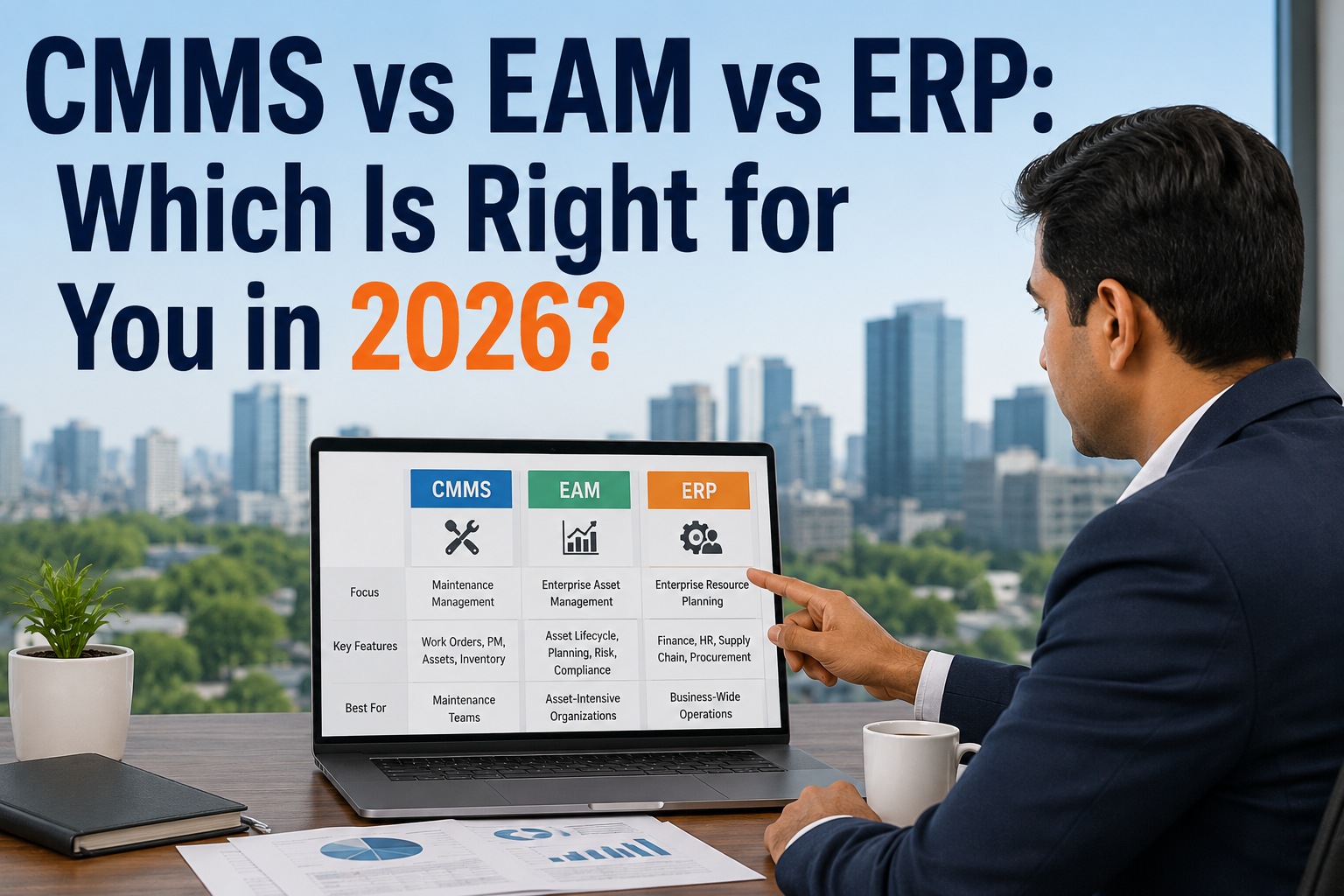
A CMMS (Computerised Maintenance Management System) focuses on work order management, PM scheduling, and maintenance execution. An EAM (Enterprise Asset Management) system extends that to include full asset lifecycle management, capital planning, financial depreciation, and procurement integration. For most maintenance teams, a CMMS is the right starting point. EAM makes sense when asset financial management — not just maintenance execution — is a core requirement and when the budget and IT resources to support that complexity are available.
Q
How long should a CMMS implementation take for a 50-person maintenance team?
A 50-person maintenance team with a single site and 500–2,000 assets should be live on a modern CMMS within 4–8 weeks from contract signing, assuming data preparation starts immediately. The critical path is almost always asset data quality — not the software configuration. Teams that invest 2 weeks in cleaning their asset register before importing it go live faster and with better outcomes than teams that import messy data on Day 1 and spend months cleaning it in the CMMS.
Q
Should we buy CMMS that includes IoT integration even if we don't have IoT sensors yet?
Yes — but only if the IoT integration is included in your tier at no additional cost and does not add implementation complexity or cost to your initial deployment. Choose a CMMS that has IoT capability on the roadmap or in a higher tier, but do not let future IoT plans drive your current selection decision. The platform that best solves your Day 1 problems — work order management, PM automation, mobile access — will deliver the most value fastest, regardless of what you plan to add in Year 2.
Q
What is a realistic ROI timeline for a CMMS investment?
For a Tier 1 or Tier 2 CMMS deployment, most organisations achieve measurable ROI within 3–9 months of go-live, primarily through emergency repair labour reduction, spare parts rationalisation, and PM compliance improvement. The fastest ROI comes from plants where a single avoided unplanned breakdown pays back the entire first-year CMMS cost — which is common in heavy industrial and process manufacturing environments where hourly downtime costs exceed $10,000. Define your specific ROI metrics before deployment so you can measure them cleanly.
Q
How do we get technician buy-in for CMMS adoption?
The single most effective driver of technician adoption is demonstrating that the CMMS makes their job easier — not just adds reporting burden for management. This means choosing a platform with genuinely fast mobile work order completion, selecting 2–3 respected technicians as champions during the pilot phase, and removing the parallel paper-based process as quickly as the data quality allows. Teams that run paper and CMMS in parallel for more than 60 days almost always see adoption revert to paper. Commit to the digital system early.
Q
Can a CMMS replace our ERP for maintenance purchasing and inventory?
A CMMS handles maintenance inventory management — parts catalogues, reorder points, consumption tracking, and purchase requisitions generated from work orders. It does not replace ERP functions like financial accounting, general ledger posting, vendor master management, or three-way invoice matching. The best integration model has CMMS managing the maintenance execution workflow and generating purchase requisitions that flow into ERP for procurement processing and financial recording. Bi-directional integration between CMMS and ERP is Tier 3 complexity — do not attempt it on your first CMMS deployment.
Q
What should we measure in the first 90 days after CMMS go-live?
Track four metrics in the first 90 days: (1) PM completion rate — target above 80% by Day 60; (2) reactive vs. planned work order ratio — reactive should begin declining from baseline; (3) mobile adoption rate — percentage of work orders closed on mobile vs. desktop; (4) work order backlog age — are open jobs getting older or resolving faster? These four metrics together reveal whether the platform is actually changing maintenance behaviour or just digitising the same dysfunction. If PM completion is below 70% at Day 60, investigate whether PM task design, technician workload, or scheduling logic is the bottleneck — not the software.
Start Your Evaluation With Real Data — Not a Sales Demo
The fastest way to know if OxMaint is right for your operation is to use it with your actual assets, your actual work orders, and your actual team. No credit card. No 6-month commitment. Just the software, working on your real problems from Day 1.